Last Updated: October 2026
In 2026, the interactive flat panel (also sold as an interactive whiteboard, interactive display board, interactive touch board or smart board) has moved well beyond being a large touchscreen. Schools use it as the main teaching surface and the core of a digital classroom AV solution. Companies use it as the center of the meeting room. This guide covers the seven trends shaping the interactive whiteboard market this year, and what each one means when you buy interactive boards for schools, universities or offices.
If the terminology is new to you: a smart board is an interactive whiteboard, meaning a touch display that combines a screen, a computer and writing software in one unit. Our guide What Is a Smart Board? 2026 Guide to Interactive Whiteboards for Schools & Business explains how brand names and product types differ.
Qtenboard is a manufacturer of interactive flat panels and LCD video walls, working from a 330,000 sqm production base. Its interactive whiteboards support Android and Windows, AI functions, cloud and screen-mirroring tools, and remote upgrades. You can browse the full range of interactive whiteboards for schools ඒ වගේම interactive whiteboards for business.
The 7 Trends at a Glance
Education remains the largest driver of interactive flat panel demand. Schools are replacing chalkboards, traditional whiteboards and projectors with interactive boards for schools because a single touch display handles writing, video, web resources and student participation in one place. Hybrid learning, group projects and digital textbooks all work better when the interactive board in the classroom responds instantly to touch. For budgeting and rollout planning, see our 2026 School Interactive Whiteboard Procurement Guide.
Primary schools, secondary schools and universities are upgrading to an interactive display for classes that supports multi-touch, so several students can write or drag objects at the same time. Qtenboard's interactive whiteboards for schools use 20-50 point infrared touch with zero-gap bonding, and palm and wrist detection prevents accidental marks while the teacher writes. Interactive boards for education also make it easy to open lesson files, play video and annotate on top of any content.
Dual-system flexibility is another reason schools choose Qtenboard. Teachers can switch between Android-based education apps and Windows software through an OPS PC module, as on our interactive whiteboard with OPS slot, so no lesson depends on a single platform. Remote firmware upgrades let IT departments keep every panel across a campus secure and up to date without visiting each room.
Interactive flat panels are no longer an education-only product. Hybrid work, distributed teams and shorter meetings have pushed businesses toward smart board interactive flat panel displays that combine whiteboarding, wireless screen sharing and video conferencing in a single device. By 2026, many companies treat them as core meeting-room infrastructure rather than an optional extra.
Qtenboard interactive whiteboards support cloud collaboration tools and screen-mirroring software, so employees can share presentations, annotate documents and interact with multimedia content from any device. The 86" smart AI whiteboard for hybrid meetings adds real-time transcription and meeting summaries, while the BYOM video conferencing interactive whiteboard integrates a 4K camera, array microphone and speaker for Zoom, Microsoft Teams and Google Meet. Smaller teams can choose a compact huddle room interactive flat panel.
Still comparing options? Read Interactive Whiteboard vs Projector: The 2026 Business Comparison for a seven-year cost view, or visit our interactive whiteboard meeting solutions page. From brainstorming sessions to corporate training, these displays encourage participation and shorten the time between idea and decision.
Visual quality is critical for both learning and collaboration. In 2026, ultra-high-definition 4K is the working standard for every interactive display board, while 8K panels are still emerging. Sharper images, richer color and higher contrast make text easier to read from the back of the room and reduce eye strain for students and employees alike.
Qtenboard interactive flat panels deliver 3840 x 2160 4K resolution, with 350-450 cd/m² brightness options, 178° viewing angles and a typical LCD life of 60,000 hours. In classrooms, that clarity lets educators present complex diagrams, videos and simulations. In meeting rooms, it helps teams read dashboards and detailed presentations without squinting.
Clarity also depends on how the touch layer is built. Full lamination removes the air gap between the glass and the LCD, which improves writing accuracy and reduces parallax; see why high-end interactive whiteboards choose full lamination and our smart interactive flat panel with anti-glare zero-bonding glass. In bright classrooms, backlight output matters too, as explained in The Impact of Backlight on the Use of Interactive Whiteboards.
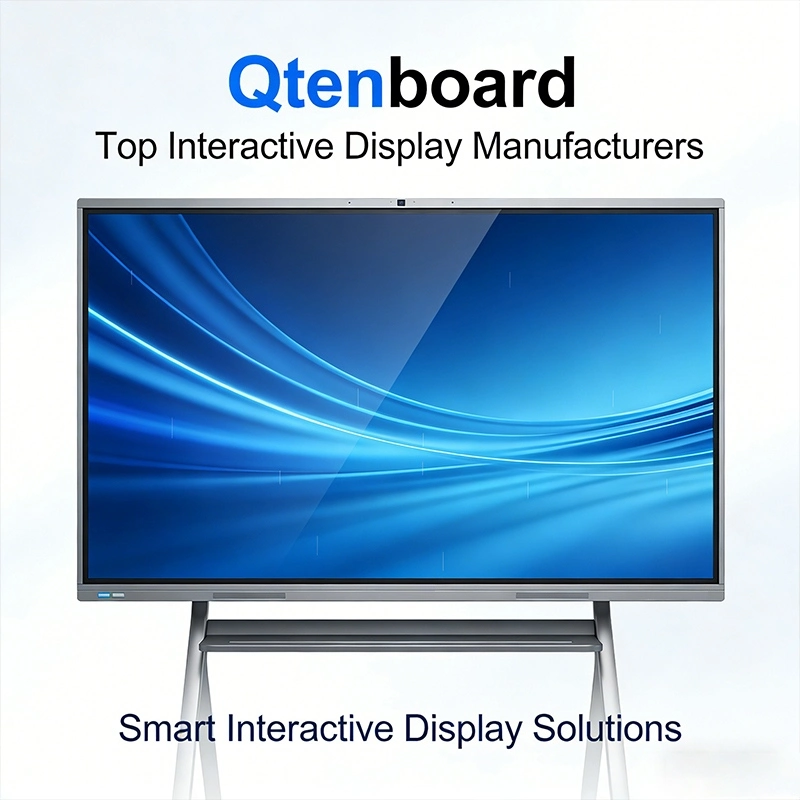
Hygiene and shared-device safety remain priorities in schools and offices. Touchless interactive whiteboards address these concerns by reducing physical contact while keeping the board interactive.
These interactive flat panels use gesture recognition so users can navigate menus, flip pages and control apps without touching the screen. Qtenboard combines this approach with AI-driven responsiveness for accurate, intuitive control. Touchless modes are most useful in K-12 schools, universities and public-facing corporate spaces where many people share one board.
In practice, touchless features work best as a complement to precise multi-touch writing rather than a replacement for it. To see where intelligent touch is heading, read What Is AI Touch? Qtenboard Smart Board.
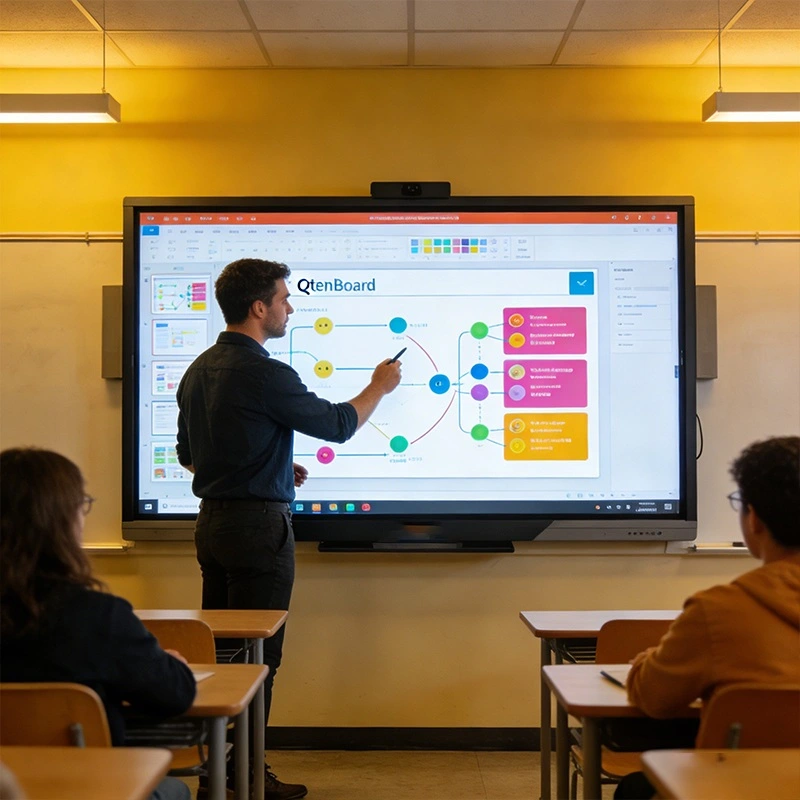
AI is changing what an interactive flat panel can do. In 2026, an AI-powered smart whiteboard for teaching does more than display content: it listens, summarizes, answers questions and helps prepare the next lesson. Qtenboard builds these functions into the board through high-performance AI chips; read more about the platform in Hi3576-Powered AI Interactive Whiteboard: EDLA Display & Smart Assistant.
For teachers, these tools cut lesson-preparation and note-taking time so they can focus on explanation and discussion. For business users, the same features turn every meeting into a searchable record. Our article AI අන්තර්ජාලය ශුභාරංචිය: බුද්ධිමත් ඉගැන්වීමේ ඊළඟ පරිච්ඡේදය looks at the classroom side, and AI Meeting Whiteboards covers the office side. To see these functions on a large-format model, view the Collaborative AI 110" board for modern schools.
Asia Pacific, Latin America and other emerging markets are seeing rapid growth in the interactive whiteboard market. Rising education budgets, digital transformation programs and the move away from projectors are all lifting demand for interactive flat panel displays.
Southeast Asia is one of the most active regions. Schools there need boards that cope with tropical climates, bright rooms and multilingual teaching. Qtenboard offers dedicated pages for interactive flat panels for Thailand schools, 75" interactive whiteboard for Vietnam schools ඒ වගේම interactive whiteboards for Indonesia schools, and you can browse successful cases from the field.
Many schools in Singapore and the wider region now treat the interactive display board as education digital signage as well. Between lessons, the same panel can show timetables, announcements and notices, with content pushed remotely through a device management system. Our interactive flat panel educational solutions page shows how boards, audio, cameras and control systems combine into a complete digital classroom AV solution.
Platform certification and local rules also shape purchasing. Google EDLA certification gives schools full Android with Google Play and secure device management; compare the options in EDLA vs AOSP vs Windows Dual-OS and see the Google EDLA certified interactive flat panel. For distributors who want to lower import tariffs, CKD/SKD assembly ඒ වගේම ODM manufacturing support local localization.
Safety is a growing concern for schools and workplaces. Qtenboard interactive whiteboards are designed with alert capabilities that help staff push urgent notices, such as lockdowns or severe weather warnings, to the board quickly.
By 2026, these features are becoming standard in educational and corporate settings. A board can display instructions, evacuation routes and alerts in real time, while a remote device management system lets administrators send messages, schedule power and monitor devices across many rooms. A child lock function prevents unwanted changes to settings in classrooms.
Safety also covers students' health and data. Anti-glare and low blue light displays protect eyes during long lessons, and device-level security protects school data; see Enhancing Classroom Safety: Eye Protection and Data Security for Interactive Whiteboards for details. Combined with cloud ecosystem management and dual-system flexibility, these features make the interactive flat panel both advanced and safety-conscious.
With so many interactive flat panels on the market, the right choice comes down to room size, platform and support. Use the table below as a starting point for interactive boards for schools, labs and meeting spaces. It is based on Qtenboard's QM-HY series, which runs from 55 to 110 inches.
| Room Type | මාර්ගය | Display Size | Optimal Space | ප් රයෝජන |
|---|---|---|---|---|
| Small group rooms | QM-55HY | 55" | Up to 10 people, 8-10 m² | Space-saving and lightweight |
| සාමාන් ය පන්ති කාමර | QM-65HY | 65" | 10-20 people, 10-20 m² | Balanced visibility at about 3 m |
| Labs and workshops | QM-75HY | 75" | 20-30 people, 20-30 m² | Mobile stand ready |
| ශාලාව | QM-86HY | 86" | 30-40 people, 30-40 m² | Crisp visuals up to 5 m |
| ස්ථාන | QM-98HY | 98" | 40-50 people, 50-70 m² | Dual-box mobile stand |
| Conference centers | QM-110HY | 110" | 50+ people, 70-90 m² | Immersive 7-10 m viewing |
A board that is too small forces students in the back row to squint, and one that is too large wastes budget. For a detailed look at viewing distance and mounting height, read the Interactive Whiteboard Size Guide (Meters). For large rooms, consider a 110 inch interactive whiteboard for auditoriums, and for shared boards a portable interactive whiteboard on a mobile trolley can move between rooms.
Decide whether your teachers need Android only or both Android and Windows, and confirm that remote management is included. Our B2B buyer's guide to choosing an interactive whiteboard gives an 11-point checklist covering touch technology, operating system, security, warranty and total cost of ownership. Optional extras such as OPS modules, smart pens and brackets are listed on our accessories page.
Qtenboard's interactive whiteboards combine hardware, software and service features that make interactive flat panels more effective for education and business:
Dual-system support (Android & Windows): switch between operating systems on one interactive whiteboard.
Remote upgrade capability: OTA updates for security and functionality across all panels.
AI integration: speech-to-text, meeting minutes, AI Q&A and a smart assistant.
Cloud collaboration and screen mirroring: share content wirelessly from any device.
4K ultra-high-definition displays: superior clarity, with 8K options as the market matures.
Touch and touchless interaction: precise multi-touch writing plus hygienic gesture control.
Alert and safety features: messages, scheduled power and remote monitoring for safer campuses.
Training and professional development: help teachers and staff get the most from the board.
Dedicated support and maintenance for every Qtenboard interactive whiteboard.
OEM/ODM customization: UI, logo, packaging and pre-installed apps tailored to your brand.
Factory-direct supply: 330,000 sqm production base with automated assembly and aging tests.
These features translate into real benefits: stronger student engagement with interactive boards, better teaching outcomes with smart whiteboards for teaching, higher workplace productivity, simpler IT management and lower long-term cost across every Qtenboard deployment.
An interactive flat panel is a large touch display that combines a screen, a built-in computer, whiteboard software and wireless sharing. Schools and companies use it in place of a projector and traditional whiteboard. It is also called an interactive display board, interactive touch board or interactive electronic whiteboard.
In everyday use, yes. A smart board is an interactive whiteboard, and the terms smart board interactive whiteboard and interactive flat panel are often used for the same type of product. Read our full explanation in කුමක්ද?
Most standard classrooms work well with a 65 to 86 inch interactive board, depending on class size and viewing distance. Use the size table above, or the size guide in meters, to match the screen to your room.
Android handles most education apps and wireless sharing, while Windows suits specialist software. A dual-system board with an optional OPS module gives you both. See interactive flat panel with OPS PC module for the Windows option.
For most classrooms and meeting rooms, yes: an interactive flat panel stays bright in daylight, needs no lamp replacement and supports direct touch. Our interactive whiteboard vs projector comparison covers brightness, maintenance and seven-year cost.
Yes. Qtenboard supports white-label, OEM, ODM and CKD/SKD modes, including custom UI, logo, packaging and pre-installed apps. More answers are on our interactive whiteboard FAQ page.
As 2026 unfolds, the interactive flat panel is no longer optional. It sits at the center of the modern classroom and the connected workplace. Qtenboard continues to lead with dual-system interactive whiteboards, AI integration, cloud collaboration and remote upgrade capabilities, helping education and business users stay ahead.
By investing in Qtenboard interactive whiteboards, schools and organizations gain future-ready technology, smooth integration and full support. Explore the school range or the business range to find the panel that fits your rooms and budget.
නිෂ්පාදක තොරතුරු කියවීමට ක්ලික් කරන්න එහි ක් රියාකාරකම් සහ සැබෑ ක් රියාකාරකම් ගැන ඉගෙනගන්න.
 SIN
 EN
 MAY
 TH
 CHT
 BUR
 VIE
 ID
 FIL
 LAO
 HKM