Interactive Whiteboard vs Projector: The 2026 Business Comparison | QTNEBOARD

2026-10-04
QTNEBOARD Business Display Guide 2026

Interactive Whiteboard vs Projector: The 2026 Business Comparison

Brightness, touch, maintenance and the 7-year cost — compared for meeting rooms and training spaces, with a decision matrix, room-by-room recommendations and a real Southeast Asia deployment example.
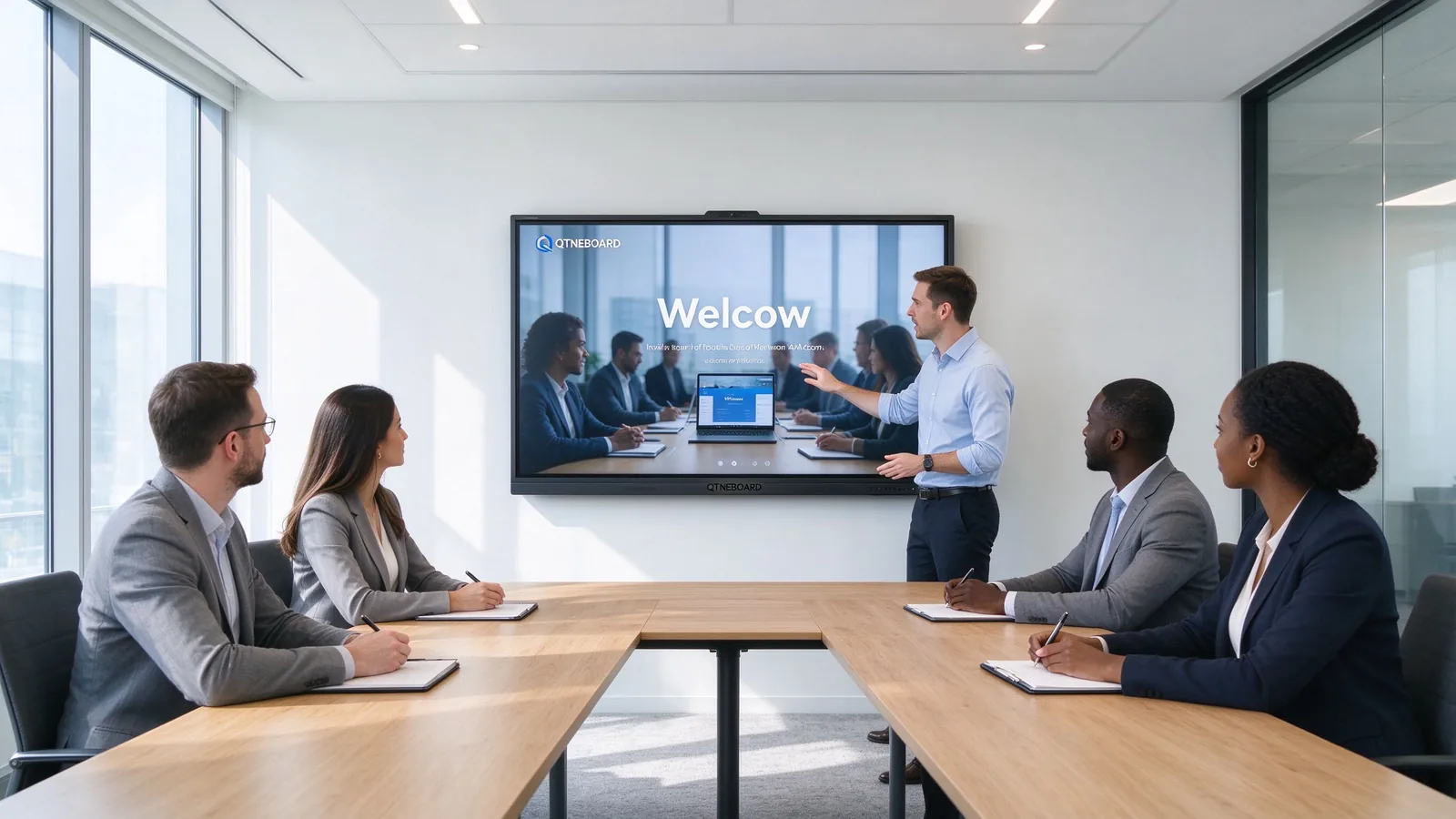
Business presenter using a QTNEBOARD interactive flat panel in a bright meeting room
60,000 htypical panel life
4K UHD3840 × 2160
20–50 ptmulti-touch
55–110"size range
01 · What you are actually comparing

Two ways to put an image on the wall — and they are not equal

Hybrid work and bright, open-plan offices have changed what a meeting room display has to do. It no longer just shows slides; it runs video calls, takes annotations, and stays readable with the lights on.

Aninteractive flat panel (IFP) — the category QTNEBOARD builds — is one device: a 4K LED display, a multi-touch surface and a built-in computer (Android 14, with an optional Windows OPS module), from 55" up to 110".

Aprojector system is a stack of parts: a projector, a screen or painted wall, cables, an audio solution, and — if you want annotation — an interactive add-on such as an IR frame or interactive projector. Brightness is measured in ANSI lumens, and the image depends heavily on the room.
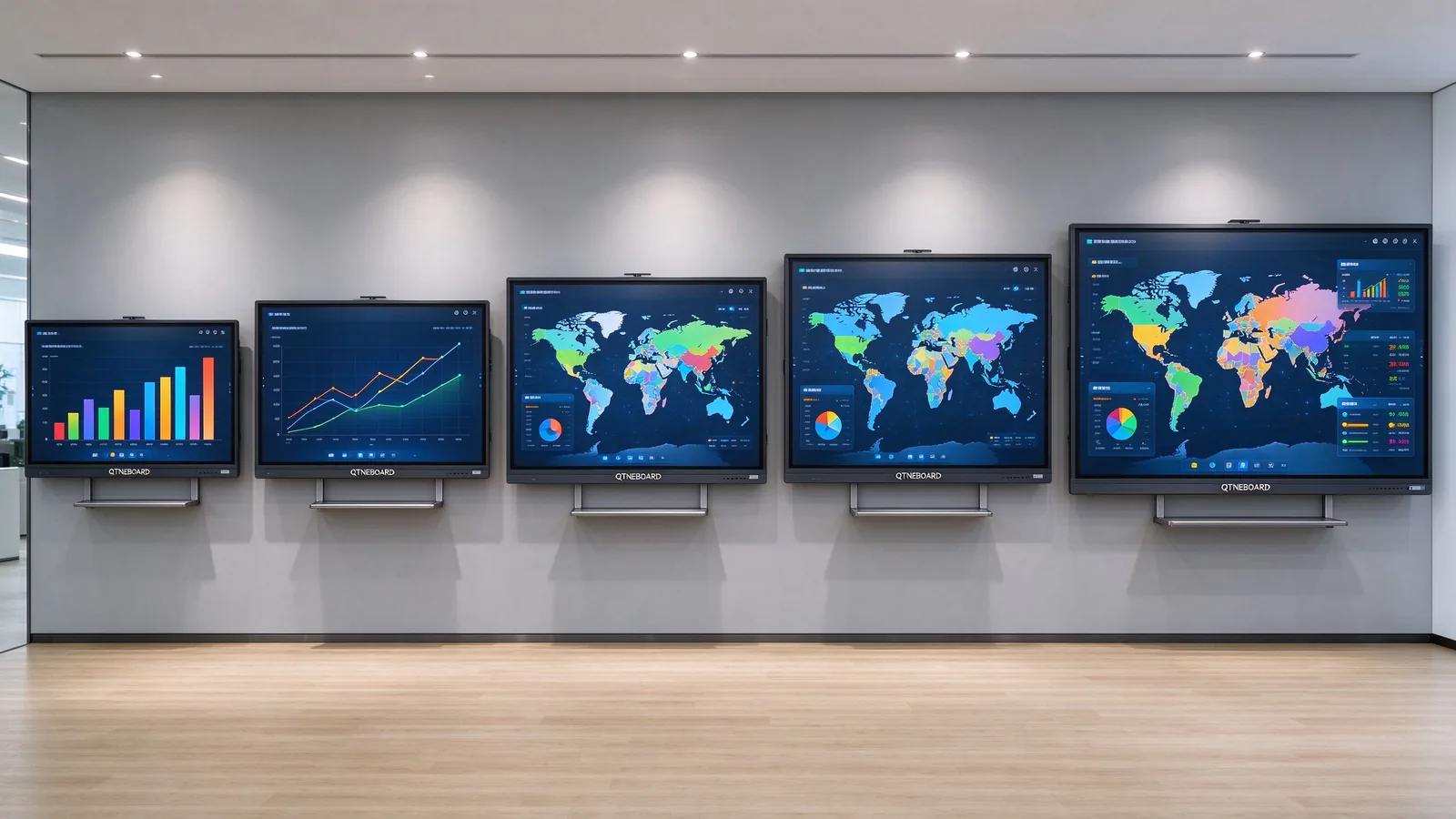
QTNEBOARD interactive flat panel lineup from 55 to 110 inches displaying business dashboards
A full IFP lineup from 55" to 110" replaces the projector, the screen, the mount and the media box in one unit.
To keep this comparison fair, "projector" below means the complete setup a business actually buys: unit, screen, ceiling mount, cables and any interactivity add-on — not the projector alone.
02 · The 7 factors that decide the outcome

Where the two technologies differ — and what it costs you in practice

1. Brightness and image quality

IFP wins in lit rooms

QTNEBOARD interactive flat panel

  • Self-lit LED panel: 350 / 400 / 450 cd/m² options, 4000:1 contrast, 178° viewing angle.
  • 4K UHD (3840×2160) keeps text and charts sharp at every size.
  • Stays readable with the lights on and near windows — the image does not wash out.

Projector setup

  • Needs roughly 3,000–4,500 ANSI lumens for a typical lit meeting room; bright rooms push past 4,000.
  • Contrast depends on ambient light — daylight and ceiling lights reduce perceived brightness and color accuracy.
  • Fans add noise; image sharpness drops as lumens and screen size climb.

Verdict: in any room that cannot be fully darkened — which is most offices in Southeast Asia — the IFP is legible without dimming the lights. Projectors remain competitive in fully controlled, darker rooms.
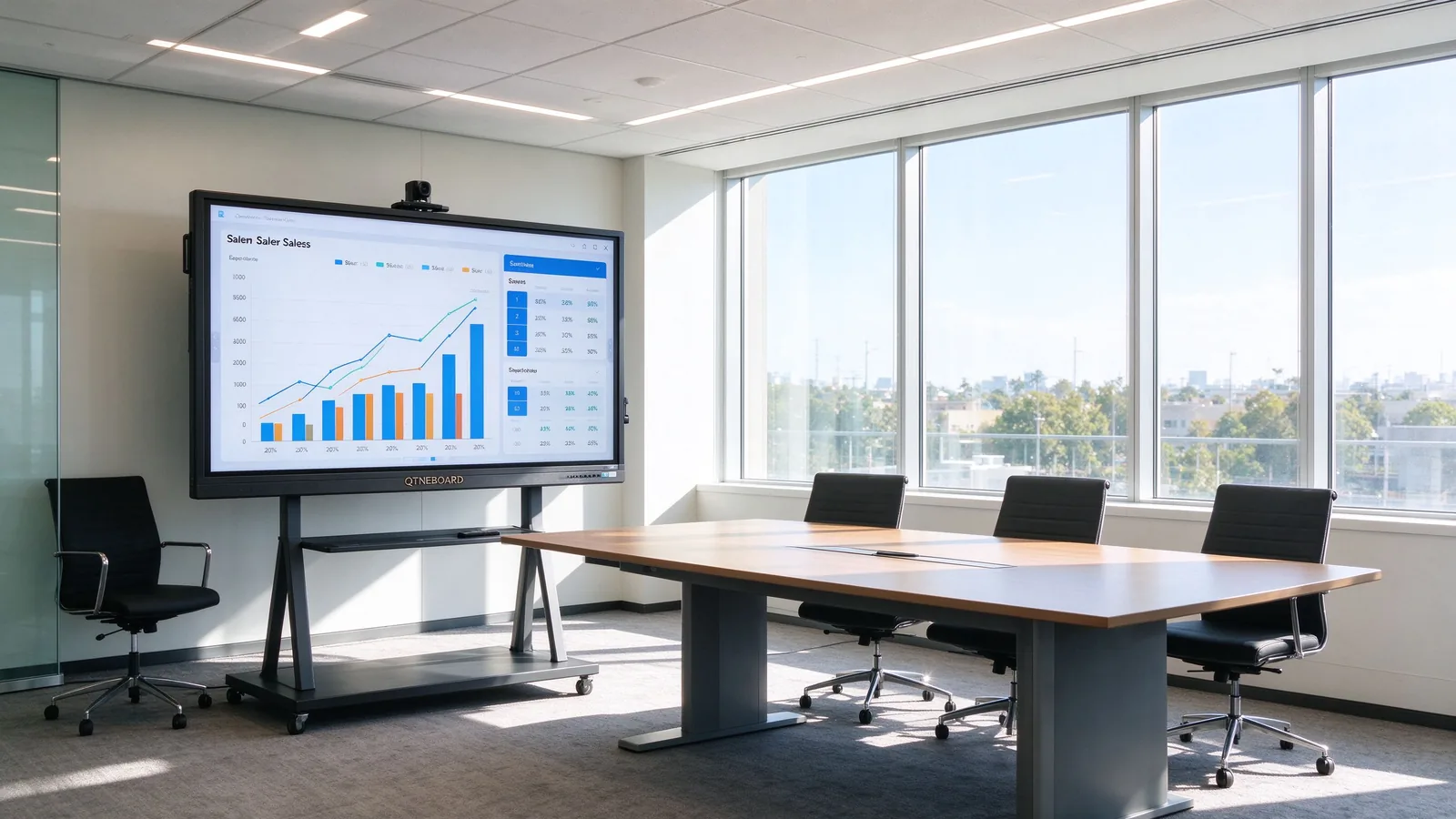
QTNEBOARD 4K panel clearly visible in a bright room with full daylight
A self-lit 4K panel keeps text and charts crisp under full office lighting — the test most projectors fail in daylight rooms.

2. Touch and interactivity

IFP wins

QTNEBOARD interactive flat panel

  • 20–50 point multi-touch with infrared + zero-gap bonding — several people can write at once.
  • Finger or stylus, with palm rejection and low-latency annotation built in.
  • Native whiteboard app: annotate over any input, save, and share the session.

Projector setup

  • Interactivity needs an add-on (IR frame or interactive projector), usually 1–2 touch points.
  • Calibration drifts over time; the presenter often blocks the projected image with their body.
  • Annotation usually depends on a connected PC and extra software.

Verdict: for annotation, brainstorming and training, the IFP's touch layer is the whole point. A projector only becomes "interactive" with additional hardware and ongoing maintenance.
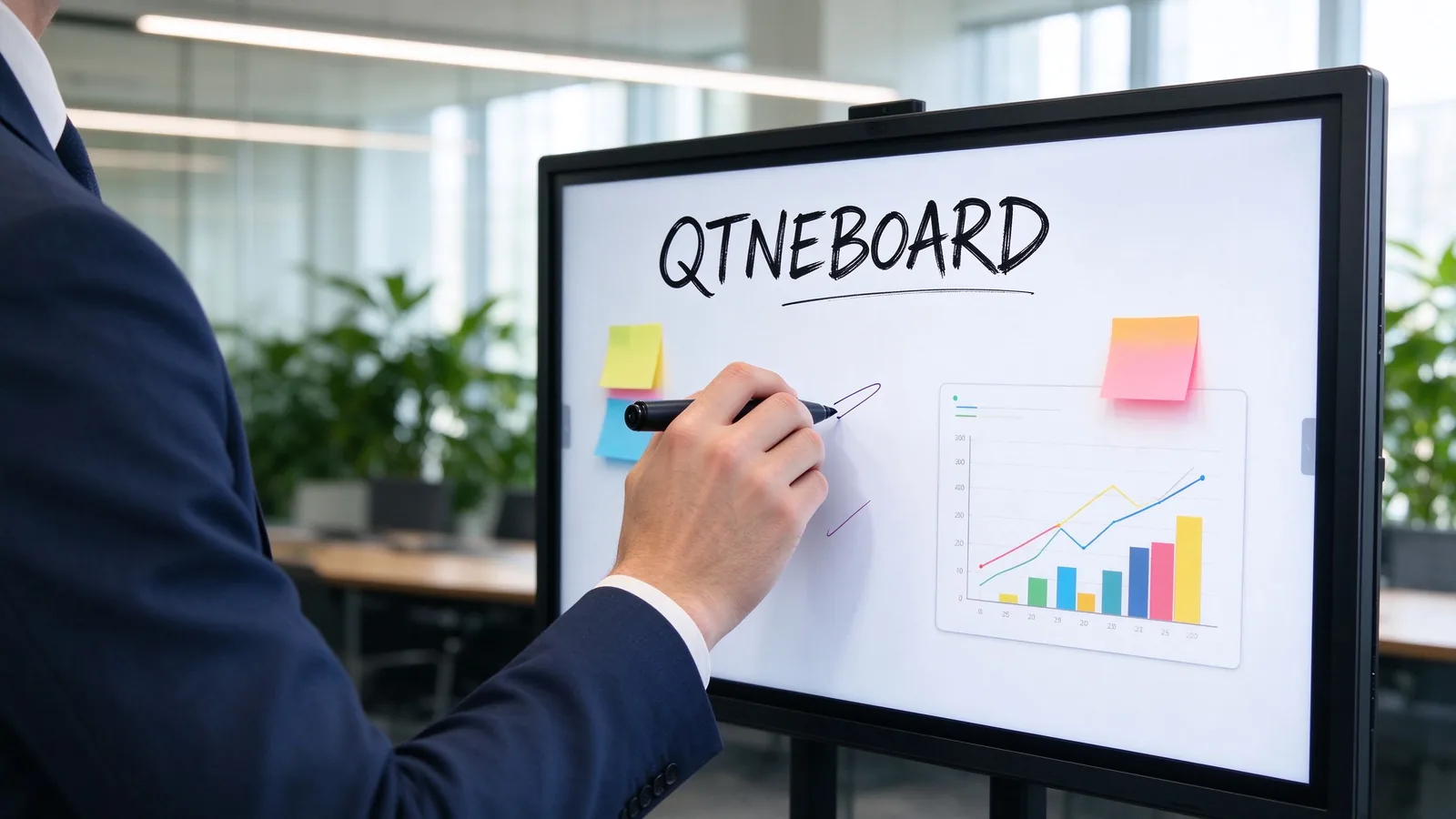
Person annotating a QTNEBOARD touchscreen during a meeting
Multi-point touch and palm rejection make annotation a natural part of the meeting, not a separate step.

3. Total cost of ownership over 7 years

IFP wins long-term

QTNEBOARD interactive flat panel

  • One purchase, no consumables: the 60,000-hour backlight outlives the typical projector twice over.
  • Standby power under 0.5W keeps idle cost near zero.
  • Full breakdown with worked ranges in section 03.

Projector setup

  • Low first invoice, then recurring costs: lamps, filters, cleaning and service calls.
  • Business projector lamps typically last 2,000–5,000 hours — roughly one replacement per year in a daily-use room.
  • Most business projectors are replaced outright within the same 7-year window.

Verdict: the projector wins on the first invoice; the IFP wins on the total bill. See the worked 7-year model below.

4. Maintenance and lifespan

IFP wins

QTNEBOARD interactive flat panel

  • No lamps, no filters, no calibration. Cleaning the screen is the routine task.
  • 60,000-hour typical panel life supports 24/7 duty in lobbies and control rooms.
  • Firmware and app updates delivered through the built-in system.

Projector setup

  • Lamp life 2,000–5,000 hours typical; dimming and flicker are the warning signs.
  • Air filters need cleaning in dusty climates — relevant for much of Southeast Asia.
  • Each lamp change means downtime, a service visit and a room taken out of use.

Verdict: maintenance is where projectors quietly consume budget and meeting time. The IFP removes that category almost entirely.

5. Installation and space

IFP wins for most rooms

QTNEBOARD interactive flat panel

  • Flush wall mount or mobile stand; no throw distance, no ceiling work.
  • No presenter shadows — the person standing in front does not block the image.
  • One device, one power cable; fits small huddle rooms and large boardrooms alike.

Projector setup

  • Needs ceiling mount, throw distance and cable runs; installation typically costs more.
  • Presenters walking past the beam cast shadows on the screen.
  • Screen size is flexible — the real advantage when the venue is very large.

Verdict: for rooms up to roughly 120" of display, the IFP installs faster and cleaner. Projectors keep the edge in auditoriums and lecture halls that need very large images.
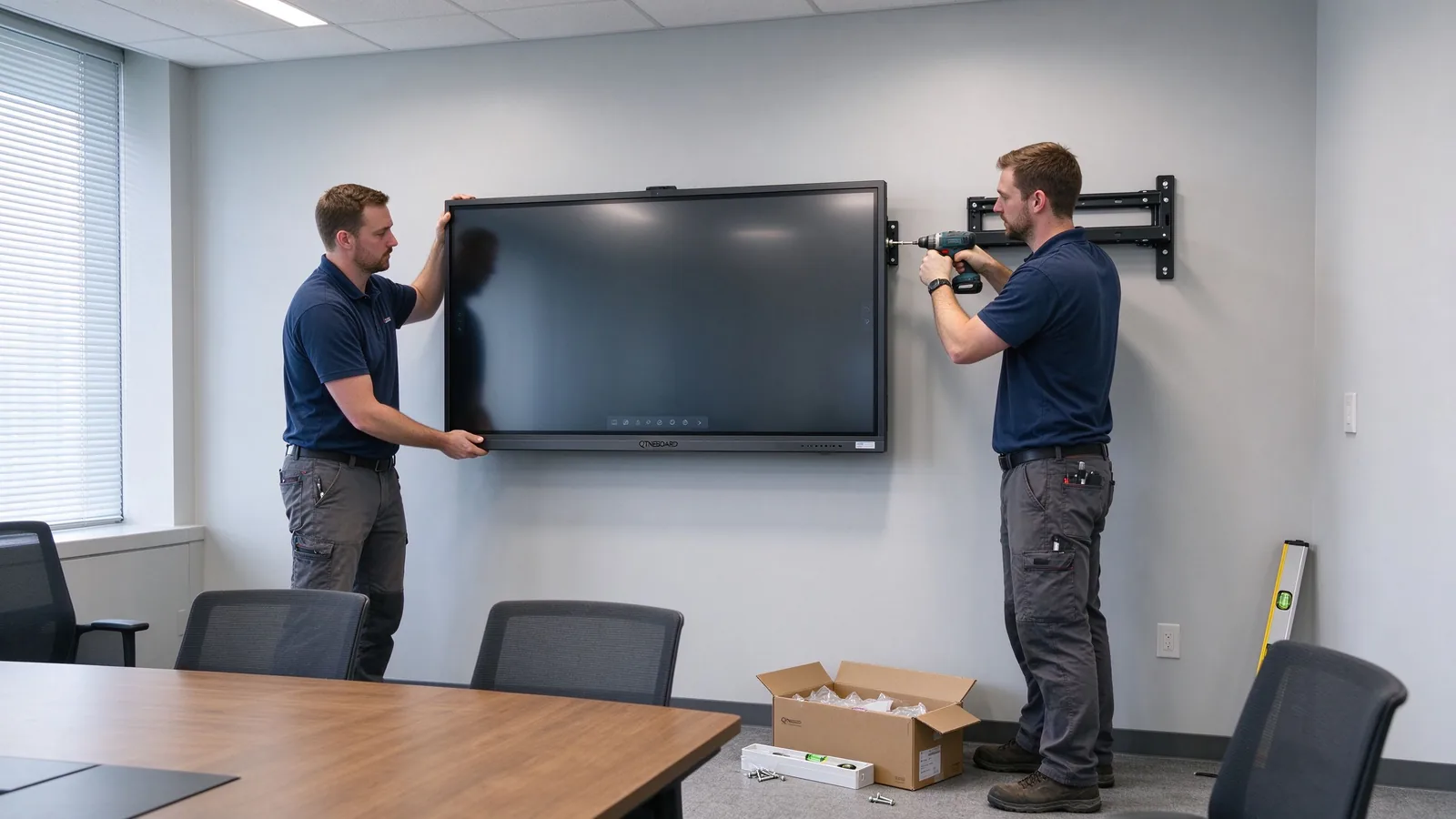
Technicians mounting a QTNEBOARD interactive flat panel on a meeting room wall
A typical IFP install is a wall mount, one power cable and under an hour of configuration — no ceiling beam, no throw-distance planning.

6. Connectivity and hybrid-readiness

IFP wins

QTNEBOARD interactive flat panel

  • Wireless: Wi-Fi 2.4G/5G, Bluetooth 5.2; ports include HDMI in/out, USB, Type-C, DP, VGA, RJ45, RS232, TF.
  • Built-in 48MP camera plus optional 8MP/4K, optional 6/8/12-mic array, 20W × 2 speakers.
  • BYOD casting from laptops and phones; runs Zoom, Teams, Meet and other apps natively.

Projector setup

  • Displays an input signal — that is all. Video calls need a separate camera, mic, speakers and streaming box.
  • Wireless casting usually requires an extra dongle or PC with software.
  • Every missing peripheral is another failure point at 9:01 on meeting day.

Verdict: a hybrid meeting on an IFP is one power-on away. A projector-based hybrid room is a small AV project of its own.
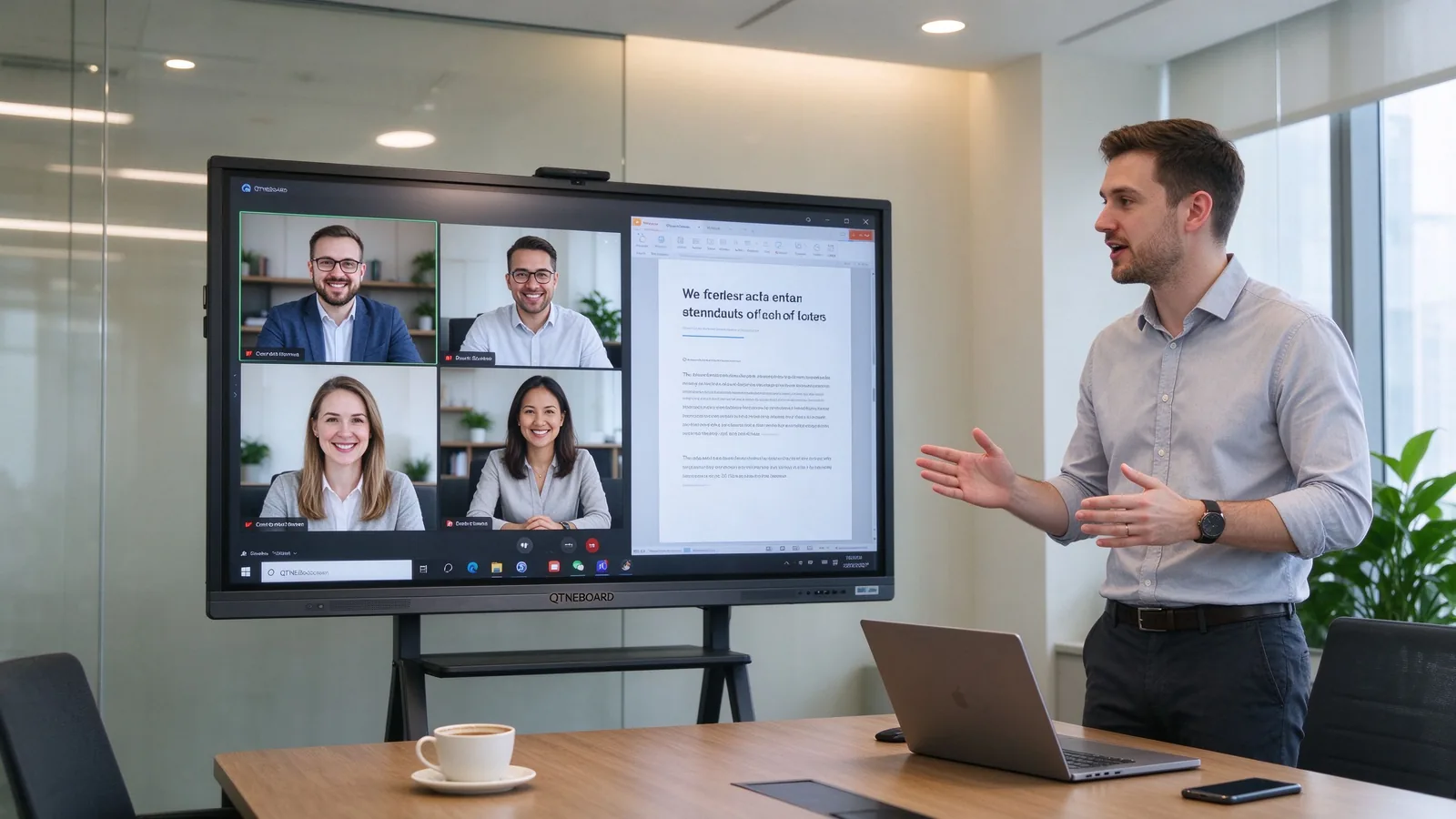
Hybrid video meeting running on a QTNEBOARD panel with remote participants and shared content
Camera, mics, speakers and casting in one panel: the same unit hosts the remote participants and the shared content.

7. Software, support and warranty

IFP wins

QTNEBOARD interactive flat panel

  • Android 14 with 4+32G / 8+128G / 16+256G options; optional OPS i5/i7 for Windows apps.
  • Native whiteboard, remote management and fleet control across rooms.
  • CE, FCC, RoHS and ISO certified; warranty and support terms confirmed in your quotation.

Projector setup

  • Firmware only; no apps, no fleet management, no built-in collaboration software.
  • Support is spread across the projector, screen, box, camera and mic vendors.
  • Lamp stock and service contracts are an extra procurement line.

Verdict: one vendor, one system, one support channel — simpler for a facilities or IT team managing many rooms.
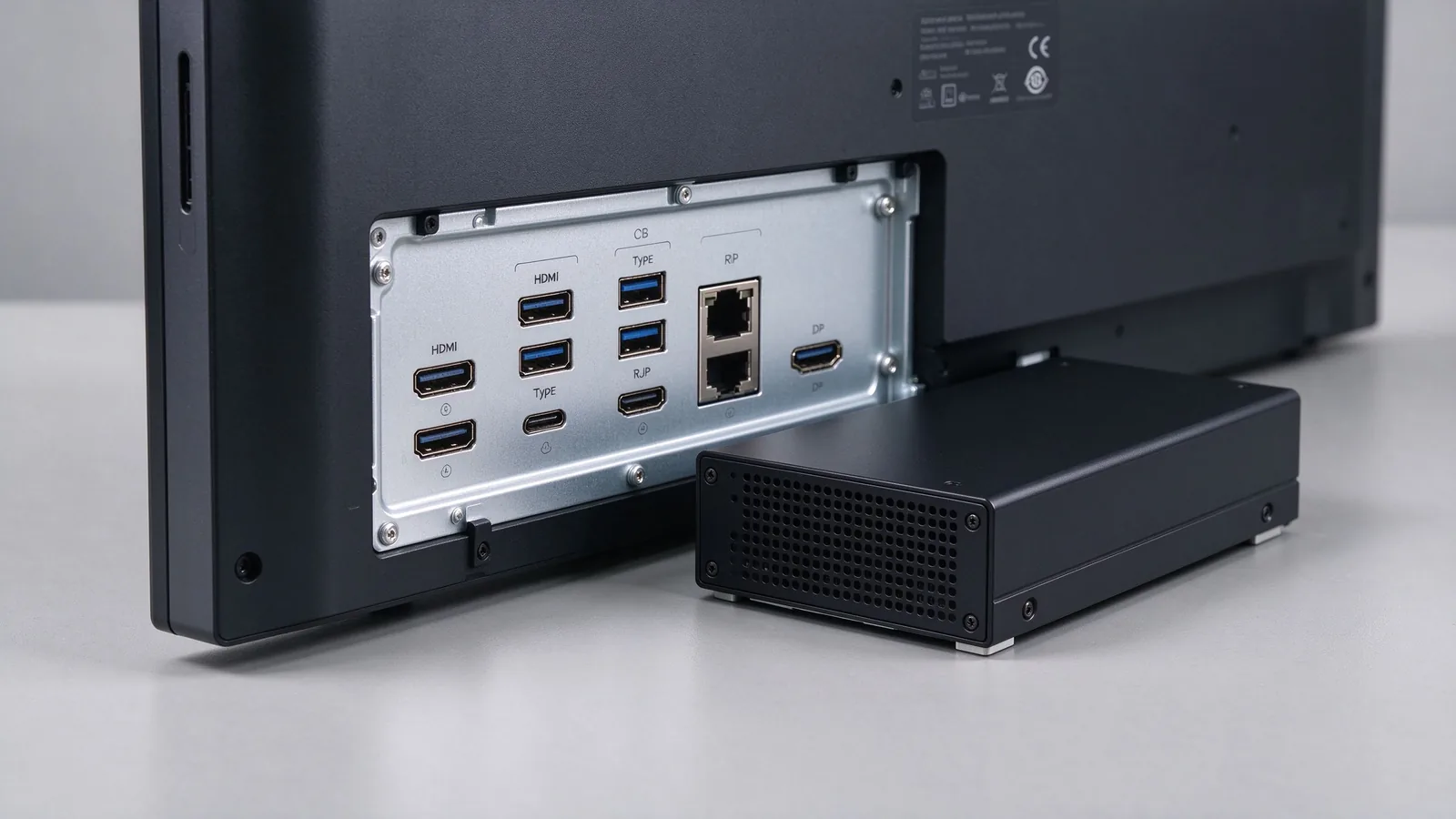
Close-up of QTNEBOARD connectivity ports and optional OPS module
HDMI in/out, USB, Type-C, DP, VGA, RJ45, RS232 and the optional OPS slot cover almost any room's AV needs.
03 · The 7-year cost model

What 7 years actually cost — a worked model

The first invoice is not the cost. Run both setups for 7 years in a room used daily and the projector's lamps, filters and service visits change the picture completely.

Assumptions (planning ranges, not quotes). Usage 8 h/day, 5 days/week ≈ 2,080 h/yr. Electricity USD 0.12/kWh — Southeast Asia business rates vary roughly 0.09–0.20 by country. Projector lamp life 2,000–5,000 h typical, USD 150–400 per replacement including service. IFP power draw 150–250 W (typical 75–86" panel), projector system 300–400 W. Labor USD 30–60/h. QTNEBOARD hardware pricing is size-dependent — see your quotation.
Cost itemProjector system (7-yr estimate)QTNEBOARD IFP (7-yr estimate)
Hardware (unit, screen, mount)USD 1,200–3,000USD 1,800–3,500 (75–86" class, size-dependent)
PemasanganUSD 500–2,000 (ceiling mount, cabling)USD 150–400 (wall mount, one power cable)
Lamp replacementsUSD 1,050–2,800 (about one lamp per year)USD 0 — 60,000 h backlight
Energy at ~2,080 h/yrUSD 525–700USD 260–430
Filters, cleaning and serviceUSD 560–1,400USD 140–350 (screen cleaning only)
Casting box, cables, softwareUSD 100–400Included (Android 14 + whiteboard app)
Total, 7 years≈ USD 3,935–10,300≈ USD 2,350–4,680

7-year total cost range

Scale USD 0–10,000. Bars show the low-to-high range from the table above.

QTNEBOARD IFP
USD 2,350–4,680
Projector setup
USD 3,935–10,300
Interactive flat panelProjector setup

Average annual running cost (energy + consumables + service)

Scale USD 0–500 per year. The projector's lamps dominate; the IFP's running cost is close to electricity alone.

QTNEBOARD IFP
USD 60–110 / yr
Projector setup
USD 200–450 / yr
Interactive flat panelProjector setup
When does the IFP break even? With one lamp replacement per year, cumulative cost parity is reached around years 2–4. Beyond year 5 the projector system usually pulls ahead — and most business projectors are replaced outright inside the same 7-year window, adding another hardware invoice.

Two honest caveats. A room used only 1–2 h/day narrows the gap, because the lamp lasts longer. And a venue that needs an image larger than about 120", or that has full light control and a very tight first-year budget, can still be well served by a laser projector. Use this model as a planning tool, and replace the estimates with your local electricity rate, lamp prices and quotation.

04 · Decision matrix and room-by-room picks

Score your own room, then read the recommendation

The scorecard below reflects a typical meeting or training room in a business in Southeast Asia: daylight, daily use, hybrid meetings, and a 7-year planning horizon. Adjust the weights if your situation differs — the columns show the editorial scoring, on a 1–5 scale.

Criterion (typical use case)IFPProjektorMengapa ia penting
Brightness in ambient light52Lit offices are the default; an IFP stays legible without dimming.
Touch and interactivity52Annotation and multi-user writing are native on the IFP.
7-year total cost43Projector is cheaper upfront; lamps and service reverse the total.
Maintenance and downtime52No lamps, filters or calibration on the IFP.
Hybrid meeting readiness52Camera, mics, speakers and casting built in.
Software and fleet management42Android 14, remote management, one vendor.
Very large screens (above 110")25Projection scales to auditorium size; IFP tops out at 110".
Lowest first invoice24Projector still wins when year-one budget dominates.
Total3222IFP wins for most meeting and training rooms.
Read it honestly: the projector wins where the display must exceed about 110" (auditoriums, lecture halls) or where the room is fully dark and the budget is minimal. Everywhere else in a typical office, the IFP scores higher on the criteria that run the room day to day.

Room-by-room recommendations

Huddle room

55" / 65"

Two to six people, quick stand-ups and ad-hoc calls. A small panel fits the room, and touch makes annotation instant without a PC.

Standard meeting room

75"

Six to twelve people, daily presentations. Bright-room readability and BYOD casting cover the two most common complaints.

Training room

86" / 98"

Twelve to thirty trainees. Multi-touch lets several people write at once; split-screen shows the trainer's content and a trainee's work side by side.

Executive boardroom

86" + optional OPS

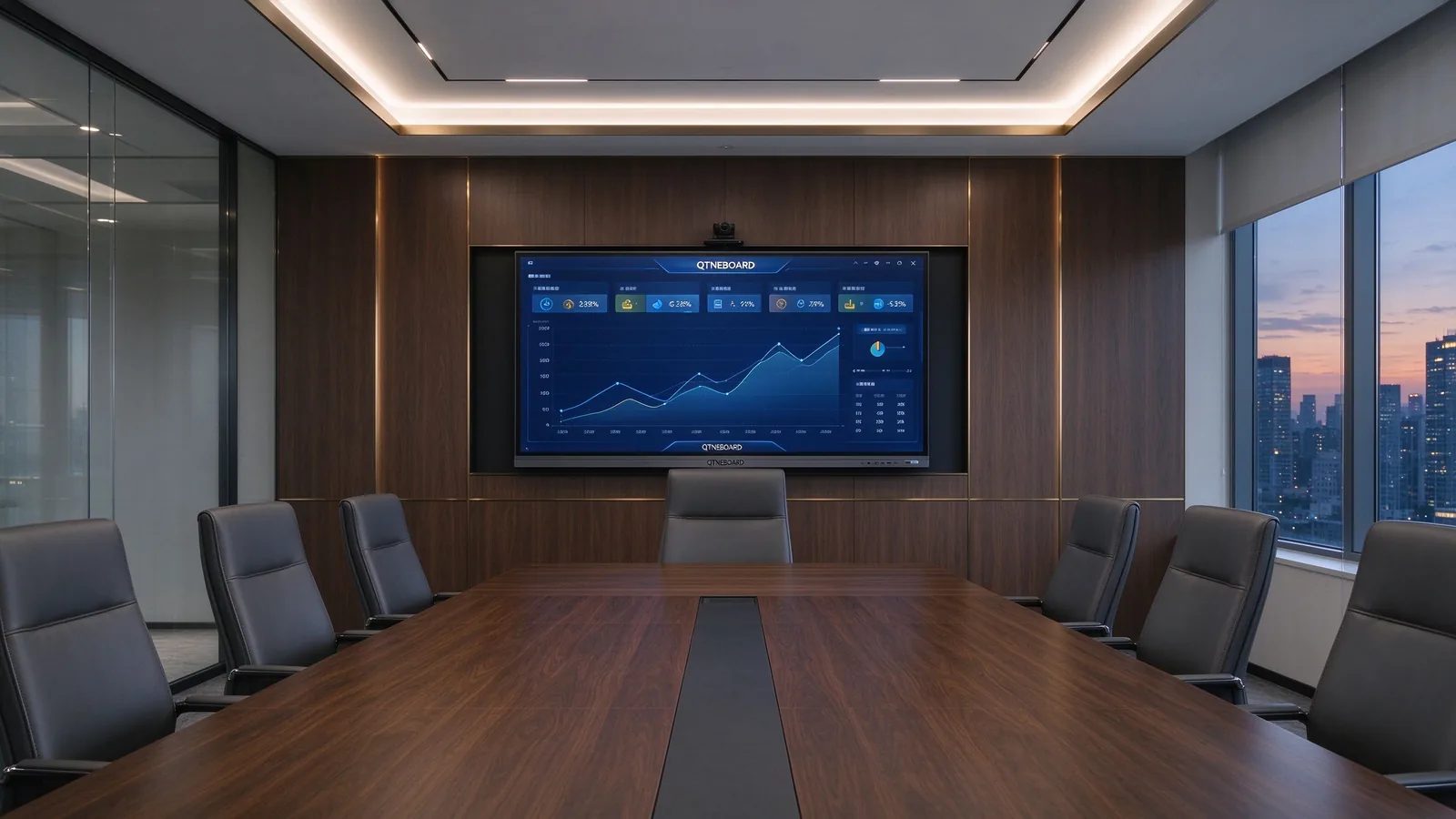
Data-heavy reviews need 4K sharpness and a clean, flush install. Add the OPS i5/i7 module if board members run Windows-only tools.

Reception and lobby

98" / 110"

First-impression display with signage and touch kiosk modes. The 60,000-hour backlight handles long duty cycles.

Operations and control room

75" – 110" per wall

Near-continuous uptime, no lamp swaps, RS232 for third-party control and fleet management across multiple screens.
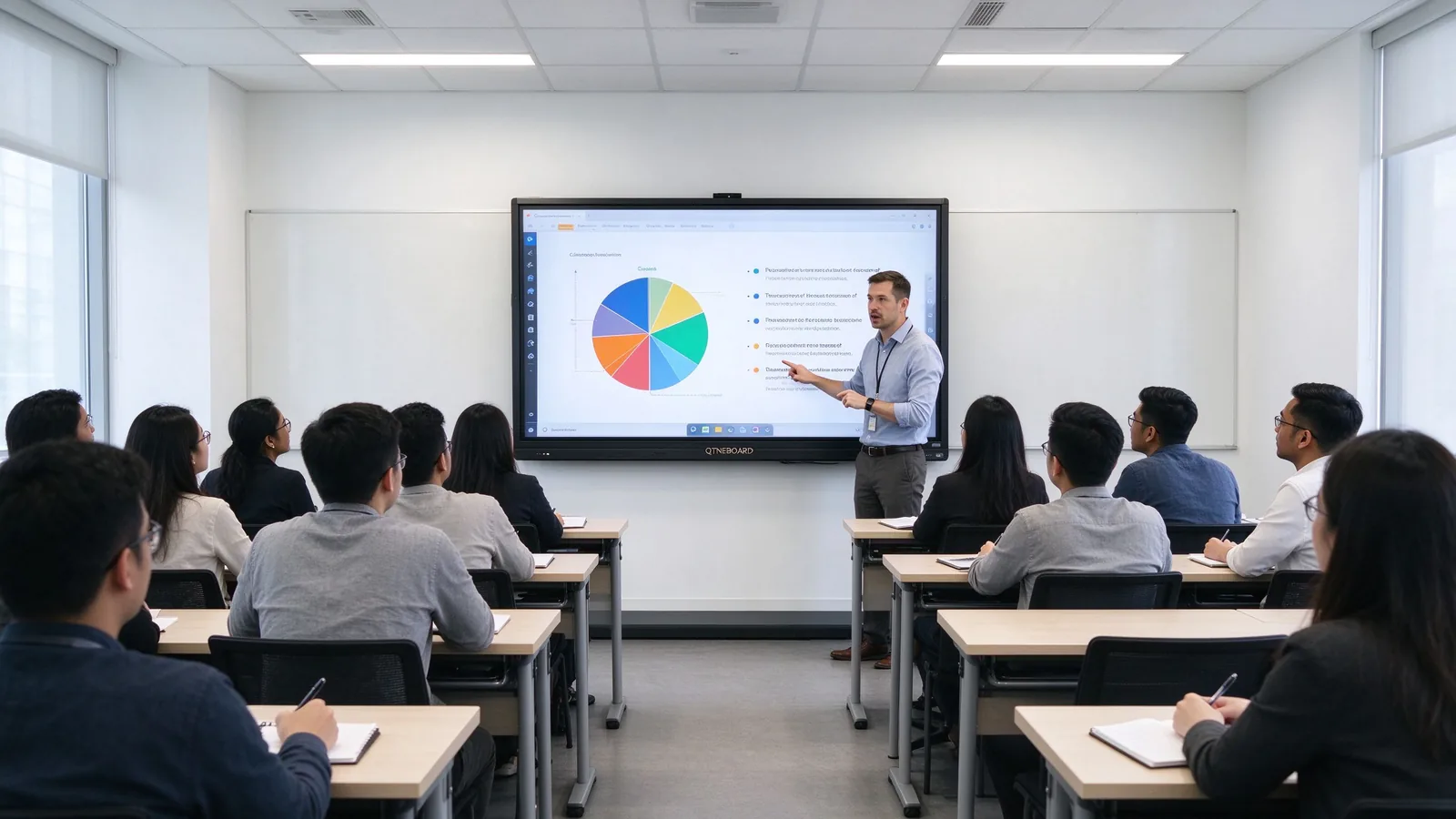
Instructor teaching a training class with a QTNEBOARD interactive flat panel
Training rooms are where touch earns its keep: annotation, group work and instant sharing replace the old "projector plus flip chart" loop.
Executive boardroom with a large QTNEBOARD 4K panel showing a business dashboard
In the boardroom, the display is part of the room's furniture — flush, quiet and sharp at 4K.
05 · Real deployment: QTNEBOARD case study

QTNEBOARD in Thailand — August 2026


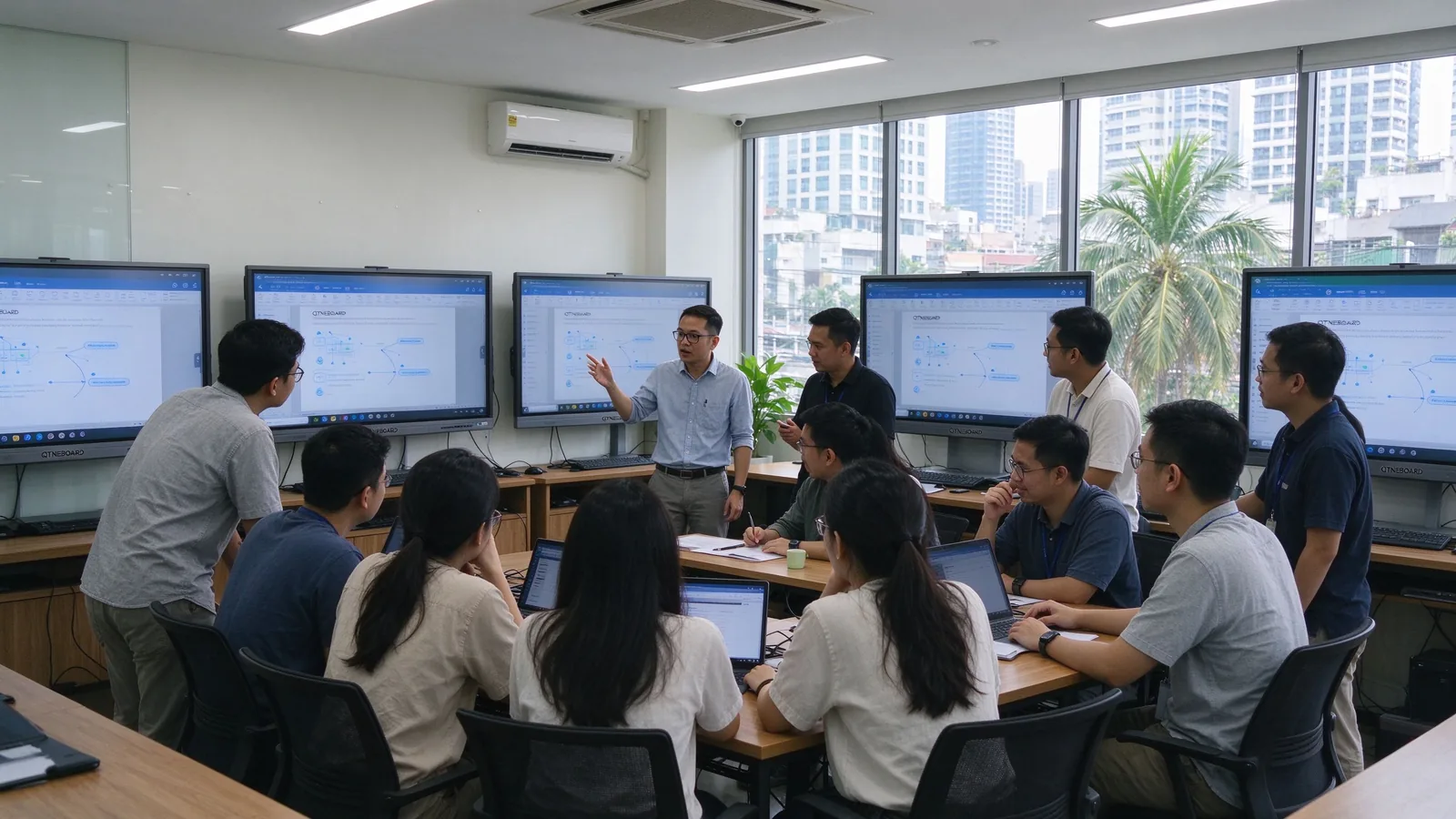
QTNEBOARD panels deployed in a Southeast Asia training center

What this deployment shows: the customer's decision came down to daylight readability, the lamp-replacement cycle and the hybrid-meeting bundle — the three factors where the IFP separates from a projector setup. For similar rooms, verify the mounting wall type, brightness against your window orientation, and plan a 30-minute staff walkthrough so trainers use the touch features from day one.

06 · FAQ: questions buyers ask before ordering

The questions customers ask right before they place the order

Is a QTNEBOARD panel bright enough for our bright meeting rooms?

Yes. Panels ship with 350 / 400 / 450 cd/m² options, and because the panel is self-lit, contrast holds with the lights on and near windows. A projector needs roughly 3,000–4,500 ANSI lumens in the same room and still washes out in daylight.

Can we replace our existing projector with a panel?

In most rooms, yes. The panel mounts flush on the wall (or on a mobile stand), needs no throw distance and removes ceiling work. A typical install takes about one to two hours per unit with two people, and the mount is included in your quote. Retrofits are the most common project we ship.

Does it work with Zoom, Teams and Meet, and with our existing video gear?

Yes. The panel has a built-in 48MP camera, optional 8MP/4K camera, optional 6/8/12-mic arrays and 20W × 2 speakers, and runs the common meeting apps natively. HDMI in/out, USB, Type-C, DP and VGA also let you connect a soundbar, camera or conferencing system already in the room.

How long does installation take, and does it need structural work?

A wall-mount install typically takes one to two hours per unit with two people: fix the mount, hang the panel, run one power cable and configure network and casting. No ceiling beam or throw-distance planning is needed. Exact time depends on the wall type and site access, and your installer confirms before work starts.

What are the lead times and shipping options to Southeast Asia?

Lead time depends on configuration and freight mode (air or sea). We quote current production and shipping times per order and arrange delivery across Southeast Asia, including door-to-door options. Ask your sales contact for today's lead time — it is quoted per shipment, not published, because it moves with freight conditions.

What does the warranty cover?

Every unit is CE, FCC, RoHS and ISO certified. The warranty covers the panel, touch layer and system, with terms stated in your quotation and agreement, including response times for your region. Confirm the period and coverage with your sales contact, as terms vary by country and channel.

Do we need a software subscription?

No mandatory subscription. The panel ships with Android 14 and a native whiteboard and casting experience included. The optional OPS (i5/i7) module adds a Windows environment when your organization needs Windows-only applications.

Can it run Windows applications?

Yes, two ways: cast from any Windows laptop over Wi-Fi or HDMI, or install the optional OPS module so the panel itself runs Windows software — useful in boardrooms and control rooms.

How many people can write at once? Is there lag or palm rejection?

The touch layer supports 20–50 touch points with infrared + zero-gap bonding. Several people can write at once, the system rejects palms and resting hands, and annotation latency is low enough for natural handwriting.

What is the minimum order, and can we see a demo first?

MOQ and sample terms are confirmed per order. We arrange online demos and, for qualified projects, sample units. Sizes run from 55" to 110", so you can pilot one room before scaling the fleet.

07 · The verdict and next step

One sentence: buy the IFP for rooms people actually work in

For meeting rooms and training spaces used daily, with daylight, hybrid calls and annotation needs, an interactive flat panel wins on brightness, touch, maintenance and the 7-year bill. A projector remains the right tool where the image must be bigger than about 110".

Choose an interactive flat panel when

  • The room has windows or the lights stay on.
  • People annotate, brainstorm or train on the display.
  • Hybrid meetings are routine and you want one device.
  • You manage several rooms and want one vendor, one support line.
  • Your display need fits within 55" to 110".

Choose (or keep) a projector when

  • The venue needs an image larger than about 120" — auditoriums, lecture halls.
  • The room has full light control and very tight year-one budget.
  • You already run high-end laser projectors with a service contract.
  • Usage is light and intermittent, so lamp costs stay low.

Talk to QTNEBOARD before you buy

Get a configuration recommendation for your rooms, a quotation with installation, and an online demo. CE · FCC · RoHS · ISO certified — sizes 55" to 110", 4K UHD, Android 14, optional Windows OPS.

Request a demo and quote at qtenboard.asia

QTNEBOARD — interactive flat panels for meeting rooms and training spaces in Southeast Asia