How big is an 86 inch interactive display in inches or cm? And how does it really compare to a 65 inch smart board once it's on your wall? This guide gives you the exact interactive whiteboard dimensions for both sizes — width, height, VESA mount pattern, and approximate weight — plus a full breakdown of viewing distance, classroom fit, and cost, so you can settle both the "what size is it" question and the "which one should I buy" question in one place.
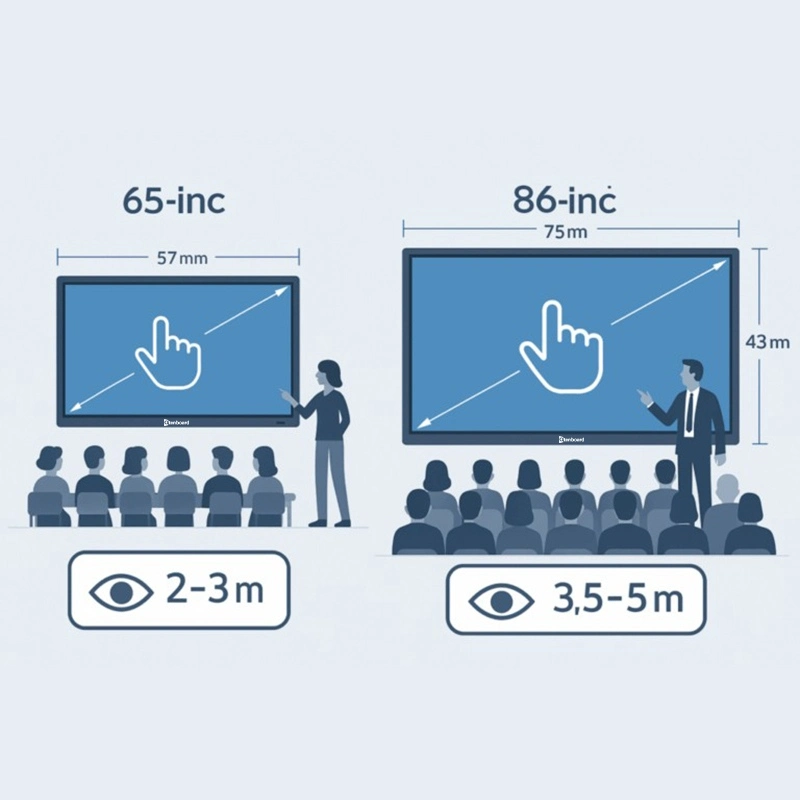
Below is a quick digital board size in inches reference for the two most popular interactive panel sizes. Figures are typical industry values for a 16:9 interactive flat panel; exact numbers can vary slightly by brand and bezel design, so always check the spec sheet of your chosen model before ordering a mount or wall bracket.
| Specification | 65-inch Display | 86-inch Display |
|---|---|---|
| Diagonal size | 65" (165.1 cm) | 86" (218.4 cm) |
| Active screen area (W x H) | ≈56.7" x 31.9" (1440 x 810 mm) | ≈74.9" x 42.2" (1900 x 1073 mm) |
| Overall unit size incl. bezel (W x H) | ≈59.4" x 35.2" (1509 x 895 mm) | ≈77.6" x 45.6" (1972 x 1158 mm) |
| Aspect ratio | 16:9 | 16:9 |
| VESA mount pattern | 400 x 400 mm (typical) | 600 x 400 mm (some models 800 x 400 / 800 x 600 mm) |
| Approx. unit weight | ≈40–45 kg | ≈55–65 kg |
| Minimum wall space needed | ≈1.6 m wide x 1.0 m high | ≈2.1 m wide x 1.3 m high |
| Resolution | 4K UHD (3840 x 2160) | 4K UHD (3840 x 2160) |
Need a size between these two? Qtenboard also produces 55", 75", and 98" interactive panels — ask our team for the full interactive whiteboard size guide across every model.
Ideal for small to medium classrooms, offices, training rooms, or meeting spaces. Its compact design saves space and makes installation and mobility easier. For small group teaching, team discussions, or close-range interaction, the 65-inch display allows each participant to clearly see the content and interact directly via touch, maximizing engagement and interactivity.
Better suited for large classrooms, training halls, or executive boardrooms. Its expansive screen ensures clear visibility even for back-row participants, with huge annotation space and multi-touch areas. Presenters can display complex charts, videos, and real-time data, while groups work together with seamless collaboration.
For the best visual experience and clarity, matching screen size with viewing distance is critical. This simple classroom display size calculator helps you decide quickly:
| Screen Size | Recommended Viewing Distance | Best For |
|---|---|---|
| 65-inch | 2–5 meters | Small meeting rooms, small classrooms (15–25 students) |
| 86-inch | 5–10 meters | Large lecture halls, big meeting rooms, auditoriums |
| Scenario | 65-inch Qtenboard Interactive Display | 86-inch Qtenboard Interactive Display | Qtenboard Recommendation |
|---|---|---|---|
| Classroom | Small to medium classroom (15-25 students). Clear visuals for close-range viewing, cost-effective ideal for schools. | Large classroom or lecture hall (30+ students). Excellent visibility for the back rows, more space for interactive learning. | Choose based on class size and seating layout. Use our interactive display size guide for best match. |
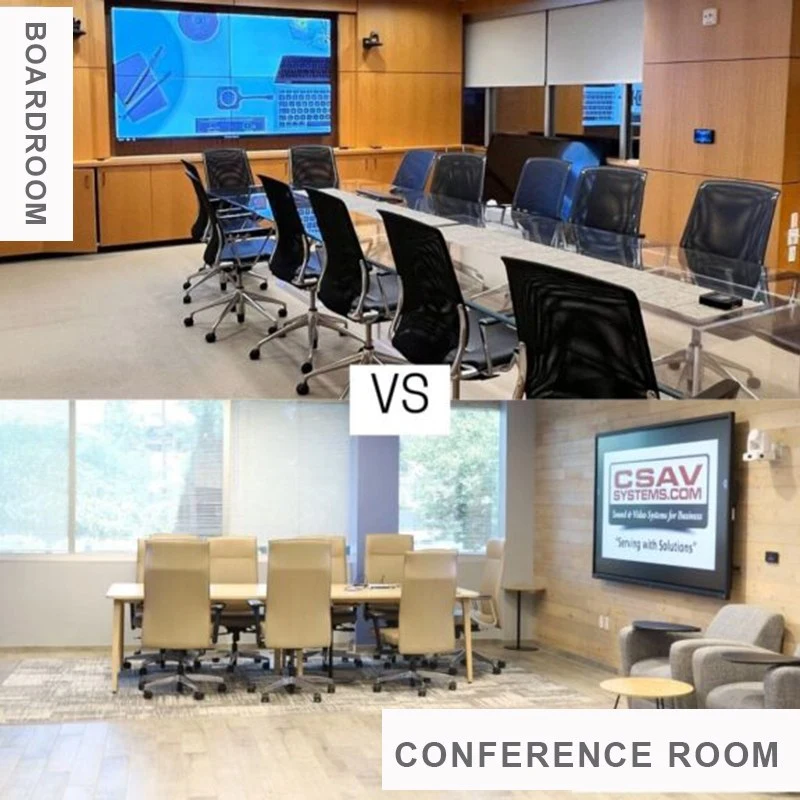
| Meeting Room | Small meeting room (up to 6-8 people). Mobile stand supported, easy to install and move. | Large boardroom (10+ people). Supports split-screen multitasking and multi-user collaboration. | Small teams: 65-inch. Large corporate & executive spaces: 86-inch. |
Cost-effective wholesale price structure, perfect for small businesses, schools, and training centers with tight project budget. Delivers core interactive functions at lower investment, ideal for small meeting spaces and standard classrooms.
While the 86-inch interactive flat panel price is higher, its ROI in large auditoriums and big venues justifies the investment through better engagement, split-screen multitasking, and multi-user collaboration. It delivers stronger visual impact and long-term value for large-scale usage.
In short, 65-inch displays provide reliable performance at a lower cost for small groups. 86-inch models bring superior functionality, multi-user collaboration, and professional presentation effects for large audiences and high-intensity usage.
Lightweight and easy to install, either wall-mounted or on a mobile stand. Perfect for multifunctional spaces. Teachers or teams can quickly move the display, transforming classrooms, offices, or training rooms into interactive spaces in minutes.
Larger and heavier, requiring professional installation and wall reinforcement. Ideal for fixed large venues. Although less mobile, it supports split-screen multitasking and multi-user writing, which small screens cannot match.
Creates an intimate environment, perfect for small classrooms, team meetings, or training sessions. Supports close-range interaction and smooth touch control for small-group collaboration.
Built for large venues with split-screen multitasking and multi-user collaboration. Multiple people can write, draw, and annotate at the same time. Even back-row attendees see content clearly, keeping engagement high.
In corporate settings, small teams can use 65-inch displays for brainstorming. 86-inch interactive whiteboards excel in executive meetings with wireless casting, real-time annotation, and professional collaboration tools.
Every space and team has unique requirements. Qtenboard offers full customized interactive display solutions based on your room size, audience, usage scenarios, and project budget.
Our professional team helps you choose between 65-inch and 86-inch models with detailed interactive display size guide, including viewing distance, installation position, stand options, and software configuration. We provide full-cycle technical support to maximize your ROI.
Choosing Qtenboard means a reliable, cost-effective, and highly interactive digital solution tailored for education and business. We help you make the best investment for long-term usage.
An 86 inch interactive display has an active screen area of approximately 74.9" x 42.2" (1900 x 1073 mm) at a 16:9 aspect ratio. Including the bezel, the overall unit typically measures around 77.6" x 45.6" (1972 x 1158 mm), though exact figures vary slightly by manufacturer.
A 65 inch smart board has a diagonal of 165.1 cm, with an active screen area of about 144 x 81 cm. The overall unit including the bezel is typically close to 151 x 90 cm.
Beyond screen size, the two differ in ideal viewing distance (2–5 m for 65-inch vs 5–10 m for 86-inch), VESA mount pattern (400x400mm vs 600x400mm), weight, and typical use case — 65-inch suits small classrooms and meeting rooms, while 86-inch suits large classrooms, lecture halls, and boardrooms.
For a standard classroom with 15–25 students, a 65-inch display is usually sufficient. For lecture halls or classrooms with 30+ students, an 86-inch display gives better visibility for back-row students and more annotation space.
86-inch interactive flat panels cost more than 65-inch models due to the larger panel, stronger mounting hardware, and typically higher-spec components. The higher upfront cost is usually offset by better ROI in large-venue settings through improved visibility and multi-user collaboration.
Most 65-inch interactive displays use a 400x400mm VESA pattern, while 86-inch models commonly use 600x400mm (some use 800x400mm or 800x600mm). Always confirm the exact VESA pattern on your chosen model's spec sheet before purchasing a wall mount or trolley stand.
Choosing between 65-inch or 86-inch Qtenboard interactive display depends on room size, viewing distance, audience, and project budget. For small spaces and tight budgets, 65-inch offers great value. For large lecture halls and boardrooms needing split-screen multitasking and multi-user collaboration, 86-inch delivers superior performance and higher long-term ROI.
All Qtenboard interactive displays feature 4K resolution, smooth touch, real-time annotation, and full connectivity. As a trusted provider of interactive display size guide and professional solutions, we help you build efficient, engaging, and future-proof digital spaces.
Click to read the product details and learn about its functional features and actual performance.
📖 Read Product
 EN
EN
 MAY
MAY  TH
TH  CHT
CHT  BUR
BUR  FIL
FIL  HKM
HKM  ID
ID  LAO
LAO  SIN
SIN  VIE
VIE 