Compare Qtenboard All-in-One Conference Smart Board and All-in-One Teaching Interactive Whiteboard, explore their unique functions and applicable scenarios, and find the most suitable device for your needs. As a professional brand in the field of intelligent display equipment, Qtenboard has made targeted optimizations for both devices to meet the diverse needs of different fields, making them indispensable tools in modern office and education.
Although Qtenboard All-in-One Conference Smart Board and All-in-One Teaching Interactive Whiteboard are relatively similar in appearance—both integrating display, touch, and intelligent interaction functions—they have significant differences in core functions and application areas. With the rapid development of intelligent technology, both devices have been widely used, but they play distinct roles in their respective scenarios, bringing targeted convenience and efficiency to users.
The design of Qtenboard All-in-One Teaching Interactive Whiteboard is usually brighter and more colorful, integrating vivid cartoon elements and rich color matching. This design is specially created to attract children's attention, stimulate their curiosity and creativity, and is particularly suitable for early childhood education and primary and secondary school classroom scenarios. In contrast, Qtenboard All-in-One Conference Smart Board focuses more on professionalism and a business sense, usually adopting a simple and sleek four-sided narrow bezel design. This minimalist style is consistent with the image positioning of government departments, enterprises and business meetings, creating a solemn and efficient meeting atmosphere.
All-in-One Conference Machine vs. All-in-One Teaching Machine: Comparison of Applicable Scenarios and Features (Figure 1)
2. Qtenboard All-in-One Conference Smart Board: With "professional business, high efficiency and convenience, and highlighting corporate image" as the core design concept. The body adopts a matte texture, paired with an aviation-grade aluminum alloy frame, which is delicate in texture and wear-resistant, conforming to the professional image positioning of governments, enterprises and business institutions; it adopts a four-sided narrow bezel design (bezel width ≤ 3mm) to maximize the screen ratio, enhance the visual experience of meeting documents and video presentations, and highlight professionalism; the screen adopts an anti-glare, high-color-gamut panel with a color reproduction rate of ≥ 90%, ensuring the accurate presentation of PPT, charts, videos and other content during meetings, and adapting to meeting needs in different light environments; the bottom of the body integrates hidden speakers and microphones to avoid cluttered external devices, and supports wall-mounted or mobile installation (with a dedicated stand) to adapt to the layout of conference rooms of different sizes.
The hardware configuration of Qtenboard All-in-One Teaching Interactive Whiteboard is mainly optimized for educational scenarios, usually with a built-in Windows operating system, which facilitates teachers' daily teaching and lesson preparation. It can seamlessly install various educational software, essentially equivalent to a large touch-enabled computer, supporting multimedia teaching, interactive Q&A and courseware resource management. In contrast, Qtenboard All-in-One Conference Smart Board is usually equipped with an Android system, similar to a large tablet, which can easily meet basic meeting needs such as document display, screen sharing and simple annotation, realizing efficient and convenient office work; for users with higher needs, it can also be equipped with an OPS module or even install a Windows system to support professional meeting videos, complex Windows applications and high-definition remote collaboration.
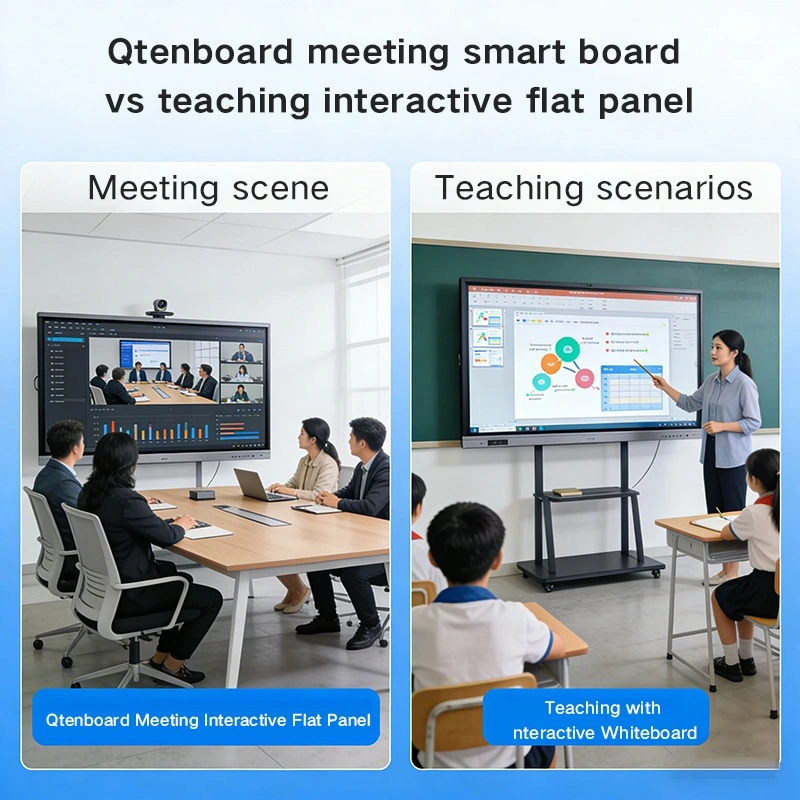
Qtenboard All-in-One Teaching Interactive Whiteboard is mainly used in the field of education, commonly found in school classrooms, training rooms and educational and training institutions. It plays a core role in the education and teaching process, providing teachers and students with convenient interactive and multimedia teaching tools—helping teachers present knowledge more vividly and enabling students to participate in classroom interactions more actively, thereby improving teaching quality and learning efficiency.
All-in-One Conference Machine vs. All-in-One Teaching Machine: Comparison of Applicable Scenarios and Features (Figure 2)
Qtenboard All-in-One Conference Smart Board is known as a right-hand man for modern meetings, specially designed for meeting scenarios. Within the enterprise, it can improve meeting efficiency, simplify communication processes, and promote the smooth development of enterprise business; externally, it can enhance the corporate image, leaving a professional impression on customers and partners. This All-in-One Conference Smart Board is usually installed in comprehensive offices, conference rooms, product showrooms and other places, providing efficient communication, display and collaboration tools for various meetings (such as regular team meetings, project reviews, product demonstrations, etc.).
Qtenboard All-in-One Teaching Interactive Whiteboard is usually pre-installed with professional educational software, such as intelligent teaching platforms, lesson preparation resource libraries, and interactive exercise tools, fully meeting the diverse needs of educational scenarios. These software tools help teachers optimize teaching processes and enrich teaching forms. In contrast, the software of Qtenboard All-in-One Conference Smart Board focuses more on meeting needs, including office software (such as Word, Excel, PPT), high-definition projection software, remote video conference software, and practical meeting auxiliary tools such as timekeeping, check-in and annotation, ensuring that meetings are carried out efficiently and smoothly.
In summary, although Qtenboard All-in-One Conference Smart Board and All-in-One Teaching Interactive Whiteboard are relatively similar in appearance, they have significant differences in design concepts, hardware configurations, applicable scenarios and software functions. Both devices are innovative upgrades based on traditional electronic whiteboards, and Qtenboard has made targeted customizations according to the characteristics of different fields—whether it is improving the quality of education through the All-in-One Teaching Interactive Whiteboard or improving meeting efficiency through the All-in-One Conference Smart Board, they can bring practical value to users. Choosing the right device according to your own scenario needs can maximize office and teaching efficiency.
| Comparison Items | Qtenboard All-in-One Conference Smart Board | Qtenboard All-in-One Teaching Interactive Whiteboard |
|---|---|---|
| Design Style | Professional business style; simple four-sided narrow bezel design | Bright and colorful; with cartoon elements, suitable for attracting children's attention |
| Operating System | Default Android system; optional OPS module or Windows system installation | Built-in Windows system, convenient for teaching and lesson preparation |
| Core Hardware Features | Supports high-definition remote video, screen sharing and professional meeting collaboration | Large-size touch screen, supports installation of educational software and interactive teaching |
| Applicable Scenarios | Corporate meeting rooms, comprehensive offices, product showrooms, government meetings | Schools, training institutions, classrooms, training rooms (early childhood to secondary education) |
| Pre-installed Software | Office software, remote video conference software, meeting auxiliary tools (timekeeping, check-in) | Intelligent teaching platform, lesson preparation resource library, interactive exercise tools |
| Core Advantages | Improve meeting efficiency, highlight corporate image, and facilitate remote collaboration | Enrich teaching forms, promote interactive learning, and improve teaching quality |
A leading manufacturing enterprise with 5 branches nationwide has equipped all its meeting rooms with Qtenboard All-in-One Conference Smart Boards. Before using this device, the enterprise relied on traditional projectors and video calls for cross-regional meetings, which often had problems such as blurry display, poor sound quality, and difficult screen sharing. After installing Qtenboard All-in-One Conference Smart Boards, the enterprise realized seamless remote collaboration between branches—managers can share documents, make real-time annotations, and conduct high-definition video conferences with just one click. Meeting time was shortened by 30%, and cross-branch communication efficiency was improved by 45%; the simple and professional design of the device also enhanced the corporate image during customer visits and product demonstrations.
A primary school in a medium-sized city has equipped 20 classrooms with Qtenboard All-in-One Teaching Interactive Whiteboards to upgrade its teaching equipment. Teachers reported that the bright design and interactive functions of the device have greatly stimulated students' interest in learning—for example, in math classes, teachers can use the touch function to demonstrate geometric figures and arithmetic operations in real time; in Chinese classes, they can display pictures, videos, and audio to make text teaching more vivid. After 3 months of use, the average classroom participation rate of students increased by 50%, and the scores of key subjects improved by 15%; the built-in Windows system also made it easier for teachers to prepare lessons and use educational software, reducing their daily workload.
Click to read the product details and learn about its functional features and actual performance.
📖 Read interactive whiteboard for education Product 📖 Read interactive whiteboard for bussiness Product
 EN
EN
 MAY
MAY  TH
TH  CHT
CHT  BUR
BUR  FIL
FIL  HKM
HKM  ID
ID  LAO
LAO  SIN
SIN  VIE
VIE 