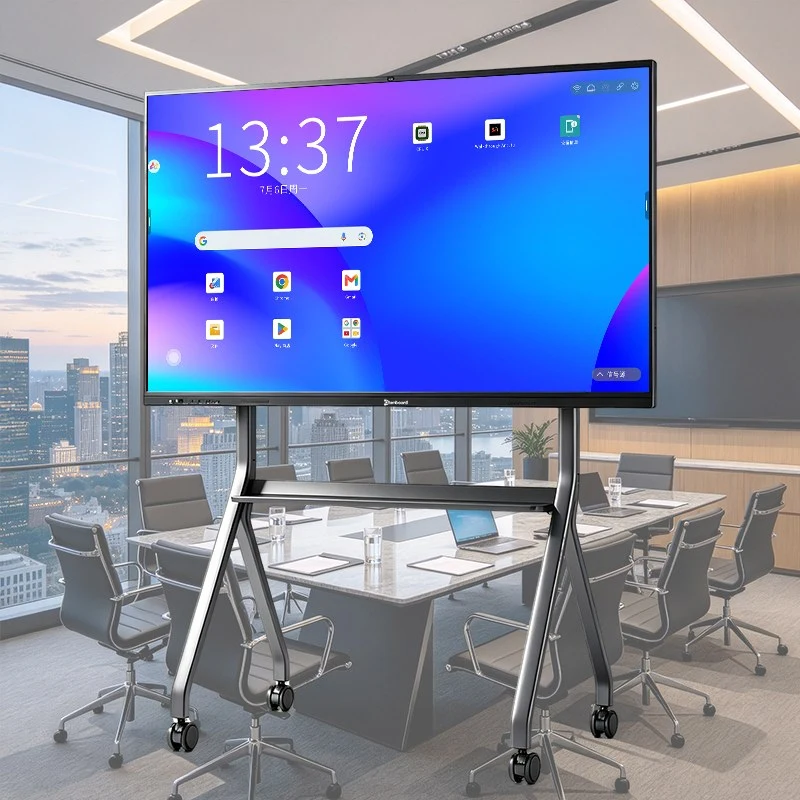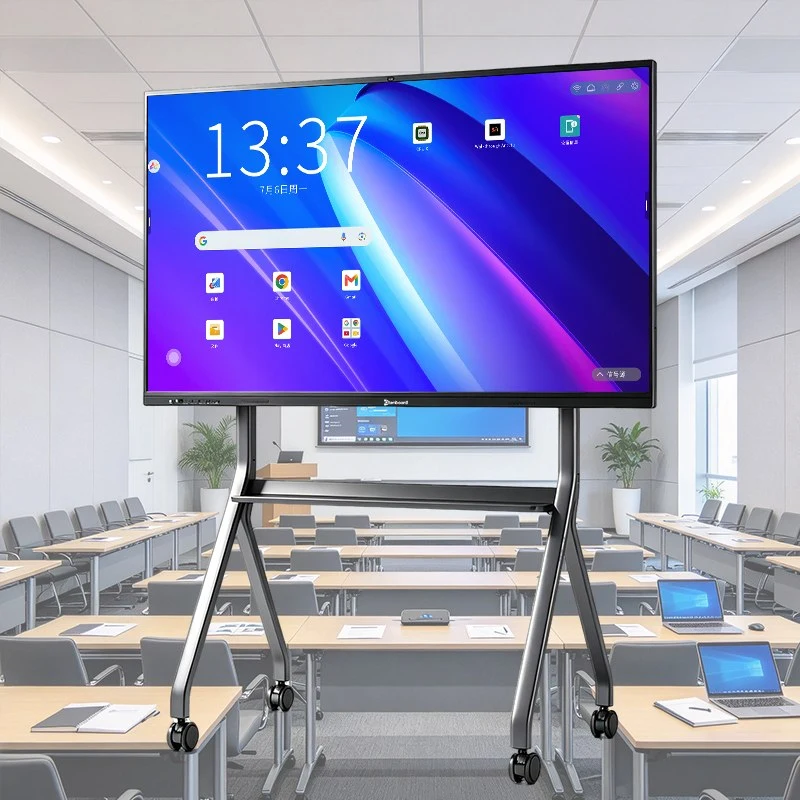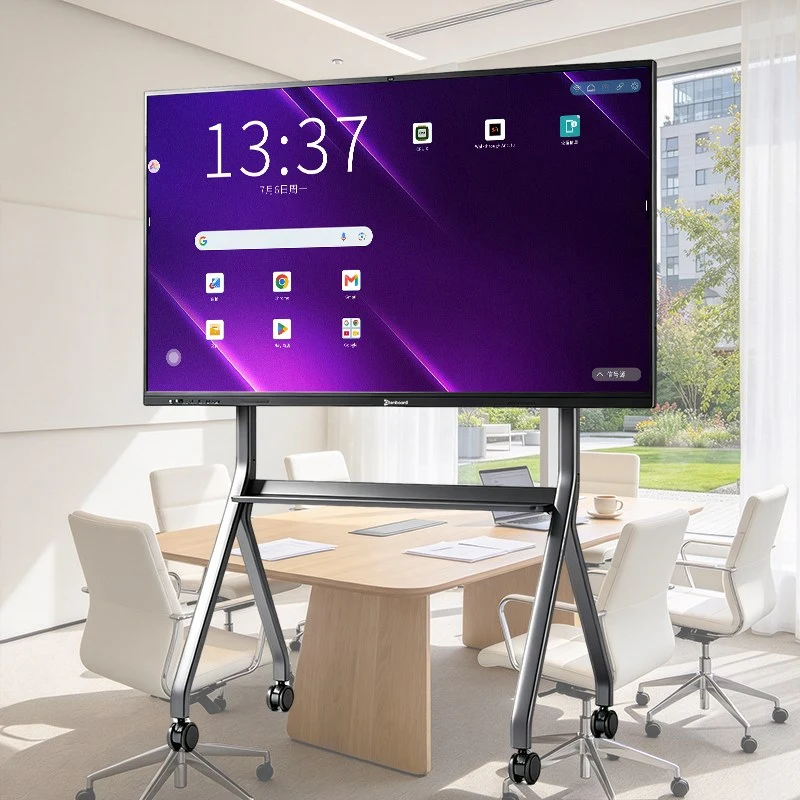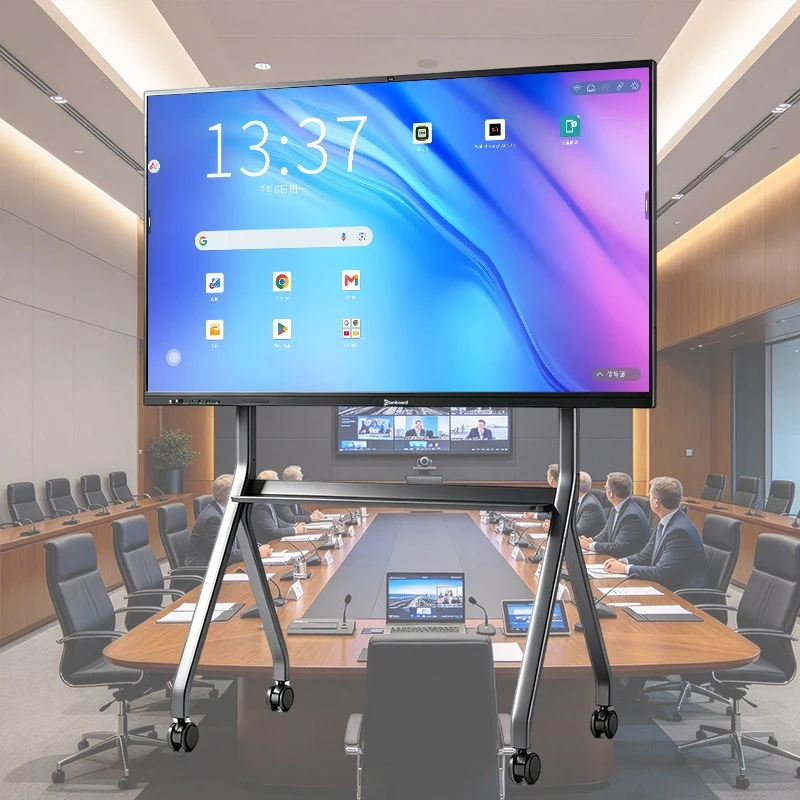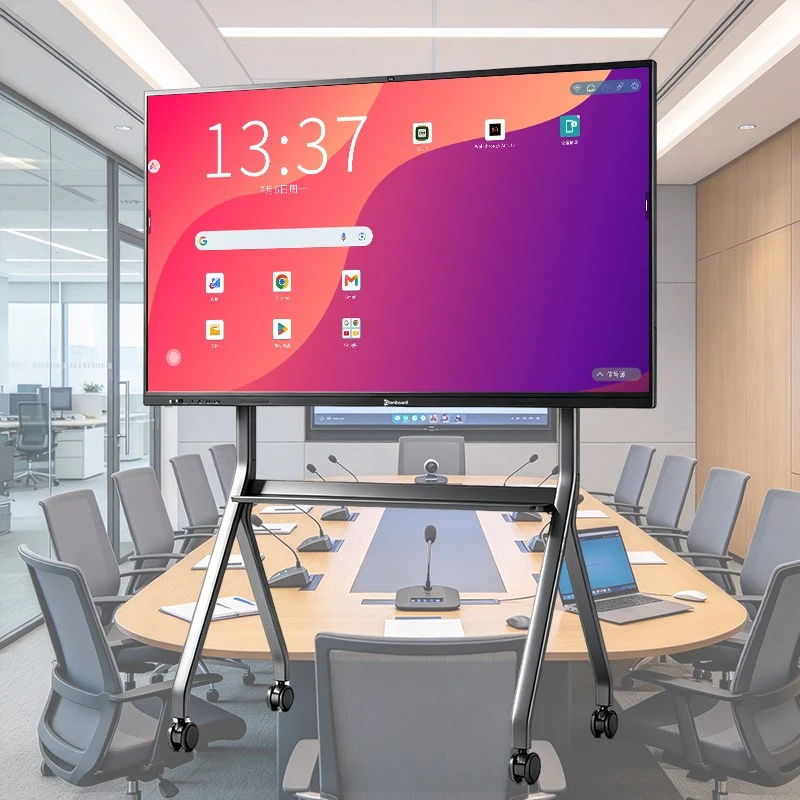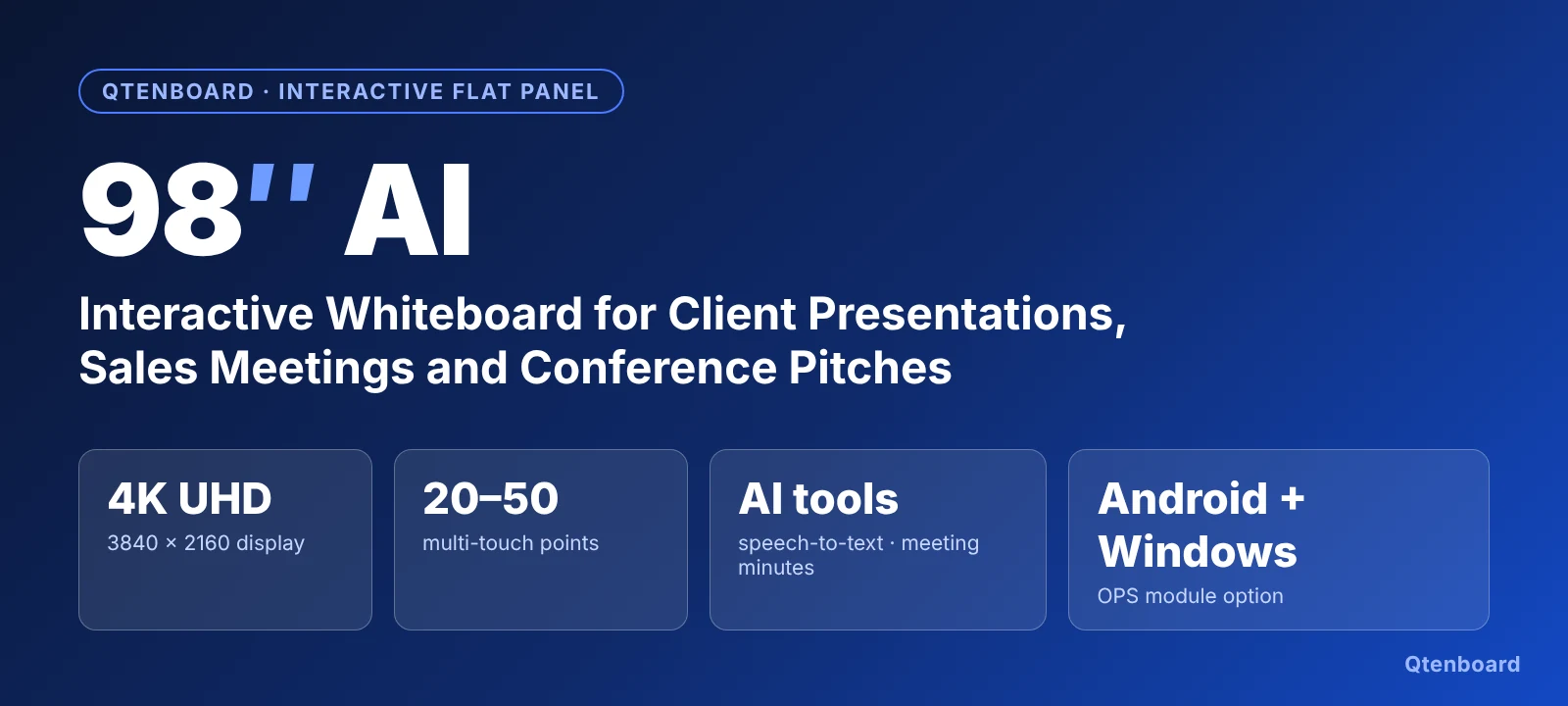
The Qtenboard 98 inch AI interactive whiteboard is a large-format ការ បង្ហាញ បន្ទះ អន្តរសកម្ម built for the moments when a presentation has to win a deal. A 4K UHD (3840×2160) screen, smooth multi-touch writing, built-in AI transcription and a voice assistant turn the display into a client presentation board that can show a proposal, mark it up live and record the discussion on the same screen.
Unlike a plain TV or a projector, this interactive smart board combines the display, touch layer, computing, wireless sharing, camera and AI tools in one all-in-one unit. Presenters can write with a finger or stylus, split the screen between a deck and a live demo, join a video call and then export the notes, without carrying extra equipment into the room. If you are still comparing terms, our guide explains that a smart board is an interactive whiteboard, and how an interactive flat panel (IFP) differs from older projector-based systems.
A client meeting is judged on clarity, confidence and follow-up. A 98 inch interactive whiteboard supports all three, because everyone in a medium or large room can see the content, the presenter can respond to questions on the screen, and the outcome can be saved and shared straight away.
At 98 inches the active screen is roughly 2,170 × 1,220 mm, which is large enough for detailed drawings, spreadsheets and side-by-side comparisons to remain readable from the back of the room. The 4K UHD panel with a low-reflection tempered glass surface keeps text and images crisp, and the 178° viewing angle means guests seated at the side still see accurate colour.
Multi-touch writing with low latency, intelligent palm rejection and automatic recognition of finger, stylus and eraser lets presenters circle a number, sketch a workflow or edit a proposal while the client watches. Smart split-screen display keeps a presentation and a reference document visible together.
The built-in AI converts speech into text, drafts meeting minutes and answers quick questions, so the follow-up email to the client can be prepared while the meeting is still fresh. See the workflow below, or read how this technology fits the wider market in our article on AI + interactive whiteboard and the 7 interactive flat panel trends for classrooms and workplaces.
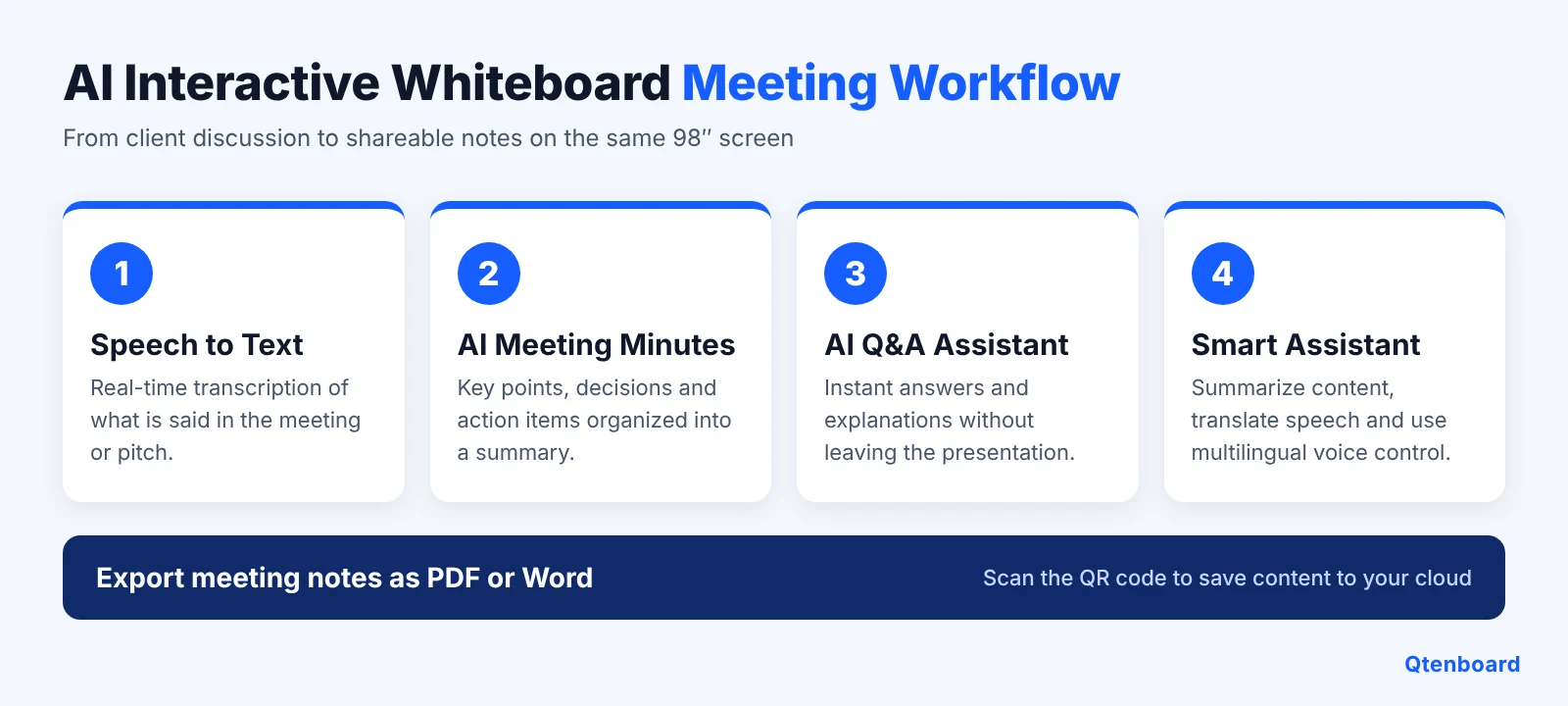
Wireless screen mirroring lets guests and colleagues cast from laptops, tablets and phones without cables. When the meeting ends, a QR code lets participants save the board content to their own cloud, so nothing has to be photographed from the screen.
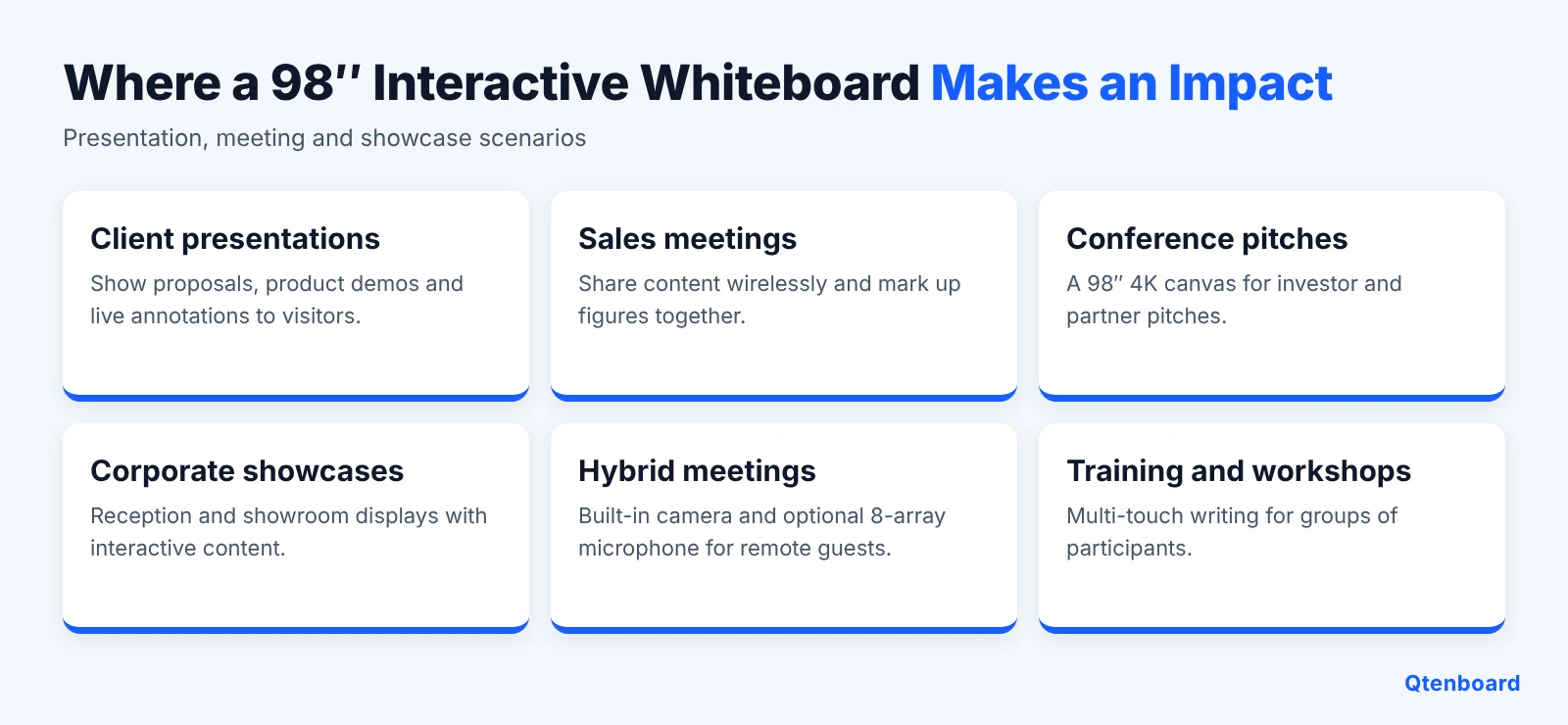
The same hardware serves several business scenarios. Here is how teams typically use a professional presentation interactive whiteboard:
For an overview of business set-ups, see our interactive whiteboard meeting solutions and the full interactive whiteboard for business range.


Distributors, system integrators and brand owners can customize the logo, boot screen, user interface, packaging, hardware configuration (RAM and ROM, camera, microphone array) and pre-installed software. Read about the OEM interactive flat panel for business programme, or compare import options in SKD/CKD vs CBU interactive flat panel import.

98 Inch AI Interactive Flat Panel Smart Board for Client Presentations, Meeting Rooms and Digital Collaboration
វា មាន ភាព ពន្លឺ ខ្ពស់ 4K UHD (3840 × 2160) ការ បង្ហាញ កម្រិត ខ្ពស់ ដែល មាន ប្រតិបត្តិ ពណ៌ ទាប សម្រាប់ ការ មើល ជម្រះ ងាយស្រួល ។ គាំទ្រ Multi-touch (20/40 ចំណុច ចំណុច ទាប, ការ បដិសេធ palm ដែល មាន ប្រយោជន៍ និង ការ ទទួល ស្គាល់ ស្វ័យ ប្រវត្តិ ស្វ័យ ប្រវត្តិ និង កម្មវិធី លុប អនុញ្ញាត ឲ្យ សរសេរ និង ចំណារ ពន្យល់ ត្រឹមត្រូវ ។
Qtenboard AI ផ្លាស់ប្ដូរ សៀវភៅ ថ្នាក់ និង ការងារ ជាមួយ ពេលវេលា ពិត និយាយ ៖, នាទី ស្វ័យ ប្រវត្តិ, ជំនួយ AI Q&A សម្រាប់ ចម្លើយ ភ្លាមៗ និង a អ្នកជំនួយ ដែល សង្ខេប មាតិកា បកប្រែ និយាយ និង គាំទ្រ ការ បញ្ជា សំឡេង ច្រើន ភាសា ។
បង្កើន ខ្លួន អ្នក ក្នុង វីដេអូ 4K ជាមួយ សេចក្ដី លម្អិត និង ភាព ស្រអាប់ ។ ម៉ាស៊ីន ថត HD ដែល បាន បង្កើត 48-megapixel ផ្ដល់ លម្អិត និង កន្សោម វីដេអូ 4K បួន ចែកចាយ ជាង ជាង បណ្ដាញ បណ្ដាញ មធ្យោបាយ សម្រាប់ ភាព មើល ឃើញ គុណភាព ខ្ពស់ ។
[ រូបភាព នៅ ទំព័រ ៧] ម៉ូឌុល កុំព្យូទ័រ ដែល បាន រួម បញ្ចូល OPS អនុញ្ញាត ឲ្យ អ្នក ប្ដូរ រវាង Android និង ប្រព័ន្ធ វីនដូ ដែល មាន ចំណង ធម្មតា ។ ផ្តល់ ឲ្យ អ្នក ចូល ដំណើរការ ទៅ កាន់ កម្មវិធី និង កម្មវិធី ។
សំឡេង និង រូបភាព រលឿន ដោយ គ្មាន ការ ពន្យារ ឬ ការ ពន្យារ ។ កម្មវិធី ដំណើរការ និង កាត ក្រាហ្វិក គាំទ្រ 4K វីដេអូ HD ចាក់ ល្បឿន ខ្ពស់ សម្រាប់ មាតិកា ណាមួយ ដែល អ្នក មើល ។ ជាមួយ អត្រា ស្រស់ 60 Hzth ដែល ប្រាកដ ថា ការ ផ្លាស់ទី និង ការ ផ្លាស់ទី រលោះ ។ អេក្រង់ ប្រឆាំង ប្លុក បង្វិល បន្ថយ បន្ថយ ភ្លឺ និង ភ្ញៀវ ភ្នែក ដោយ ៤០% ដោយ ការពារ មើល របស់ អ្នក ។
បន្ទះ បន្ទះ អន្តរសកម្ម Qtenboard ផ្ដល់ សុវត្ថិភាព ខ្ពស់ ជាមួយ USB/HDMI ចាក់សោ អេក្រង់ និង លំនាំ ត្រួតពិនិត្យ APK ពាក្យ សម្ងាត់ ការ គ្រប់គ្រង ថាមពល ដែល បាន កំណត់ និង ការ ចូល ដំណើរការ ស្នាម ម្រាមដៃ ។

Qtenboard has partnered with over 2,000 institutions, including schools, collaborating with teachers and students worldwide to design high-quality interactive displays. Built for the simplicity educators and learners need, our solutions are easy to deploy and fully supported. Browse interactive boards for schools.

នៅ ក្នុង តំបន់ បណ្ដាញ ថាមវន្ត ការ បង្ហាញ អន្តរសកម្ម របស់ Qtenboard និង កម្មវិធី ផ្ដល់ សិទ្ធិ ដំណឹង របស់ អ្នក ដើម្បី បង្កើន ការងារ ឌីជីថល ធ្វើ ឲ្យ ភ្នែក ឌីជីថល បង្កើន ការ មធ្យោបាយ អនុញ្ញាត ឲ្យ គ្មាន ការងារ ពី ចម្ងាយ ។ និង បង្កើន លទ្ធផល បង្ហាត់ បង្ហាត់ ទាំងអស់ ដែល មាន ប្រយោជន៍ ដែល គ្មាន ប្រយោជន៍ ។

ក្រុម គ្រួសារ និង អ្នក ឆ្លើយ សំណួរ ដំបូង ទុក ចិត្ត លើ ការ ទំនាក់ទំនង ពេលវេលា ពិត សម្រាប់ ការ សម្រេចចិត្ត ។ ការ បង្ហាញ អន្តរសកម្ម និង ផ្នែក ទន់ Qtenboard អន្តរសកម្ម អនុញ្ញាត ឲ្យ ក្រុម រួមបញ្ចូល ដោយ មិន ចូលរួម ពី កន្លែង ណាមួយ កំពុង ប្ដូរ ការ សម្រេចចិត្ត ។ បង្កើន គំនិត វិភាគ និង បង្កើន ការ សិក្សា អន្តរសកម្ម ពលេញលេញ និង ពិសេស អន្តរសកម្ម ពេញលេញ និង មេរៀន ប្រតិបត្តិការ ។

Qtenboard អន្តរសកម្ម បង្ហាញ គ្រាប់ ចុច អនុញ្ញាត អនុញ្ញាត ឲ្យ អ្នក បង្ហាញ និង ភារកិច្ច សរសេរ ចំណាំ ឬ ឧទាហរណ៍ ដោយ ផ្ទាល់ លើ អេក្រង់ touchs ភ្ញៀវ ។ ខណៈពេល កំពុង ទិសដៅ ទៅកាន់ ការ បង្ហាញ ធំ អ្នក បង្ហាញ អាច រួម បញ្ចូល ភារកិច្ច យក សំណួរ ចំពោះ ការ ដឹង ។ និង លៃតម្រូវ ការ ផ្នែក របស់ ពួកវា ដើម្បី បង្កើន គំនិត គ្រាប់ ចុច ។

With Google Play built in on supported configurations, the board runs Zoom, Microsoft Teams, Google Meet and YouTube. The built-in 48MP camera and optional 8-array microphone keep remote clients in frame and audible, so a pitch can be delivered to people in the room and online at the same time. For classroom-style hybrid teaching see the hybrid classroom interactive flat panel.

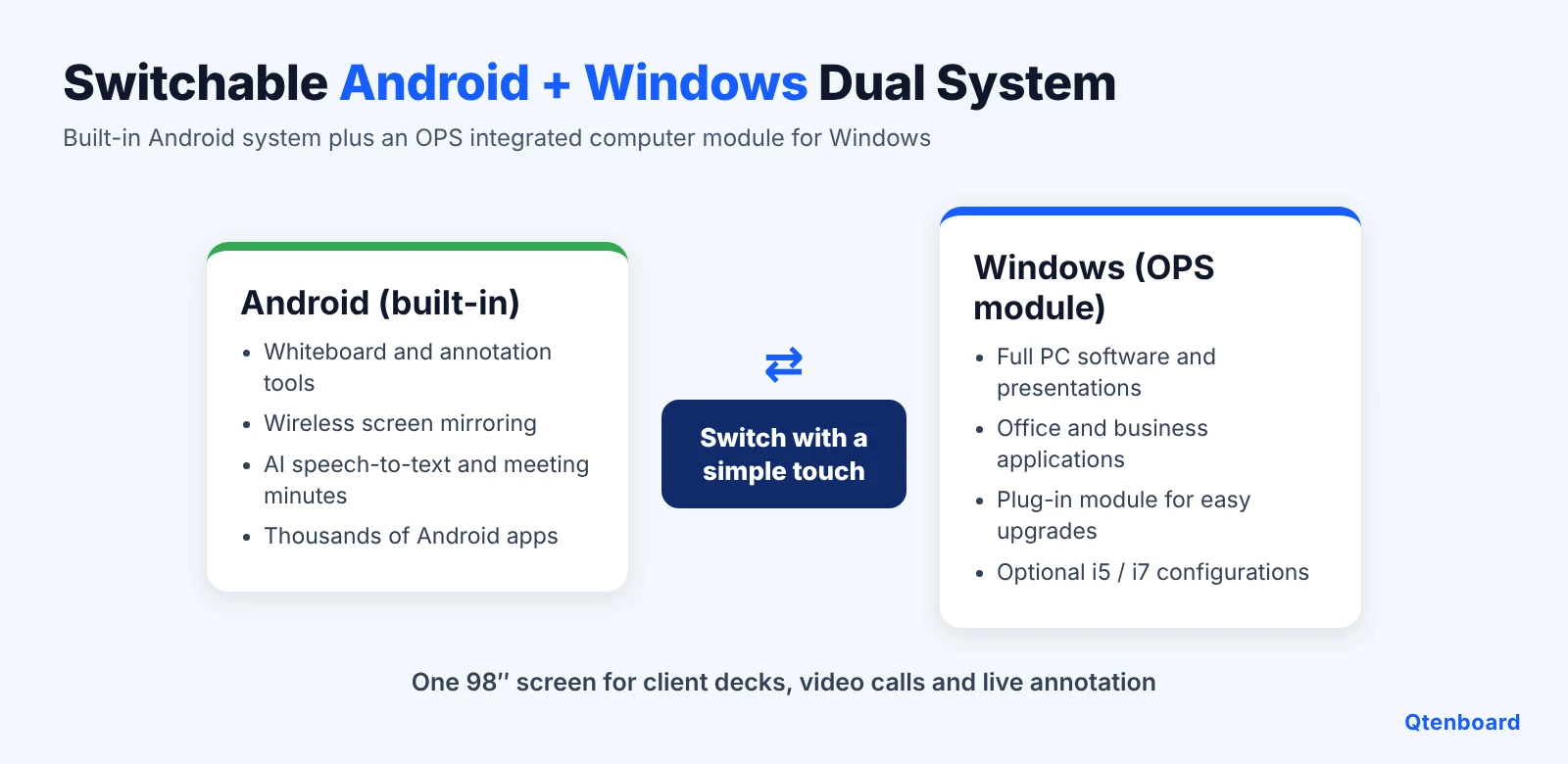
Use the built-in Android system for whiteboarding, wireless sharing and AI tools, and switch to Windows when a client deck or business application needs a full PC. Not sure whether you need Windows? Read what an OPS module is and which scenarios require Windows OPS and the advantages of a Windows + Android dual-system interactive whiteboard. Related hardware: the interactive flat panel with OPS PC module (i5/i7) and the OPS PC module accessory.

Display, computer, whiteboard, camera, speakers (20W × 2), wireless projection and AI tools are combined in one device. This reduces cables, remotes and extra devices in the meeting room, and lowers the number of things that can go wrong before a client arrives. See also interactive flat panel vs commercial TV for a cost and compliance comparison.

Split the screen to keep a slide deck on one side and a spreadsheet, website or video on the other. Annotation works over any source, so a presenter can mark up a PDF, a web page or a live HDMI input and then save the annotated screen.


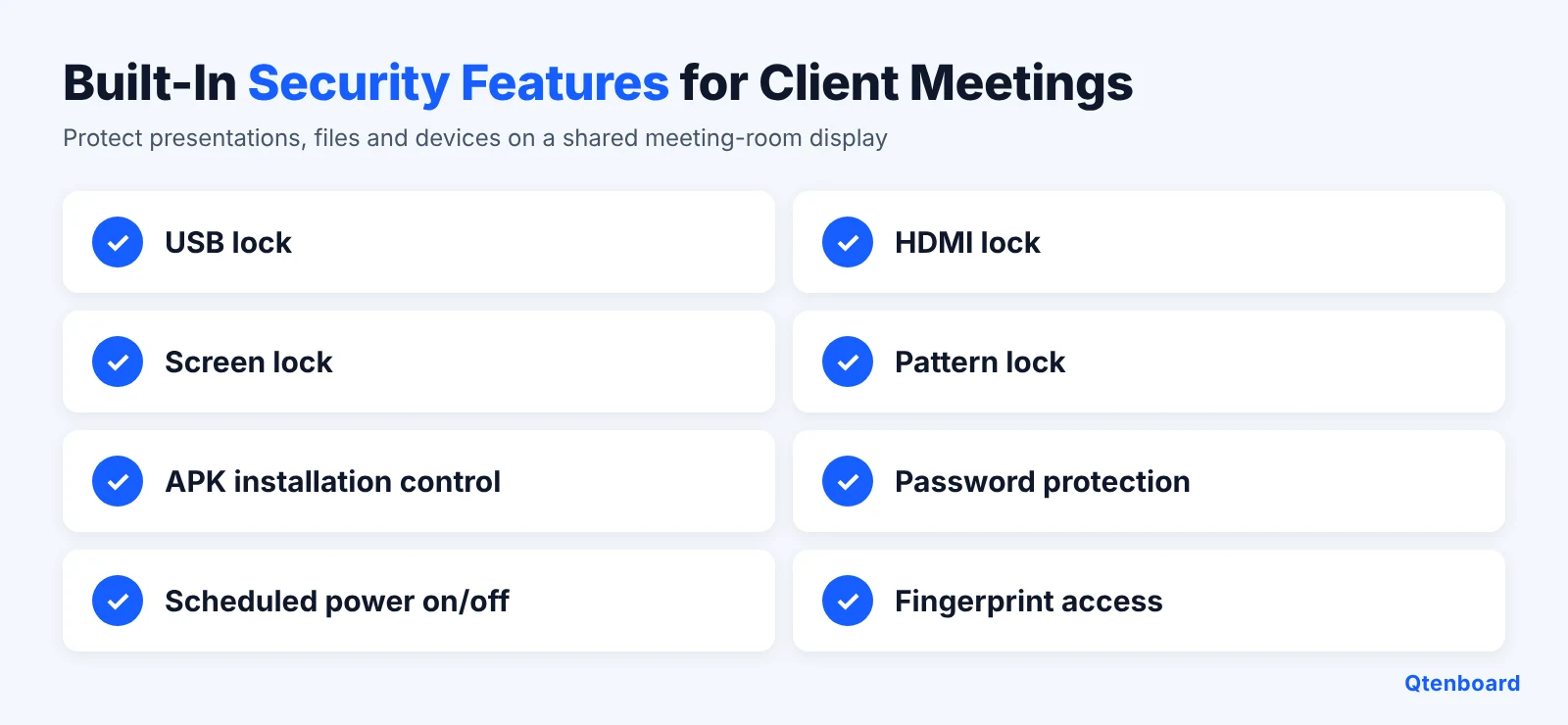
A shared screen sees many visitors and many files. Qtenboard boards provide USB and HDMI locks, screen lock, pattern lock, APK installation control, passwords, scheduled power management and fingerprint access. For Google-managed deployments, see the Google EDLA certified interactive flat panel and our article on the Google EDLA certified interactive whiteboard.

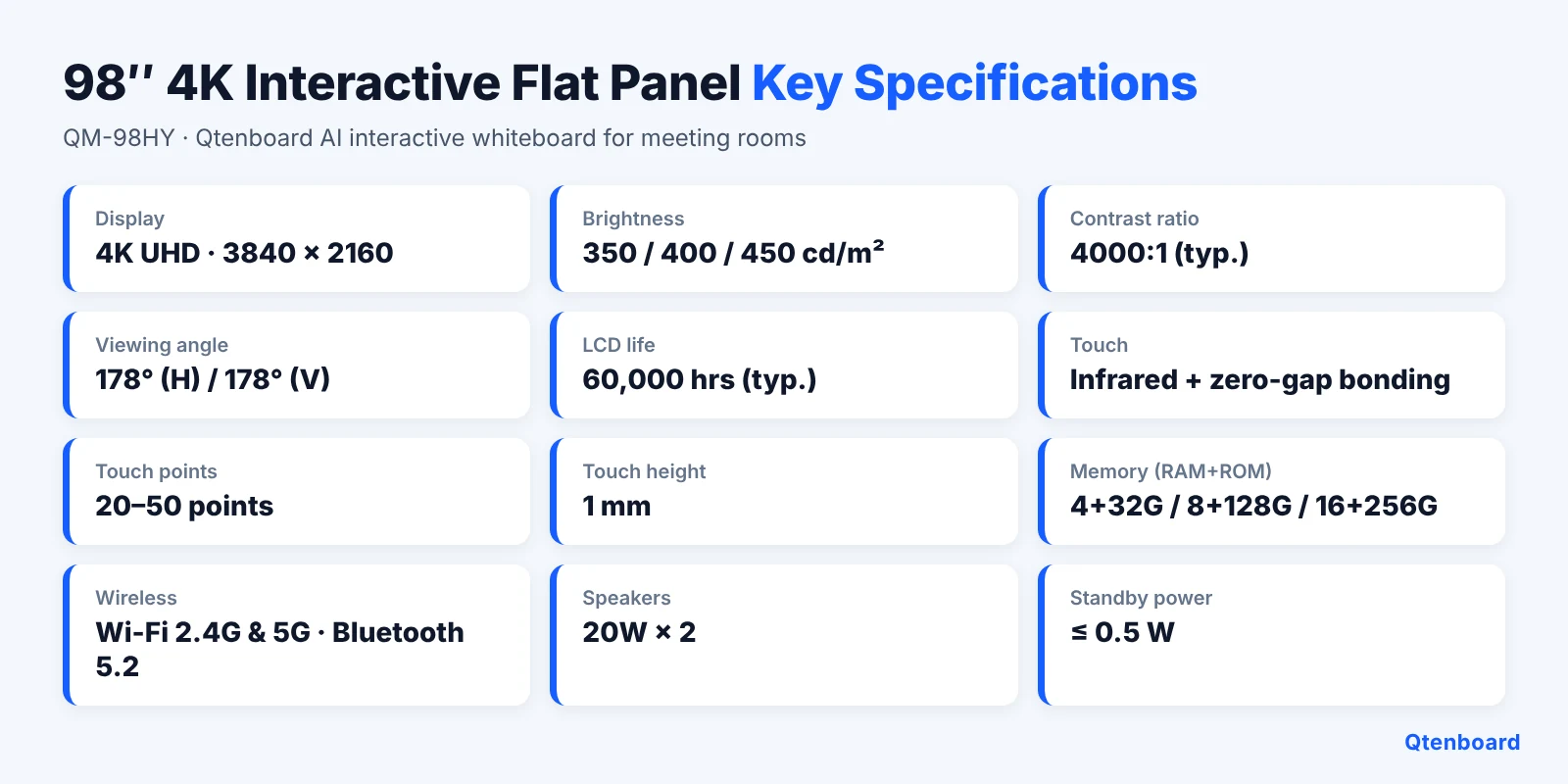
Qtenboard offers 55, 65, 75, 86, 98, 105 and 110 inch models (QM-55HY to QM-110HY). Choose the size by room area and audience. The 98 inch model fits larger meeting rooms, training rooms and auditoriums where the audience is farther from the screen.
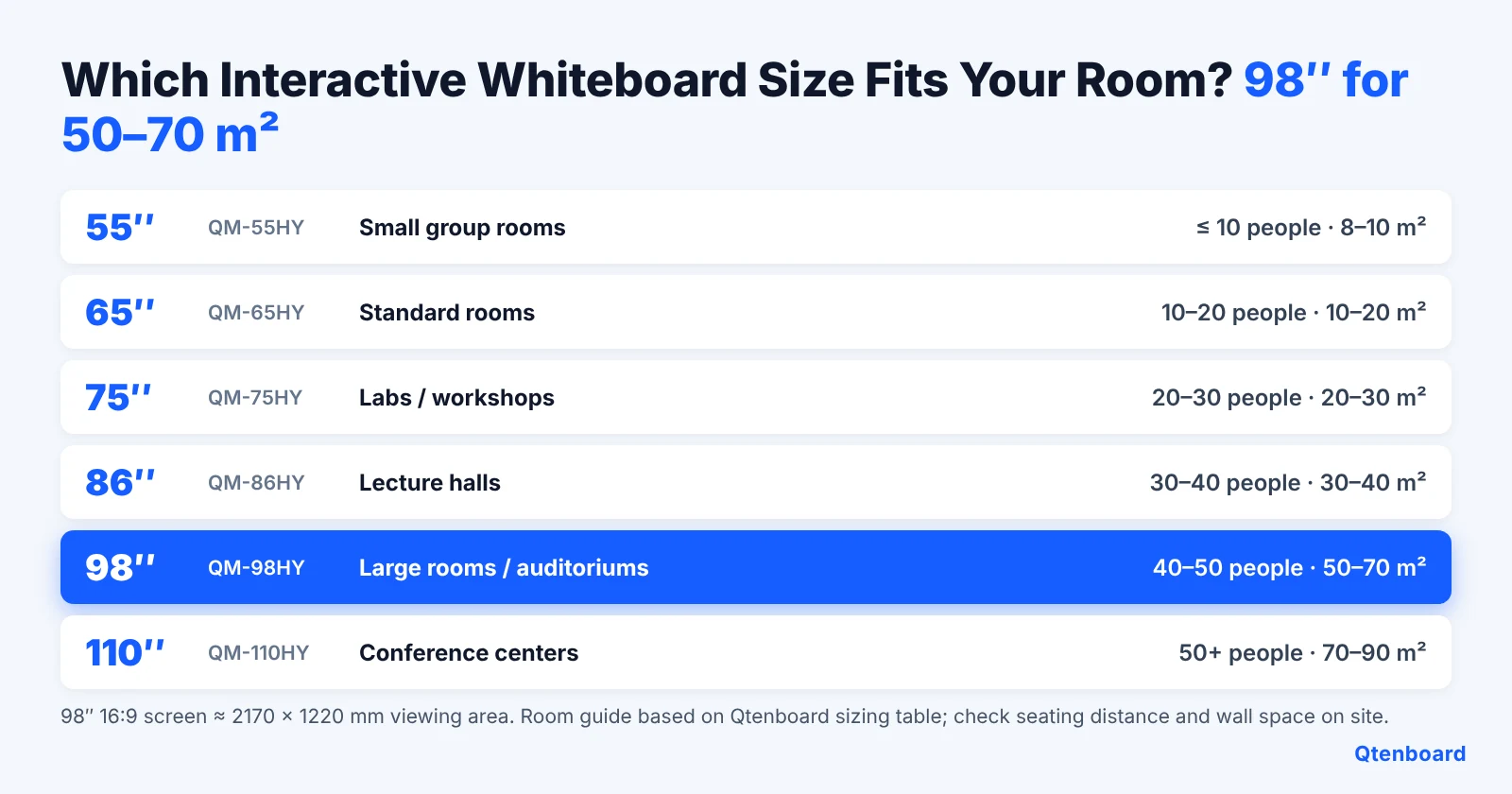
For more detail, read the interactive whiteboard size guide from 65" to 110" and the 86 inch interactive flat panel price and buyer's guide. Prices vary with size, chip, memory, touch points and customization, so see the interactive whiteboard cost and factory price article, or ask for a quotation.


A 98 inch panel is large and heavy, so plan the wall, structure and handling before delivery. Compare wall mount vs mobile stand for interactive whiteboards to choose the right installation. Mobile options include the portable interactive whiteboard mobile stand trolley and the mobile display stand.

See the full accessories range, including stands, OPS modules and other classroom or meeting-room add-ons.
| សំឡេង | |
|---|---|
| QtenboardComment | |
| ទំហំ | |
| 55'' / 65'' / 75'' / 86'' / 98'' / 105'' / 110'' | |
| ម៉ូល | |
| QM-55HY / QM-65HY / QM-75HY / QM-86HY / QM- 98HY / QM-105HY / QM-110HY | |
| ការ បញ្ជាក់ LCD | |
| គុណភាព បង្ហាញ | គុណភាព បង្ហាញ 3840*2160 4K |
| ពន្លឺ | 350 cm/ m² / 400 cm/ m² / 450 cm / m² |
| សមាមាត្រ កម្រិត ពណ៌ | 4000: 1 ( ប្រភេទ) |
| ជម្រៅ ពណ៌ | 16. 7M( ៨ ប៊ីត) |
| មុំ មើល ឃើញ | 178 °( H) / 178 °( V) |
| ជីវិត LCD | 60,000 នាក់ |
| ការ លម្អិត | |
| ស៊ីភីយូ | 9679 / 3576 / 311D2 / V100 / 3588 |
| Android OS | Android 14.0 |
| រ៉ាម | 4 32G / 8 128G / 16 256G (ជម្រើស) |
| WIFI | ២. ៤G & ៥G |
| ប្ល៊ូធូស | 5.2 |
| ចាក់សោ កូនComment | គាំទ្រ@ info: whatsthis |
| ទិដ្ឋភាព ឥត ខ្សែ | គាំទ្រ@ info: whatsthis |
| ល្បឿន អេក្រង់ ចំណុច | |
| ប្រភេទ ចំណុច | ការ តភ្ជាប់ អ៊ីនហ្វ្រា រ៉េប សូល |
| ចំណុច ចំណុច | ២០- ៥0 ចំណុច |
| កម្ពស់ ចំណុច | ១ មែល |
| ម៉ាស៊ីន ថត | |
| ម៉ាស៊ីន ថត និង មីគី | 48MP + Optional (8 Array Mic) |
| ថាមវន្ត | |
| អ្នក និយាយComment | 20W* ២ |
| អនុញ្ញាត | ≤ 0.5W |
| ការ ផ្ដល់ ថាមពល | AC100V-240V,50-60 Hz |
| បរិស្ថាន ការងារ | |
| សីតុណ្ហភាព ការងារ | 0℃ ~40℃ |
| ភាព ស្រអាប់ ការងារ | 20% ~ 85% (គ្មាន ការ បង្ហាញ) |
| សីតុណ្ហភាព ផ្ទុកComment | -10℃ ~ 60℃ |
| ភាព ត្រឹមត្រូវ ផ្ទុក@ info: whatsthis | 10% ~ 60% (គ្មាន ការ បង្ហាញ) |
| ចំណុចប្រទាក់ | |
| ប្រភេទ B 2.0, type- C, HDMI in, HDMI out, USB, USB- B, DP, VGA, TF កាត TF MIC, RJ45 in, RJ45 ចេញ, RS232 ក្នុង (ជម្រើស) | |
The touch layer uses infrared (IR) technology with zero-gap bonding. If you want to compare it with capacitive screens, read Qtenboard interactive touch screens: PCAP vs IR technology.
The same platform that powers a client presentation board also works as a smart whiteboard for teaching. Universities, vocational centres and corporate academies use 86 to 110 inch panels as an interactive board in the classroom or lecture room, with multi-touch writing, wireless sharing and AI note-taking. If you are evaluating interactive boards for education ឬ ថត smart boards for classroom projects, start with:
Planning a complete ដំណោះស្រាយ ថ្នាក់ ឌីជីថល, including cameras, microphones and lecture capture? See our interactive whiteboard education solutions. For a wider view of how interactive displays are being adopted, read មគ្គុទ្ទេសក៍ ពេញ ទៅកាន់ ក្ដារ ក្រហម អន្តរសកម្ម សម្រាប់ សៀវភៅ និង សាធារណៈ and the 2026 interactive flat panel trends, which describe how the interactive whiteboard market is evolving in schools and offices.
យើង ហើយ QtenboardComment, អ្នក បង្កើត កម្រិត ដំណោះស្រាយ ហត្ថលេខា ឌីជីថល ដែល មាន ឧបករណ៍ សាកល្បង កម្រិត ខ្ពស់ និង ក្រុម បច្ចេកទេស ដែល មាន សិទ្ធិ ។ ការ សម្រាក របស់ យើង ទៅ កាន់ ភាព ស្រដៀង គ្នា និង គុណភាព បង្ហាញ ប្រាជ្ញា ថា លទ្ធផល នីមួយៗ ត្រូវ ធ្វើ ឲ្យ ស្តង់ដារ ខ្ពស់ បំផុត ។ ជាមួយ ជួរ ផលិត កម្រិត, ដំណើរការ ល្អ ល្អ, រចនា សម្ព័ន្ធ និង តម្លៃ នៃ សិទ្ធិ ដំណោះស្រាយ ហត្ថលេខា ឌីជីថល របស់ យើង ត្រូវ បាន ចាប់ផ្តើម ទូទៅ នៅ ក្នុង ចំណោម អង់គ្លេស ផ្សេងៗ ដែល រួម បញ្ចូល ការ ដោះស្រាយ បញ្ហា នៅ Qtenboard យើង រួមបញ្ចូល ចំណុច ប្រតិបត្តិការ ជាមួយ ការ រចនា សម្ព័ន្ធ ដើម្បី ផ្តល់ ឲ្យ មាន លទ្ធផល មើល រូបភាព និង ដំណោះស្រាយ ការ ប្រើ ងាយស្រួល ដែល បង្កើន ការ ទំនាក់ទំនង, ការ រួម បញ្ចូល និង បណ្ដាញ បែបផែន សម្រាប់ ម៉ាស៊ីន ភ្ញៀវ របស់ យើង ។
Learn more about Qtenboard, see delivered projects on our successful cases page, or browse all products.


សេវា ជាមុន ៖
សេវា បែក ក្នុង ៖
សេវា បន្ទាប់ ពី ចម្លង ៖



 HKM
 EN
 MAY
 TH
 CHT
 SIN
 BUR
 VIE
 ID
 FIL
 LAO