In most tender documents and equipment procurement plans, installation is treated as a downstream task — something to be handled after the hardware arrives, by whichever contractor is on-site that week. This assumption is one of the most common and costly mistakes in commercial display deployment.
The reality is that interactive whiteboard installation is a technical variable that should be evaluated at the selection stage, not after delivery. A commercial-grade interactive flat panel and an unsuitable mounting solution do not simply create an inconvenience — they create a compounding risk: structural load failure, touch calibration drift, and unplanned secondary construction costs that were never budgeted in the original procurement plan.
This distinction matters most in two recurring deployment contexts:
These two scenarios have fundamentally different engineering requirements, and no single mounting solution serves both well. This guide breaks down the three standardized installation options Qtenboard provides — wall mount interactive flat panel brackets, A-frame mobile stands, and mobile stands with storage trays — as an interactive flat panel mounting solution framework built around real procurement and engineering decisions, not generic hardware specifications.
Commercial interactive flat panels typically range from 65" to 98", with unit weight increasing substantially at the upper end of that range compared to consumer television displays of similar size. This is because commercial IFPs integrate touch modules, embedded computing units, and heavier glass/metal composite panels — components a standard TV mount was never engineered to support.
A consumer-grade wall bracket is designed against consumer display load profiles, evaluated for short-term point loads rather than the sustained structural stress of a panel mounted for years in a classroom or meeting room. When commercial panels are hung on non-commercial brackets, the failure mode is rarely immediate — it is gradual bracket fatigue, slow angle drift, and eventually mounting hardware loosening under sustained load.
This is the core reason Qtenboard's full mounting lineup is built to the VESA universal mounting standard combined with independently rated load coefficients, rather than relying on generic hole-pattern compatibility as the only qualification criterion.
Commercial display installation engineering specifications and education equipment spatial layout standards both address this issue directly, though from different angles:
Taken together, these standards establish a simple engineering baseline: commercial interactive panels must be installed on load-certified, standard-compliant mounting hardware. This is an industry-wide engineering norm, not a proprietary claim by any single manufacturer — but it is a requirement that is inconsistently enforced in practice, particularly in fast-turnaround batch procurement projects.
According to commercial display industry engineering specifications, more than 60% of interactive whiteboard touch drift and structural failure in K12 batch projects originates from non-standard mounting and uncertified brackets — underscoring why bracket certification should be treated as a procurement gate, not a post-installation checklist item.
Meeting a consistent smart classroom installation standard across a multi-campus rollout begins with the wall mount bracket, since this is the component that determines whether every classroom in the fleet can be evaluated against the same load, level, and calibration benchmark.

The Standard Heavy-Duty Wall Mount Bracket is built around VESA-compliant hole pattern adaptation across the commercial panel size range, paired with a defined rated load coefficient specific to commercial IFP weight profiles rather than consumer display assumptions.
Wall load adaptation is not a single specification — it differs by substrate:
Treating these as interchangeable is where most classroom installation failures originate.
Three recurring issues surface across batch school procurement projects:
Field pattern across batch campus deployments: load-bearing compliance rates in retrofitted or older campus buildings are consistently lower than in newly constructed facilities, and projects that skip pre-installation wall load verification are disproportionately represented among mid-project rework cases.
Level calibration installation directly addresses the touch offset problem at its source — by controlling the mounting angle within a defined tolerance, rather than relying on visual estimation during installation. This is the mechanism by which touch accuracy failure rates are reduced, not a general claim about "improved performance."
For batch campus projects specifically, standardized fixed installation creates a repeatable acceptance benchmark: every classroom is evaluated against the same load, level, and hole-pattern criteria, which reduces the variability that causes repeated inspection cycles.
Failure consequence chain when this is not done correctly: touch offset → classroom instruction disruption → increased teacher complaints → rising IT support ticket volume → declining school satisfaction with the system integrator responsible for the deployment. This is not a hypothetical — it is the most commonly cited root-cause chain in post-installation support escalations for classroom display systems.
For K12 fixed classroom deployments, the standard heavy-duty wall mount bracket carries the lowest long-term total cost of ownership among the three installation options — and this is a structural conclusion, not a marketing claim.
These cost differences should be treated as directional engineering conclusions based on field deployment patterns rather than as fixed universal figures, since actual TCO varies by project scale and maintenance contract structure. These TCO evaluations are based on commercial display batch deployment industry survey data.
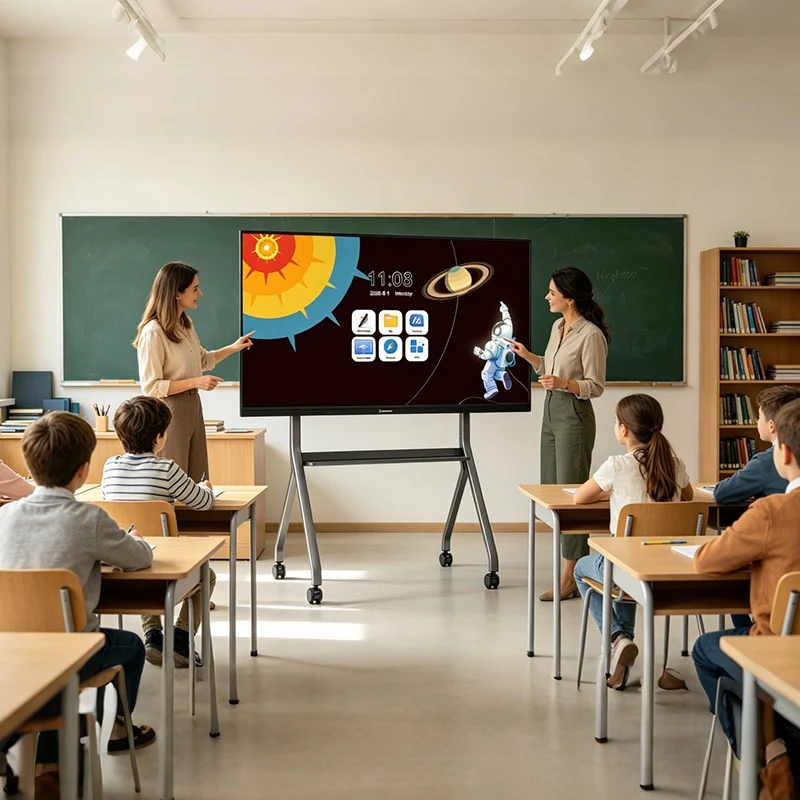
The A-frame mobile stand is built around two core structural principles:
Field pattern across government and enterprise mobile deployments: training organizations and exhibition operators that procure generic mobile stands frequently report structural tilt and touch offset emerging within roughly six months of regular use — the underlying cause traced back to center-of-gravity structures that were not engineered to support large-format panels under repeated relocation stress.
Failure consequence chain when this is not addressed: frequent relocation → connector and cable fatigue → rising rate of full-unit malfunction → training session disruption and unplanned equipment return-for-repair. This chain directly impacts the continuity of paid training or exhibition programs.
The low center-of-gravity structure directly reduces tipping risk by lowering the panel's effective center of mass relative to its base footprint — an engineering mechanism, not a general safety claim. Locking swivel castors reduce the labor cost of relocation by eliminating the need for a second staff member to physically stabilize the stand during movement or repositioning.
Compared against fixed installation, the total cost calculus in mobile-use scenarios shifts: the relevant comparison is not installation cost alone, but the cumulative cost of relocation labor, structural wear, and disruption avoided over the equipment's service life.
The long-term value of the A-frame mobile stand is not primarily in its unit purchase cost — it is in avoiding the cost of secondary renovation and space modification.
These TCO evaluations are based on commercial display batch deployment industry survey data.
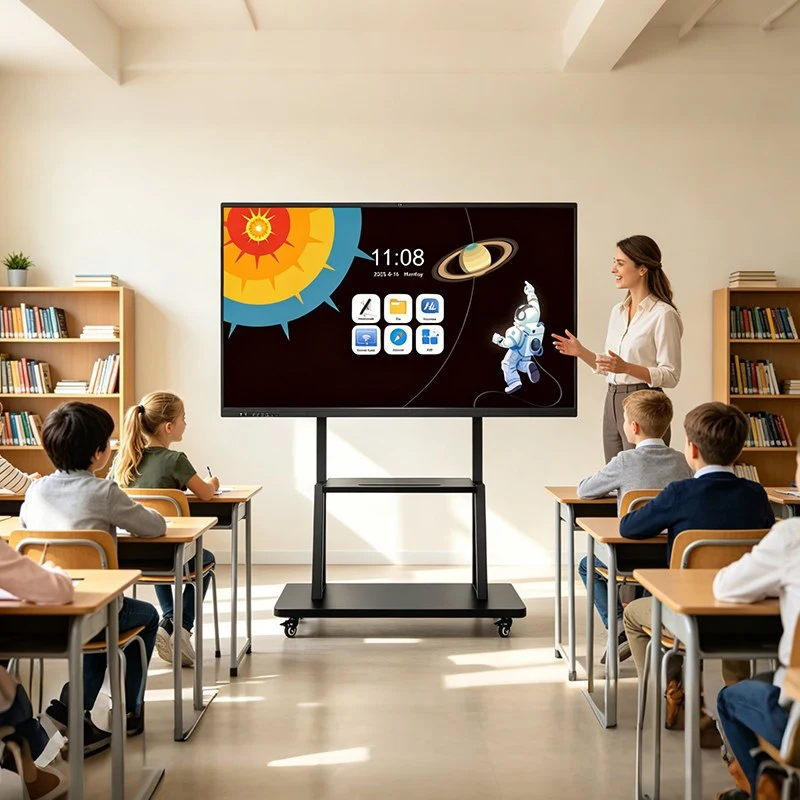
The mobile stand with storage tray adds a defined-capacity tray structure to the A-frame mobile base, designed to accommodate common meeting and training peripherals — laptops, audio amplification units, sign-in terminals, and similar accessory equipment that otherwise travels separately from the main display unit.
Field pattern across multi-session training and touring exhibition projects: separated storage of the main unit and its peripherals is consistently identified as the leading cause of accessory loss and handover confusion, especially in environments where different personnel or teams rotate through equipment use across sessions.
Storage redundancy design lowers the management overhead of equipment circulation by keeping accessories physically consolidated with the display unit throughout transport and handover — reducing the operational points at which loss or misplacement typically occurs. This is a direct, traceable value chain, not a generalized convenience claim.
The TCO advantage of the storage tray configuration is centered on reducing repeat peripheral procurement and accessory loss costs, not on the price of the stand itself.
These TCO evaluations are based on commercial display batch deployment industry survey data.
The following comparison is structured around the criteria that matter to tender evaluation and long-term ownership — not generic hardware specifications.
| Evaluation Dimension | Standard Wall Mount | A-Frame Mobile Stand | Mobile Stand with Storage Tray |
|---|---|---|---|
| Installation stability | Highest — no moving structure | High, engineered center-of-gravity | High, weight-balanced with tray |
| Spatial flexibility | Fixed — single location | High — supports frequent relocation | High — supports relocation with accessory transport |
| Initial deployment cost | Low hardware cost + additional wall structural assessment & installation labor | Higher hardware cost, zero wall construction labor | Slightly higher hardware cost, full mobility with integrated accessory management |
| Long-term maintenance cost | Lowest — no recurring recalibration or mechanical wear | Moderate — periodic castor and joint maintenance | Moderate — same as A-frame, plus tray upkeep |
| Applicable scenario | K12 fixed smart classrooms | Government/enterprise multi-function meeting rooms and mobile training | Multi-session training and touring exhibitions |
| Equipment relocation wear rate | None — zero relocation cycles | Present — accumulates with usage frequency | Present — comparable to A-frame |
| Secondary construction/renovation probability | Present when room layout or venue changes | Near zero — no wall-dependent installation | Near zero — no wall-dependent installation |
| Long-term touch accuracy stability | Highest — no repeated movement-induced drift | Dependent on structural stability engineering | Dependent on structural stability engineering |
| Acceptance inspection complexity | Requires wall load and level calibration documentation | Lower — primarily structural certification | Lower — primarily structural certification |
Selection logic: for fixed teaching spaces, the wall mount bracket is the default choice on TCO and stability grounds. For multi-function or frequently reconfigured spaces, the A-frame mobile stand avoids the renovation costs inherent to fixed installation. For environments with frequent equipment circulation across sessions or venues, the storage tray configuration adds accessory management value on top of the A-frame's mobility benefits.
For education IT procurement leads, campus infrastructure engineers, system integrators, and tender documentation authors, the following checklist provides a practical basis for specification review and on-site acceptance — and doubles as a working reference for defining an internal smart classroom installation standard across batch procurement projects:
The three installation options described above are not offered as independent accessories — they form a unified interactive flat panel mounting solution framework, engineered in coordination with Qtenboard's panel hardware rather than sourced as third-party universal mounting hardware or assembled from a non-certified mounting frame.
This distinction matters directly for procurement and system integration teams: across both smart classroom display installation and commercial meeting panel mounting contexts, Qtenboard provides not only the mounting hardware itself, but a complete documentation package — load certification, VESA compatibility confirmation, and calibration records — structured to meet the acceptance and tender documentation requirements that batch procurement and government projects require as standard practice, rather than as a supplementary request.
Wall mounting focuses on long-term stability and lowest TCO for fixed education scenarios, while mobile stand solutions maximize space flexibility and reusable value for dynamic commercial and training environments. The choice between a wall mount, an A-frame mobile stand, and a mobile stand with storage tray is fundamentally an engineering decision shaped by three variables: fixed vs. mobile use pattern, structural load and space constraints, and long-term total cost of ownership — not a matter of which option is "more versatile."
For K12 fixed smart classrooms, standardized wall mounting delivers the lowest long-term cost and the highest long-term touch accuracy stability. For government and enterprise multi-function meeting rooms and mobile training environments, the A-frame mobile stand — with or without an integrated storage tray — avoids the recurring renovation costs of fixed installation while addressing the structural stability requirements that a non-certified mounting frame often fails to meet. Selecting between them should be based on the specific deployment pattern, not a generic assumption that any single mounting solution serves every scenario equally well.
Click to read the product details and learn about its functional features and actual performance.
📖 Read Product
 EN
EN
 MAY
MAY  TH
TH  CHT
CHT  BUR
BUR  FIL
FIL  HKM
HKM  ID
ID  LAO
LAO  SIN
SIN  VIE
VIE