Choosing an interactive display for classes is rarely a question of "which screen is best". It is a question of which screen fits a specific room, a specific age group and a specific budget. Qtenboard ၊ builds interactive flat panels that schools across Asia, the Middle East and Europe deploy in the classroom, and the range is designed to be matched room by room rather than bought as a single model. A display that works well for six-year-olds sitting on a carpet can be the wrong tool for a 40-student high school revision class, and the reverse is just as true.
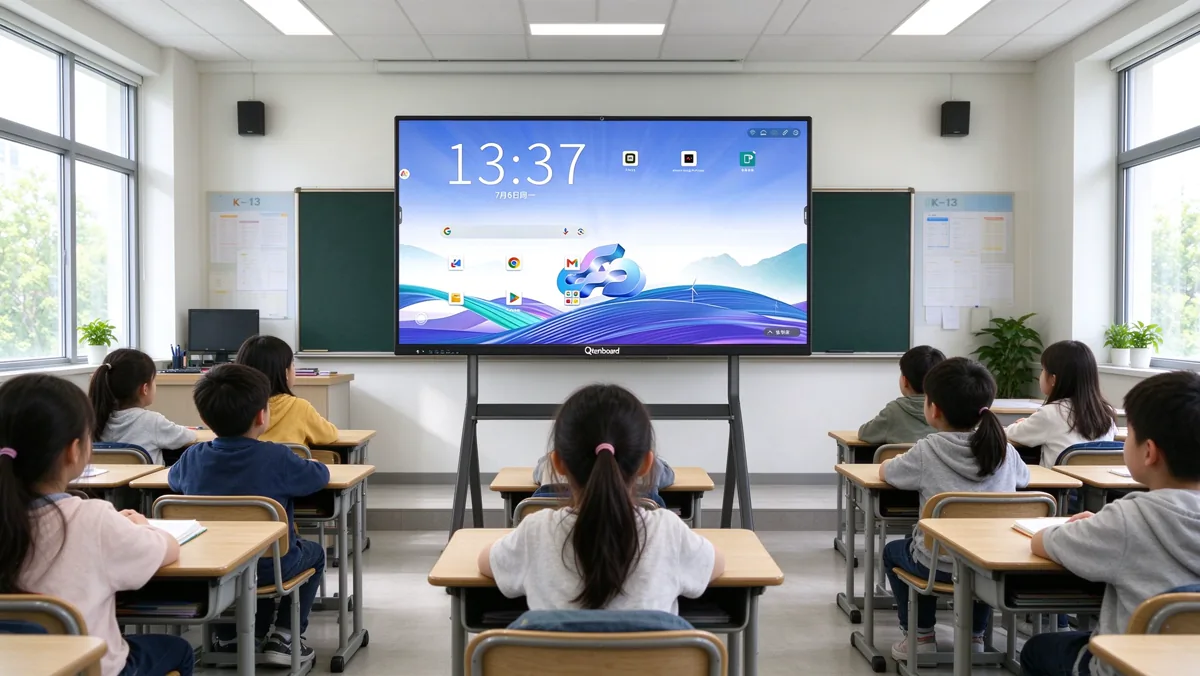
Aninteractive smart board (also sold as an interactive flat panel, or IFP) replaces the projector, the whiteboard, the speakers and often the teacher's separate computer with one touch-enabled screen. That consolidation is the reason schools across Asia, the Middle East and Europe are retiring projectors. But the consolidation also means one purchase decision now affects almost every lesson, so it pays to compare options by stage of schooling instead of picking a single model for every room.
This guide compares primary, secondary and high school needs across the four decisions that matter most: screen size, touch points, stand versus wall mount, and budget. It also covers the software, accessories and procurement details that tend to be forgotten until after the order is placed. If you manage a school project, work as a system integrator or buy for a district, you can use the checklists near the end of the article as a starting brief for suppliers.
Short answer: primary classrooms usually do best with a 65–75 inch Qtenboard panel, 20 or more touch points and a height-adjustable mobile stand. Secondary classrooms are best served by 75–86 inch panels on the wall. High schools, labs and lecture rooms often need 86–110 inch panels with a Windows OPS module. In every case, choose 4K resolution, a proper anti-mistouch function and remote management before you consider extras.
| School stage | Typical screen size | Touch points | ဆွဲခြင်း | Budget priority |
|---|---|---|---|---|
| Primary | 65–75 inch | 20+ (several children at once) | Mobile stand or low wall mount | Durability, child lock, easy software |
| Secondary | 75–86 inch | 20 (writing precision matters) | Wall mount, mobile stand for shared rooms | Software ecosystem, wireless casting |
| High school | 86–110 inch | 20 or more, with fine writing | Fixed wall mount | Performance, Windows OPS, large-room visibility |
Before comparing sizes and prices it helps to be clear about what an interactive flat panel does in a classroom. A modern Qtenboard panel combines a 4K UHD touchscreen, a built-in Android system, an optional Windows computer module, speakers, wireless screen sharing and whiteboard software. In practice, that single device can take over from four or five separate pieces of equipment.
| အချက်အလက်များ | Interactive flat panel | Projector + whiteboard | Chalk or marker board |
|---|---|---|---|
| Image in bright rooms | Clear, no shadows | Washed out, teacher shadow | Not applicable |
| Touch and handwriting | Built in, multi-touch | Needs a separate sensor | Manual writing only |
| Ongoing consumables | မှန်က် | Lamps, filters, markers | Chalk or markers |
| Save and share lessons | Yes, in the whiteboard software | Partly | No (photo only) |
| အသုံးပြုမှု ၊ | Built in | Needs extra hardware | မှု |
| Remote device management | Available with DMS | မှု | မှု |
Many schools start with this comparison when they want to replace chalkboards with an interactive electronic whiteboard. The savings usually come less from the hardware itself and more from the things a classroom no longer has to buy and maintain: lamps, markers, cables and the time lost to calibrating a projector every morning.
In everyday buying language, "interactive smart board", "interactive touch board", "K12 interactive flat panel" and "interactive boards for education" all describe the same category: a large flat touchscreen with a built-in operating system. The terms differ by region and by supplier, not by function. When you compare quotations, ignore the label and read the specification: panel resolution, touch technology, number of touch points, processor, memory and operating system.
If you want to see the full range of sizes and configurations before reading further, the interactive whiteboard for school category lists every Qtenboard ၊ panel built for education, from 55 inch to 110 inch.
Stage names vary between countries. In some systems "secondary" covers ages 12 to 16, in others it only covers the lower years and "high school" takes over at 14 or 15. The labels below follow the common international pattern, but the useful question is always the same: how old are the users, how many of them are looking at the screen, and how will they touch it?
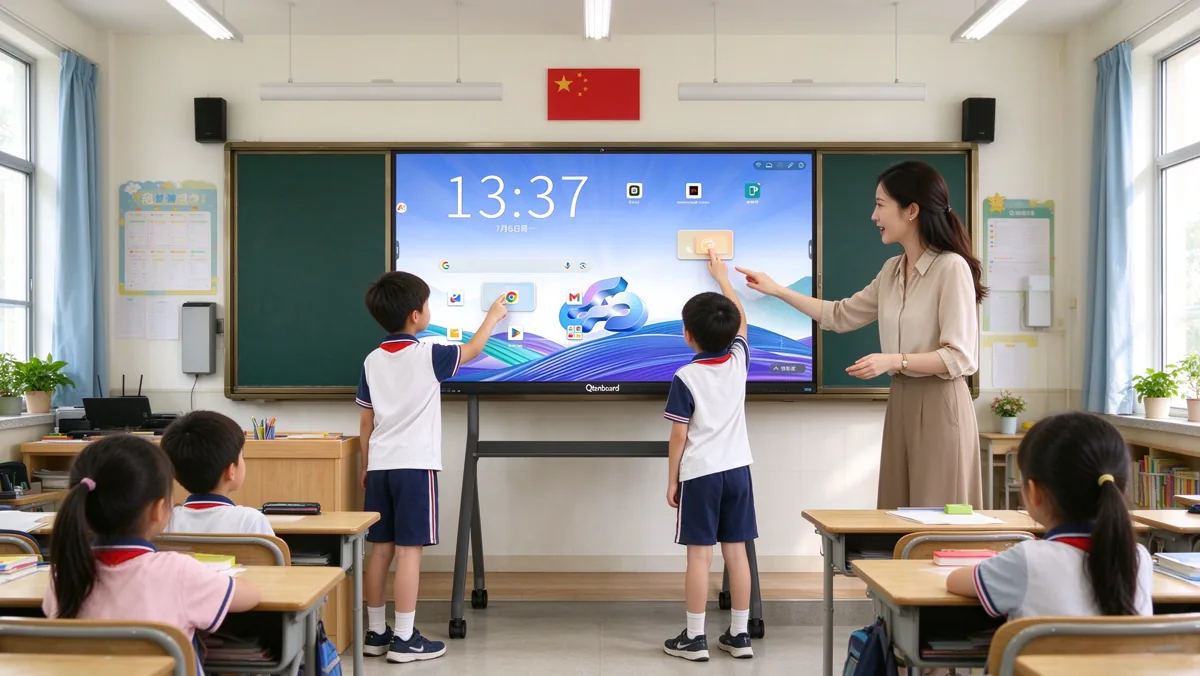
Primary classrooms are the most physical environment for an interactive touch board. Children walk up to the screen, drag objects, sort pictures, trace letters and answer in small groups. That has four practical consequences:
For most primary rooms a 65 or 75 inch panel is enough. The 65 inch interactive flat panel is the most popular Qtenboard size for standard classrooms and small teaching rooms, large enough for every student to read comfortably while staying compact for rooms under about 50 m².
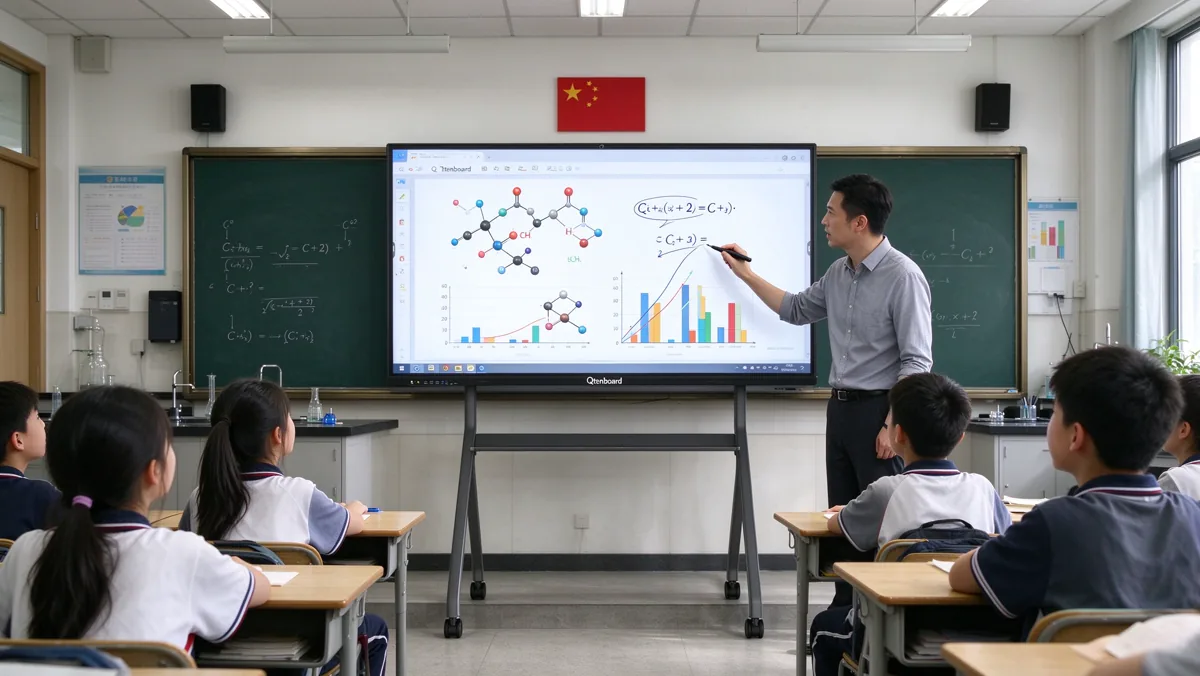
Secondary students use the display differently. The teacher still leads most of the time, but students increasingly contribute from their own devices. Science teachers show simulations, maths teachers annotate graphs, language teachers split the screen between a text and a video. The key needs shift from "can children reach it" to "can everyone in a larger, fuller room read it and can my devices connect to it".
Teachers who prepare lessons in advance will also want software that saves, records and exports. A dedicated smart whiteboard for teaching with lesson-prep software lets them build slides at home and open them on the Qtenboard panel the next morning.

High school content is dense. Past papers, chemical structures, engineering drawings, code and mathematical notation all need sharp text at a distance. Rooms are also bigger, and some are lecture-style with tiered seating. Here the priorities are resolution, panel quality and processing headroom.
Administrative and staff spaces in the same school often use the same technology. Meeting rooms, boardrooms and training rooms can be equipped from the same Qtenboard family; see our interactive flat panels for business and office meeting rooms if you want a single supplier for the whole campus.
| Decision | Primary | Secondary | High school |
|---|---|---|---|
| မျက်နှာပြင်အရွယ်အစား | 65–75 inch | 75–86 inch | 86–110 inch |
| ညွှန်း | 4K recommended | 4K recommended | 4K essential |
| Touch behaviour | Many fingers, large gestures | Finger plus pen, mixed | Fine pen writing, annotation |
| Operating system | Android is usually enough | Android, optional Windows | Android plus Windows OPS |
| ဆွဲခြင်း | Mobile stand or low wall mount | Wall mount, stands for shared rooms | Fixed wall mount |
| အစီအစဉ် တစ် ခု | Child lock, simple UI | Remote management, casting | Remote management, performance |
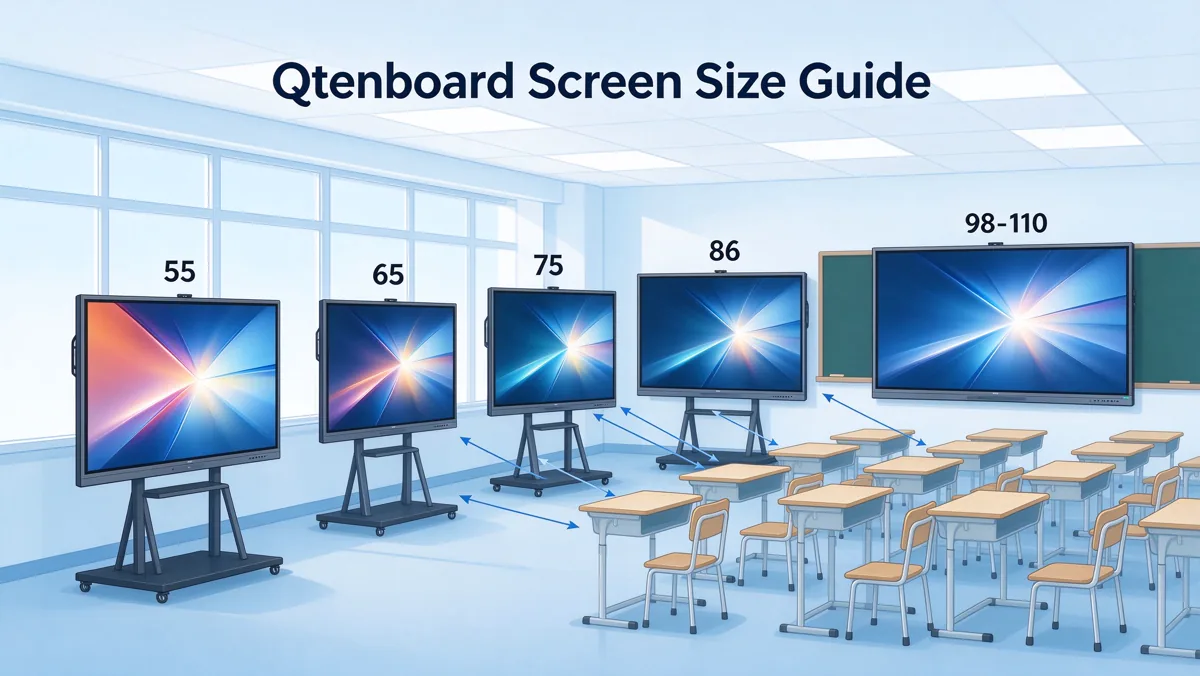
Size is the decision people discuss most and measure least. A bigger screen is not automatically better: an oversized panel in a small room forces students in the front row to turn their heads, and an undersized panel in a deep room leaves the back row squinting. The right size comes from the room, not from the price list.
The figures below are planning guidelines, not strict rules. Always check the real room dimensions, the number of students and the seating layout before finalising.
| မျက်နှာပြင်အရွယ်အစား | Typical room | အလွန်အကျွံ |
|---|---|---|
| ၅၅ နာ | Small group rooms, resource rooms, kindergarten corners | Close-up group work, small teaching spaces |
| ၆၅ इन် | Small classrooms, rooms under about 50 m² | Primary classes, tutoring and training rooms |
| 75 inch | ဥပမာ ၊ | Primary and lower secondary, the most balanced all-round choice |
| 86 inch | Larger classrooms and deeper rooms | Secondary and high school classes with detailed content |
| 98 to 110 inch | Lecture rooms, halls, multi-purpose rooms | High school and large-group teaching, presentations |
The simplest test is to display a normal page of lesson text at the planned size and stand in the furthest seat. If a student there cannot read body text without effort, the panel is too small for the room, or the lesson materials need larger fonts. Two things help in practice:
Schools in Southeast Asia that deploy at scale often standardise on one or two Qtenboard sizes to simplify spares, mounts and training. In Vietnam, for example, the 75 inch interactive whiteboard for Vietnam schools has become a common standard because it suits typical class sizes without demanding a larger wall.
Qtenboard classroom panels use a 3840 × 2160 4K UHD display with a typical 4000:1 contrast ratio, 178° viewing angles and brightness options of 350, 400 or 450 cd/m². Wide viewing angles matter because students sit at the sides of the room, not just in the centre. An anti-glare, tempered-glass surface also reduces reflections from windows and ceiling lights, which helps in bright tropical classrooms.
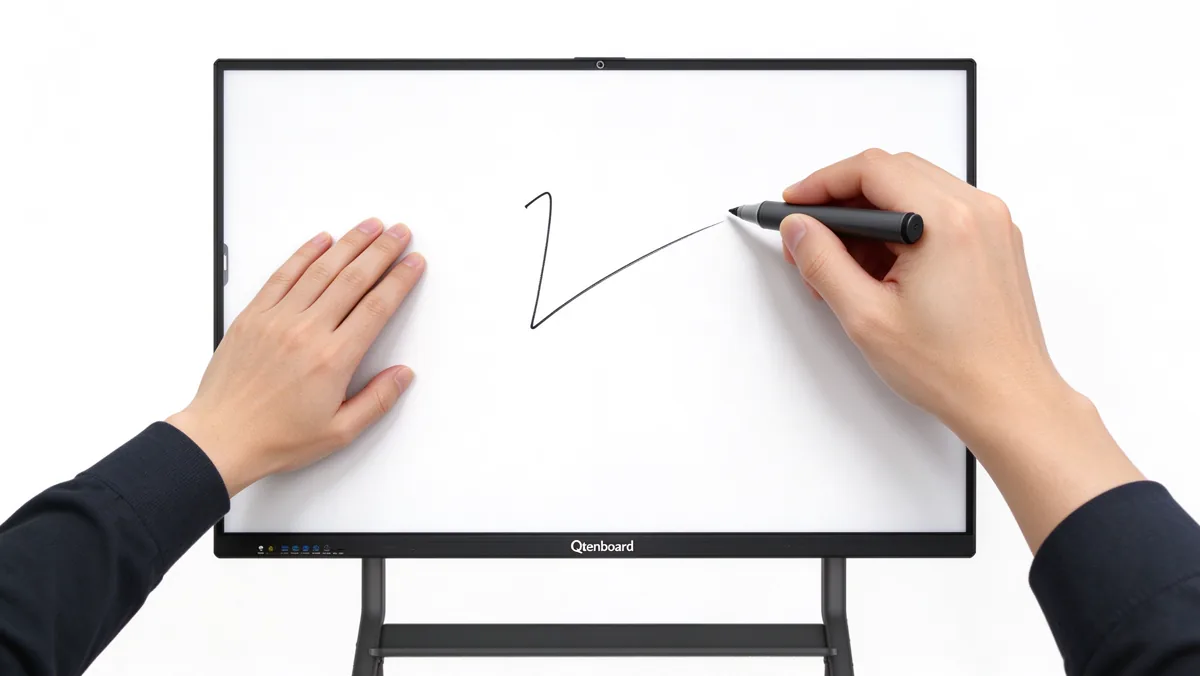
"Touch points" simply means the number of simultaneous contacts the screen can track. A listing of "20 point touch" means the panel can follow twenty fingers at once. It does not tell you how accurate or smooth the writing will be, which is why the number should never be the only thing you compare.
Qtenboard panels offer 20 to 50 point infrared touch, so schools can match the capability to the age group instead of paying for more than they need.
Touch height is the gap between the glass surface and the point where the sensor "sees" your finger or pen. A low touch height of around 1 mm, combined with zero-gap bonding between the glass and the LCD, makes writing feel direct. A large gap makes ink appear to lag or sit away from the pen tip.
Teachers rest their hands while writing, and children lean on the screen. A Qtenboard panel with palm and wrist detection ignores those contacts and registers only the pen or finger. If a supplier cannot demonstrate this live, treat it as a red flag.
Many lessons mix finger gestures (zoom, drag) with pen writing. Test both in the same session. On a good Qtenboard panel, switching between them should be automatic with no menu change.
Buying tip: never judge touch from a brochure. Ask a Qtenboard supplier for a sample or live demonstration and test three things: writing a full line of small text, resting your palm on the screen while writing, and having two people draw at the same time.
Mounting is one of the most underestimated decisions in an interactive flat panel project. It affects safety, teaching comfort, installation cost and how flexibly rooms can be used. Neither option is better in general: the right answer depends on the room, the age group and how often the panel needs to move.
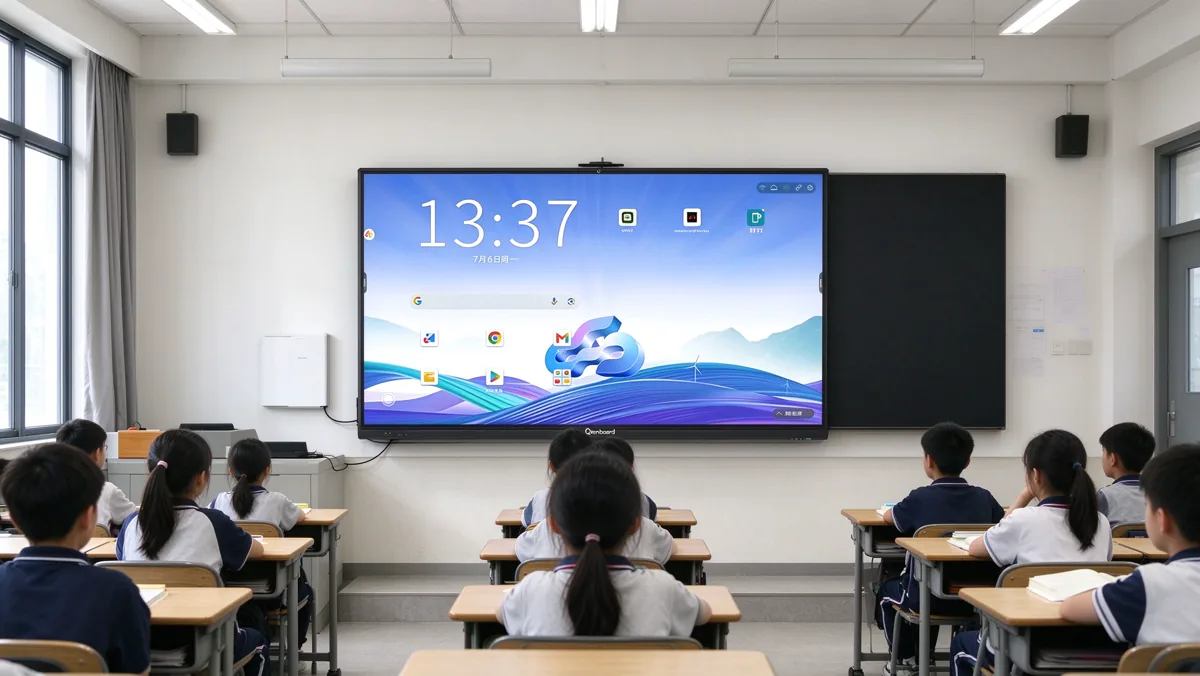
A wall-mounted panel is the default for permanent classrooms. It takes up no floor space, is hard to knock over and keeps power and signal cables tucked behind the display. For secondary and high school classrooms where the board is used every day in the same position, it is usually the most reliable choice.
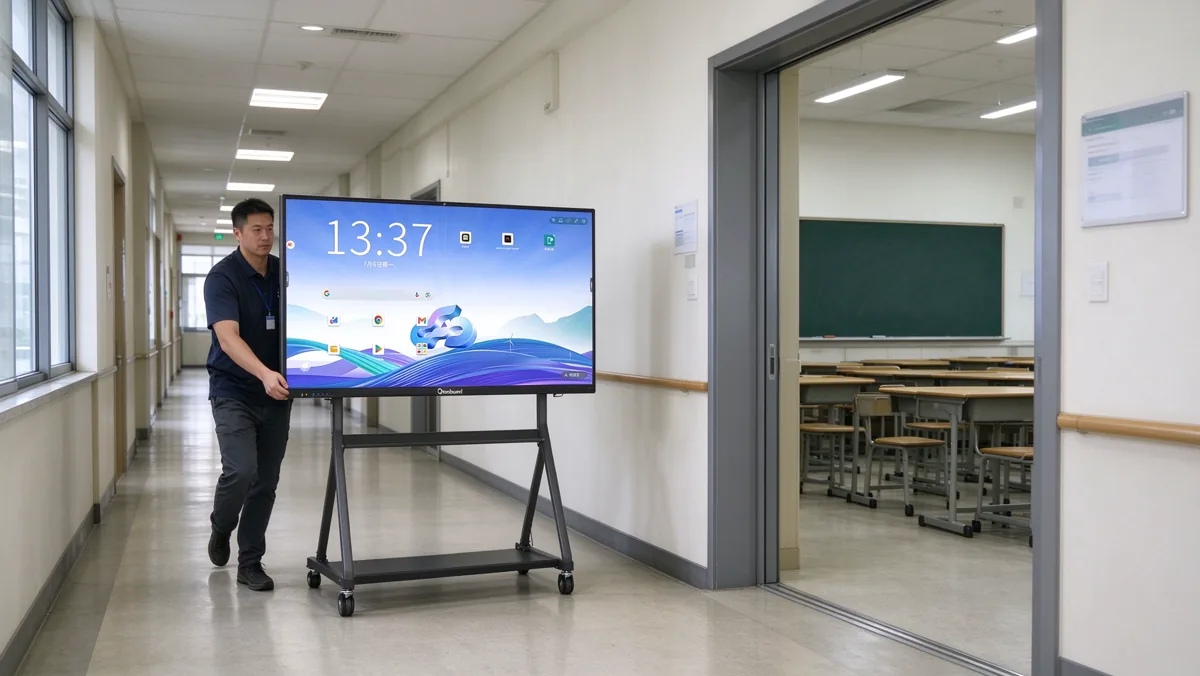
A mobile stand puts the panel on wheels. It is a strong option for primary classrooms where the height needs to match small children, for schools that share one panel between several rooms, and for temporary or rented spaces where drilling is not allowed. Many Qtenboard stands also add a shelf for a laptop or document camera.
| ဖိုင်တွဲ | Wall mount | Mobile stand |
|---|---|---|
| အလွန်အကျွံ | Permanent classrooms, high school, lecture rooms | Primary classes, shared rooms, temporary spaces |
| ဥပမာ ၊ | Highest | Good with a quality base and locked wheels |
| Height adjustment | Fixed (set at installation) | Adjustable on most models |
| Floor space | မှန်က် | Required |
| Installation effort | Higher (wall check, drilling, cabling) | Low (assemble and plug in) |
| Cable မန်နေတယ် | Hidden behind the panel | Needs tidying and a safe route |
| Relocation | Difficult | အပါ |
Many schools use both: wall mounts in core classrooms and a few mobile stands for shared or special-purpose spaces. Factory-matched Qtenboard wall brackets and rolling stands are listed under interactive whiteboard accessories, so they can be ordered in the same shipment as the panels.
The hardware is only half of what teachers experience. A panel with excellent glass and a slow, confusing interface will be used as an expensive projector screen. Look carefully at the system and software before comparing prices.
Most Qtenboard classroom panels run Android natively, with an optional Windows OPS computer module for subjects that rely on Windows software. This dual-system approach is practical for schools: the Android side starts instantly for everyday teaching, and the Windows side is available for departments with specific software needs. Chipset and memory options vary, for example 4+32 GB, 8+128 GB or higher, so you can scale performance by room type.
A good Qtenboard panel includes whiteboard software that works without installing anything: annotate over any source, save the lesson, export it and share it. Wireless casting lets teachers and students mirror laptops, tablets and phones to the screen without cables. Together these two features account for most daily use, so test them in the real classroom network environment before you commit to a large order.
Newer Qtenboard panels add practical AI features: speech-to-text for lectures, automatic summaries and minutes, an AI question-and-answer assistant, and translation that supports multilingual classes. These are particularly relevant in Southeast Asian schools where teaching and homework materials may mix several languages.
Two features separate a school-grade panel from a consumer or office model. A child lock prevents students from changing settings or opening unauthorised apps. A device management system (DMS) lets the IT team monitor status, push apps, schedule power on and off, send alerts and update firmware for dozens or hundreds of panels from one dashboard. For a school district, Qtenboard remote management quickly pays for itself in saved site visits.
If you want to see how these features are bundled for different teaching scenarios, our interactive whiteboard educational solutions page shows typical Qtenboard configurations by school type.

Interactive display prices vary widely, and published online prices rarely tell the full story. Instead of chasing the lowest number, understand what moves the price so you can compare like with like.
| Tier | Typical configuration | Suited to |
|---|---|---|
| Essential | 65–75 inch, 4K, 20-point touch, Android, 4+32 GB | Primary classrooms, general teaching, tight budgets |
| မှန်ကန်မှု | 75–86 inch, 4K, 20-point touch, Android, 8+128 GB, wireless casting and DMS | Most secondary classrooms and mixed-use rooms |
| Premium | 86–110 inch, 4K, 20–50 point touch, Android plus Windows OPS, 16 GB memory options, AI tools | High school, labs, lecture rooms, flagship projects |
For district or government tenders, the supplier's manufacturing capacity and customisation ability matter as much as the price. Ask about production capacity, lead time, certifications (such as CE and RoHS), and whether the UI, logo, packaging and pre-installed apps can be customised. Qtenboard supports white-label, OEM, ODM and CKD/SKD models for distributors and integrators, described on the interactive flat panel OEM/ODM page.
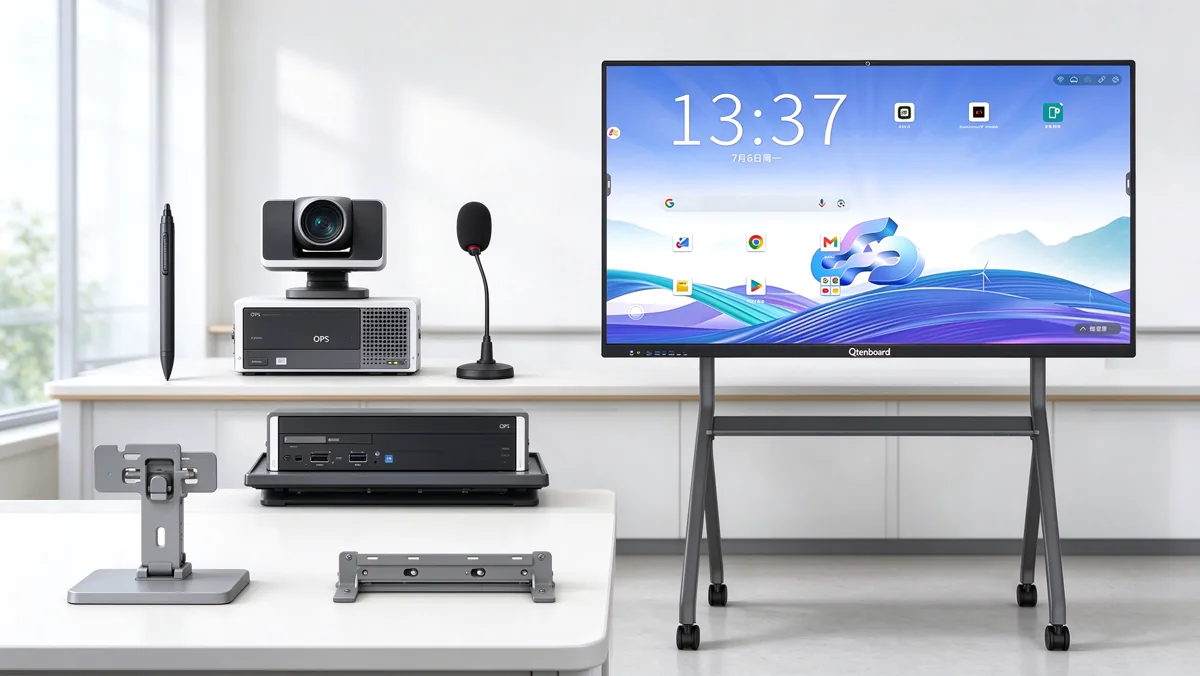
The panel is the centrepiece, but small accessories decide how comfortable the daily experience is. The most useful Qtenboard accessories for K-12 projects are:
Qtenboard magnetic and smart pens for precise handwriting, with magnetic storage on the panel edge so they do not go missing.
Factory-matched Qtenboard hardware for fixed or mobile installation, sized for the exact panel model.
A Qtenboard slot-in Windows computer for subjects that need Windows software, adding flexibility without extra desktop hardware.
Projects printed pages, student work and science demonstrations live on the big screen.
Supports hybrid and online lessons, lecture capture and remote participation.
For teachers who like to keep a traditional writing surface alongside the interactive screen during the transition.
For full-room projects, an integrated package is simpler than sourcing parts separately. Our digital classroom AV solution kit combines the Qtenboard interactive flat panel with ceiling microphone, PA speaker, PTZ camera and lecture capture in one package.
Schools in tropical and humid regions have a few extra points to verify when choosing an interactive display for classes from Qtenboard.
Local examples help with planning. See how Qtenboard supports interactive whiteboards for Singapore schools, interactive flat panels for Malaysia schools နှင့် smart boards for Thailand schools with multilingual systems and size options from 55 to 110 inches.
Use this checklist when you write a brief or compare quotations. It works for a single classroom and for a multi-school tender.
A big Qtenboard panel with poor touch or a slow processor is frustrating every day. Evaluate the whole package.
Mounting a heavy panel on a lightweight partition without checking load or fixings is a safety and warranty risk.
Specification sheets look alike. Writing quality, palm rejection and software speed only show in a real Qtenboard demo.
Without a short training plan, most teachers use the panel as a screen and never reach the interactive features.
Not every classroom needs a Windows OPS module or 50 touch points. Match the Qtenboard tier to the room.
Remote upgrades, spare parts and a fast response matter more over five years than a small saving at purchase.
For most standard classrooms, 65 to 86 inches is the practical range. Use 65 to 75 inches for primary and smaller rooms, 75 to 86 inches for secondary classrooms and deeper rooms, and 86 to 110 inches for high school, lecture rooms and halls. Always measure the distance to the back row before deciding.
20 touch points is a solid baseline for K-12 teaching. Primary classrooms with group activities benefit from 40 to 50 points, while secondary and high school classes mostly care about writing accuracy and palm rejection rather than a very high number of touch points.
Wall mounts suit permanent classrooms and larger panels because they are stable and tidy. Mobile stands suit primary classes that need adjustable height, shared rooms and spaces where drilling is not possible. Many schools combine both.
Not always. Android covers everyday teaching, whiteboarding and wireless casting. A Windows OPS module is useful where teachers need Windows-only software, such as CAD, statistics or coding tools. It can be added to selected Qtenboard rooms rather than every classroom.
The main factors are screen size, chipset, RAM and storage, touch points, optional OPS module and the order quantity or customisation level. Mounts, accessories, installation, training and support add to the total project cost, so compare complete packages rather than panel prices alone.
Yes. Put it on a mobile stand with lockable wheels and an adjustable height. Plan a power outlet and network access in each room, and use the child lock and device management to keep the settings consistent between lessons.
Choose a model that supports a device management system (DMS). Qtenboard DMS lets IT staff monitor power and storage status, push apps, schedule power on and off, send alerts and perform remote upgrades from one dashboard, avoiding a visit to each room.
Yes. Qtenboard supports white-label, OEM, ODM and CKD/SKD models, including customised UI, logo, wallpaper, packaging, language and pre-installed apps. For more questions on specifications and ordering, see the interactive whiteboard FAQ.
The best interactive display for classes is the one that fits the room, the age group and the way teachers actually teach. Primary schools should favour multi-touch, child-friendly height and simple software. Secondary schools should look at size, wireless casting and a flexible software ecosystem. High schools should prioritise 4K clarity, processing power and large formats. Across all stages, check Qtenboard touch quality in person, plan the mounting carefully and budget for the full project instead of only the panel.
To compare more Qtenboard sizes, configurations and use cases, browse the full interactive flat panel range, read more buying guides in our interactive whiteboard news, or explore the smart board interactive whiteboard for modern classrooms. You can also return to the Qtenboard homepage for the full range of education and meeting solutions.
Tell us your room size, student age group, quantity and mounting preference. Our Qtenboard team will recommend a matching configuration and send a factory-direct quotation.
Contact Us for a Tailored Quote
 BUR
 EN
 MAY
 TH
 CHT
 SIN
 VIE
 ID
 FIL
 LAO
 HKM
