
 BUR
 EN
 MAY
 TH
 CHT
 SIN
 VIE
 ID
 FIL
 LAO
 HKM

Interactive Flat Panel Tender Specification for Schools: The Short Answer
A good school tender for interactive flat panels does five things: it measures the classroom outcome, sets testable minimums for display, touch, operating system and ports, demands certificates that match the exact model, locks warranty and spare-parts service levels into the contract, and defines how every delivered unit will be accepted.
This guide is written for school business managers, district procurement officers, IT coordinators, AV consultants and the system integrators who write or answer education tenders. It reflects how Qtenboard ၊, a leading interactive flat panel manufacturer for education, sees classrooms work: most failed projects do not fail because the panels were bad. They fail because the interactive flat panel tender specification was vague, copied from an old project, or tuned to one brand so tightly that fair bidders were excluded and challenges followed. For a full overview of the range behind this guide, browse the Qtenboard interactive whiteboard product range.
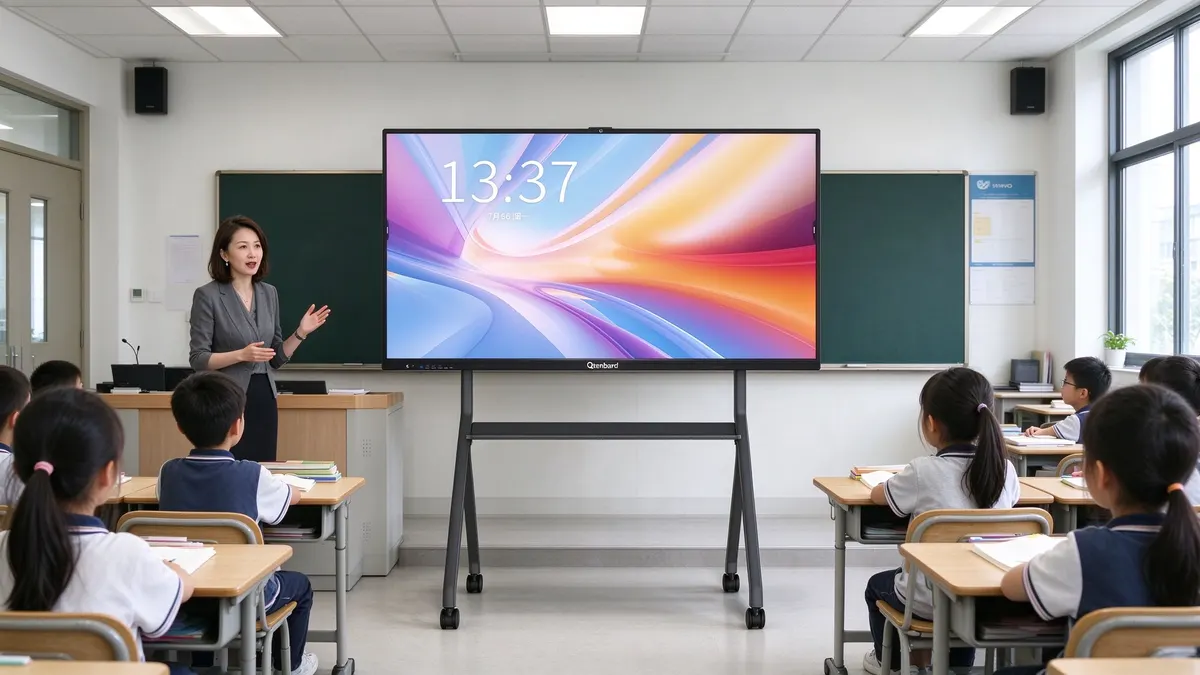
Below you will find a clause-by-clause breakdown of what to write for interactive boards for schools: panel size, resolution and brightness; touch points, precision and latency; Android and Windows operating system rules; Google EDLA certification; ports and connectivity; warranty and spare parts; certification and compliance; delivery, training and acceptance. Every section ends with copy-ready wording you can paste into your own document and adjust with square-bracket placeholders.
- Write outcomes, then numbers. "Two students can write at the same time without false marks" becomes "at least 20 simultaneous touch points, palm rejection, sensing distance stated in millimetres".
- Separate mandatory from scored. Safety, certification and warranty are pass or fail. Extras such as AI tools or NFC login are scored.
- Test before award. A sample unit run in a real classroom reveals more than any datasheet.
- Price the whole life. Warranty length, spare-parts lead time and remote management decide the true cost of ownership.
Why School Tender Specifications Fail Before the Panels Even Arrive
Weak specifications fail in three ways: they are too vague to compare, too narrow to be fair, or too silent about what happens after delivery.
Picture two bids for the same 120-classroom rollout. Both claim "75-inch 4K interactive panel, Android, 3-year warranty". On paper they are equal, so the lowest price wins. Six months later, teachers report that the pen lags, the wrist leaves marks on the screen, the system cannot install the approved learning apps, and a failed touch frame takes eight weeks to replace. Nothing in the tender made any of that a breach.
Failure mode 1: Vague wording
Phrases such as "high-quality touch", "fast response" or "bright display" cannot be tested, so they cannot be enforced. Every adjective in a draft should be replaced with a number, a unit and a test method.
Failure mode 2: Over-restrictive or brand-locked wording
The opposite problem is copying one manufacturer's brochure into the tender. Public-sector rules in many countries require specifications to be open to equivalent products, and a locked specification invites formal complaints that can delay the whole project. Write performance requirements, and add "or equivalent or better" where a standard is named. A strong way to keep the process open while still getting a high baseline is to write performance minimums that leading manufacturers such as Qtenboard education interactive boards can meet and prove.
Failure mode 3: Silence after delivery
Schools live with these panels for years. A specification that ends at the delivery note leaves warranty response time, spare-parts availability, firmware updates and teacher training to chance. Our guide on why who manufactures matters more than price in interactive whiteboard procurement explains why these after-sales terms often outweigh a small saving on the unit price.
How to Structure a School Interactive Display Tender Document
Separate the document into mandatory requirements, scored requirements and contract terms, so bidders know exactly what disqualifies them and what earns points.
A clear structure also makes evaluation faster and defensible. The table below shows a layout that works for most school and district procurement processes. Adapt headings to your local rules.
| Section | What it contains | အမျိုးအစား |
|---|---|---|
| 1. Scope and quantities | Number of classrooms, panel sizes per room type, accessories, spares | Mandatory |
| 2. Technical specification | Display, touch, OS, hardware, ports, software | Mandatory minimums plus scored extras |
| 3. Certification and compliance | Safety, EMC, environmental, Google EDLA, quality system | Mandatory, pass or fail |
| 4. Installation and training | Mounting, cabling, teacher sessions, documentation | Mandatory |
| 5. Warranty and support | Warranty term, response time, spare parts, remote support | Mandatory minimums plus scored extras |
| 6. Samples and acceptance | Sample testing rules, batch inspection, handover checks | Mandatory |
| 7. Commercial terms | Delivery schedule, payment, penalties, local content rules | Contract |
Group classrooms before you write numbers
Most schools do not need one specification for every room. Define two or three room types, for example standard classrooms, large classrooms or lecture halls, and small group or meeting rooms. Each type gets its own panel size and, if needed, its own software or mounting clause. This keeps the document short and avoids over-specifying small rooms.
Decide what is a hard requirement
Hard requirements remove a bidder from the process, so keep them for things that truly protect the school: electrical safety, certification, minimum warranty and data security. Everything else can be a scored preference. A tender that disqualifies bidders over a minor feature is more likely to be challenged.
Display Clauses: Size, Resolution, Brightness and Glass
Size and brightness should follow the room, not the catalogue: pick the panel by viewing distance and window light, then write the minimums as measurable values.
Panel size by room type
The farthest student should read normal board text without leaning forward. Larger rooms need larger panels, but a panel that is too big for a small room forces students to look up at an angle. The table gives indicative starting points; confirm each room with a measurement and with the interactive flat panel size calculator. For a deeper comparison, read the interactive whiteboard size guide covering 65", 75", 86" and 98" panels.
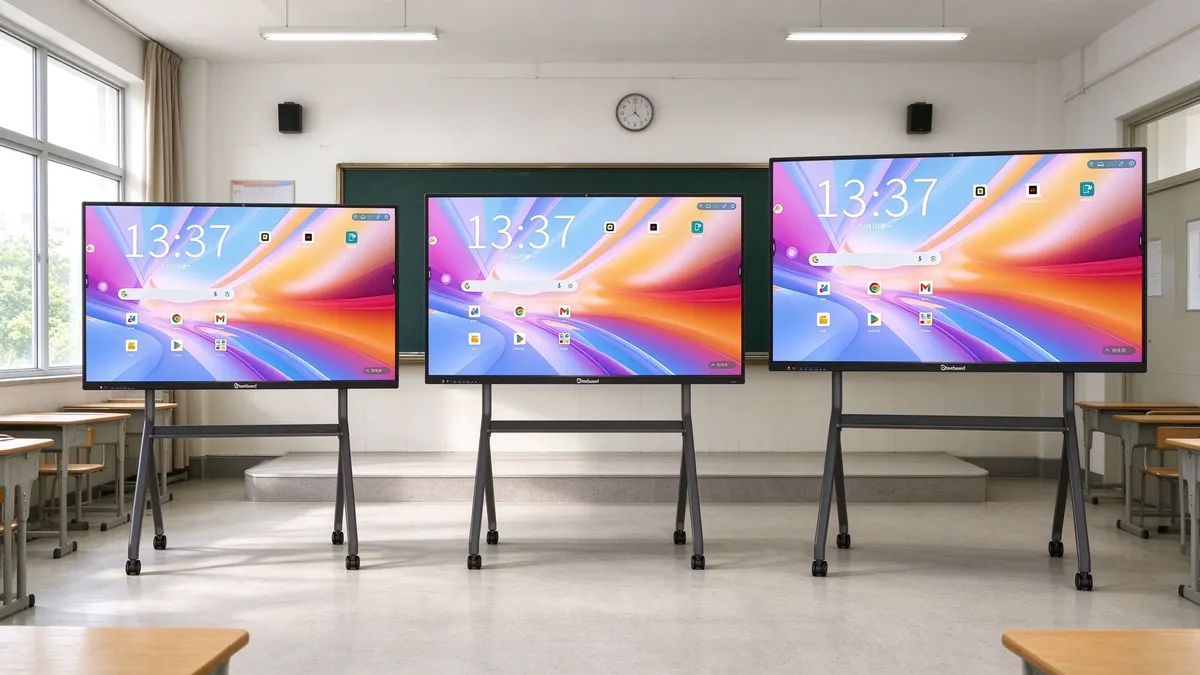
| Room type | Typical panel size | မှတ်ချက်များ |
|---|---|---|
| Small group, tutoring, meeting room | 55" to 65" | Short viewing distance; wall or mobile stand |
| ဥပမာ ၊ | 75" | Common baseline for most school rollouts |
| Large classroom | 86" | Better readability from the back rows |
| Lecture hall, training room | 98" to 110" | Check wall load, doorway width and transport |
Resolution and panel quality
Specify 4K UHD (3840 x 2160) as the minimum for panels of 65 inches and above. Text on a spreadsheet, a science diagram or a maths worksheet stays sharp, and the panel remains useful for the next hardware cycle. Add a requirement for a tempered anti-glare glass surface with a stated hardness (many specifications use Mohs 7) and zero-gap optical bonding, which reduces parallax between the pen tip and the line and helps writing accuracy. Qtenboard's 75-inch and 86-inch education panels are built to this level as standard.
Brightness and eye comfort
Classrooms with large windows need more brightness than a darkened lecture room. Many school tenders set 350 cd/m² or higher as the minimum and ask for 400 cd/m² or more where daylight is strong. Brightness is only half the story: also require low-blue-light and flicker-free eye care modes, ideally with a physical shortcut so teachers actually use them. Our article on warm light and anti-blue light modes on smart whiteboards explains why this feature is worth writing into the specification.
The interactive flat panel shall have a screen size of [75] inches, a native resolution of not less than 3840 x 2160 (4K UHD), and a typical brightness of not less than [350] cd/m².
The front surface shall be tempered anti-glare glass with a surface hardness of not less than Mohs 7, fully bonded to the display with no air gap.
The panel shall provide a low-blue-light eye care mode that can be toggled by a physical button on the bezel.
Touch and Writing Clauses: Touch Points, Precision and Latency
Touch performance is where classroom experience is won or lost, so write the clause around real teaching behaviour: simultaneous writers, resting hands, fast handwriting and quick gestures.
Many panels share the same headline specification of 20-point touch, 4K resolution and Android. If your tender repeats those three lines, every bidder can pass and you learn nothing. Write the touch section around behaviours teachers recognise.
Touch points
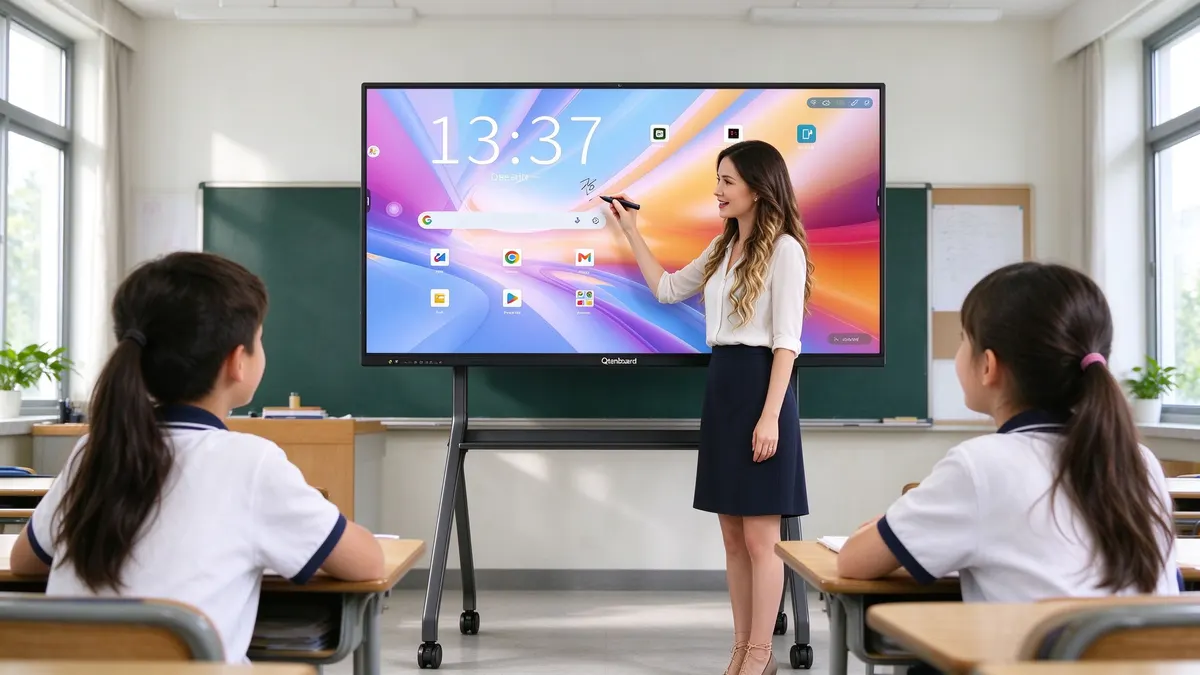
For group work and maths classes, several students may write on the board together. A baseline of ဥပမာ ၊ is common. Higher counts, such as 50 points on Android and 100 points on Windows on some current models, give more headroom for collaborative lessons and are a reasonable scored preference.
Precision and anti-false-touch
Teachers rest wrists and forearms on the board while they write. A good specification asks that the panel ignores palm, arm and wrist contact and that only the pen tip or finger produces valid input. State a sensing distance in millimetres, because this number tells you whether the pen draws before it touches or whether a hovering hand can trigger marks. Qtenboard's current education models publish a 0.5 mm sensing distance, compared with a typical 3 to 5 mm on many panels, which is a measurable way to separate bidders. You can see the spec in the Qtenboard product catalogue.
Writing latency
Latency is the delay between pen movement and the line appearing. Laggy writing is one of the most common teacher complaints. Ask for a maximum latency in milliseconds and ask the bidder to demonstrate it on the sample unit. Published figures on modern panels range from roughly 12 ms to 30 ms, so a limit of 20 ms or lower is a meaningful requirement.
| အကန့် | Common baseline | Stronger school specification |
|---|---|---|
| Touch points (Android) | 20 points | 50 points |
| Touch points (Windows) | 20 to 40 points | 100 points |
| Sensing distance | 3 to 5 mm | 0.5 mm |
| Writing latency | 20 to 30 ms | 12 ms or lower |
| Palm and arm rejection | တိုင်တယ် | Wrist, arm, palm and shoulder rejection |
| ဖိအား-ကိုက်စားစာရေးသည် | Often not supported | Supported |
The panel shall use infrared touch technology with not less than [20] simultaneous touch points on Android and [20] on Windows. Preferred: [50] points on Android and [100] points on Windows.
The panel shall reject wrist, arm and palm contact during pen writing, with a pen sensing distance not greater than [3] mm. Preferred: not greater than 0.5 mm.
Writing latency shall not exceed [20] ms when measured on the sample unit. Pen and finger input shall be recognised automatically without manual mode switching.
Operating System and Software Clauses: Android, Windows and EDLA
The operating system clause decides which apps teachers can use, how long the panel receives updates and whether Google services run legitimately, so it deserves as much attention as the hardware.
Android as the built-in system
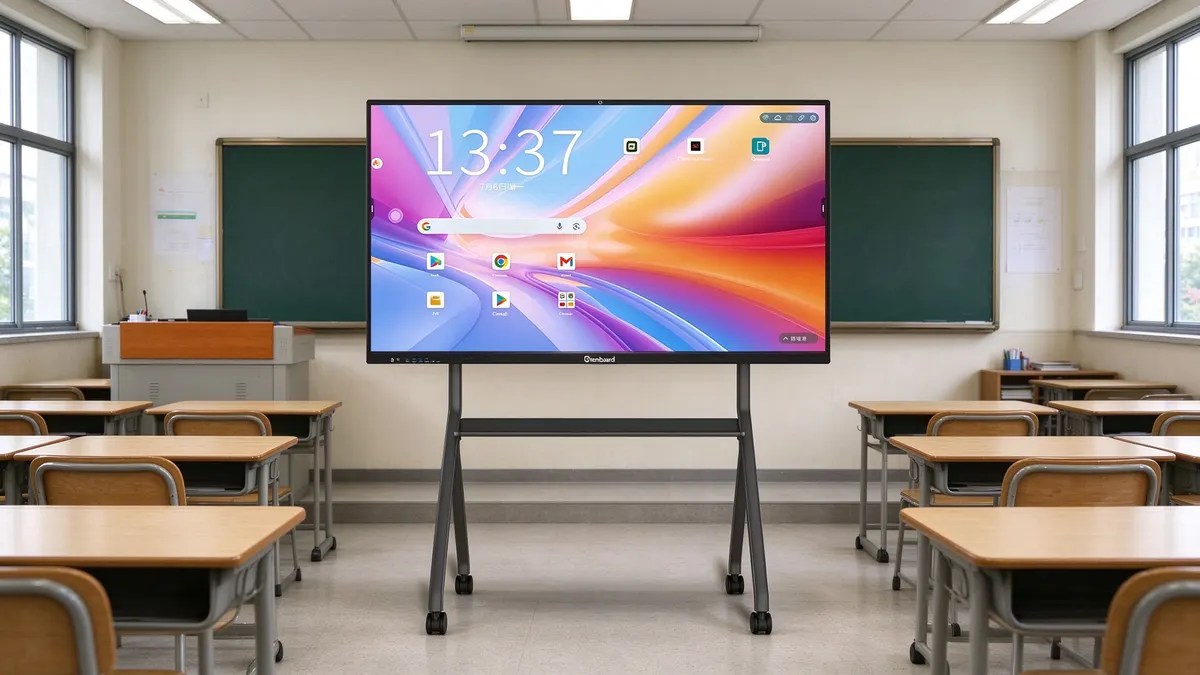
Most school panels run Android as the built-in operating system for whiteboarding, browsing and casting. Ask for a named minimum version (for example Android 14 or newer), minimum memory and storage, and a statement about the vendor's update policy. For multi-app classroom use, 8 GB of RAM with 64 GB of storage is a sensible recommended level, while smaller rooms can work with less. Current Qtenboard models cover 4 GB RAM plus 32 GB storage up to 16 GB plus 512 GB, so a tender can set a floor without excluding mainstream options.
Windows via an OPS module
Some schools also need a Windows environment for exam software or specialised applications. The simplest wording is to require an OPS slot (a standard plug-in computer slot) rather than a built-in Windows system, so each school can add a computer module only where it is needed. This keeps the unit price lower and lets IT teams upgrade the computer without replacing the panel.
Why EDLA wording needs care
EDLA stands for Enterprise Device Licensing Agreement, Google's licensing programme for commercial Android devices. It is tied to the mainboard and certified at the factory, which means it cannot be added later by a software update. Some bids use the phrase "EDLA-ready", which only claims compatibility and is not the same as certification. To avoid confusion, ask bidders for native EDLA certification verifiable by exact model number on Google's official listing. Qtenboard ships Google-certified Android builds as standard and can supply the certificate set with the bid. For more background on how tender wording and certification interact, see our interactive flat panel bid control solution.
Classroom software
Do not forget the software teachers touch every day. Useful requirements include a built-in whiteboard with pressure-sensitive pens and shape recognition, handwriting recognition in the school's languages, split screen of at least two or four windows, wireless casting from student and teacher devices, and the ability to save and export lessons to common formats such as PDF and PNG. Optional AI tools, for example speech-to-text and handwritten formula recognition, work best as scored extras rather than mandatory items.
The panel shall run Android [14] or newer with not less than [8] GB RAM and [64] GB storage, and shall carry native Google EDLA certification for the supplied model number. A certificate or Google listing reference shall be provided with the bid.
The panel shall provide a standard OPS slot for an optional Windows computer module. Touch, display and audio shall remain fully functional when the module is installed.
The panel shall include whiteboard software with pressure-sensitive writing, shape recognition, split screen of not less than [2] windows, wireless casting, and export to PDF and image formats.
Ports and Connectivity Clauses That Teachers Actually Notice
Ports decide whether a teacher can connect a laptop, a document camera or a USB drive in ten seconds, so specify the type and the location of each port, not just the count.
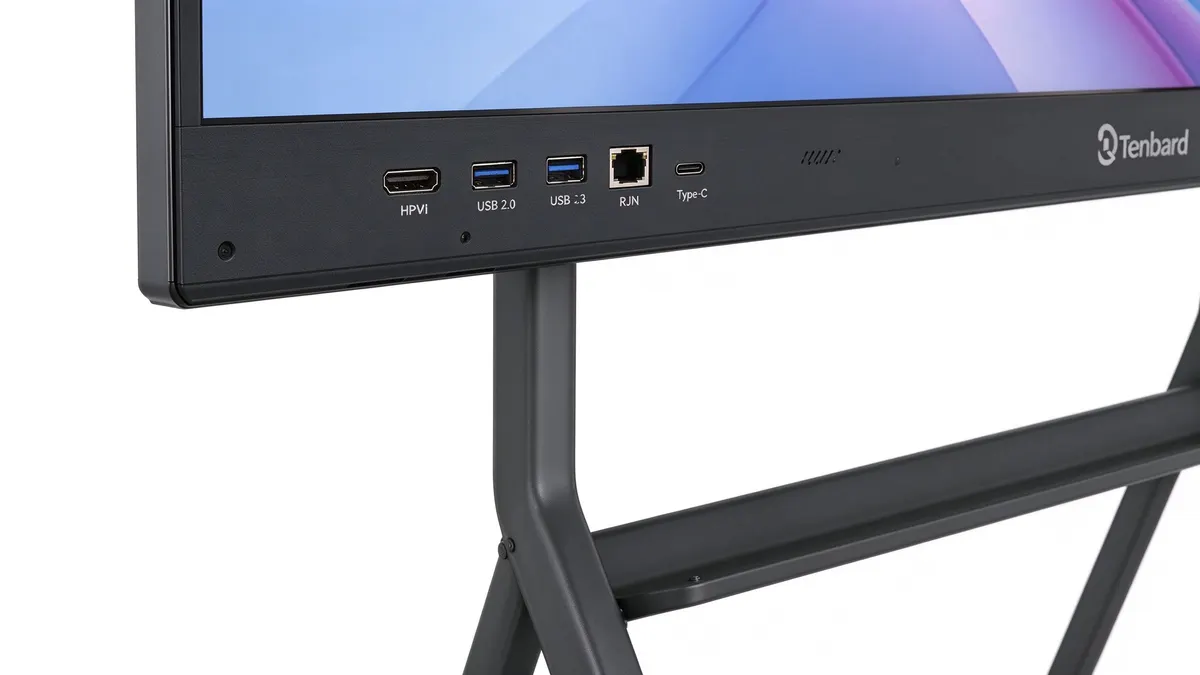
Write the clause around real classroom devices: teacher laptops, document cameras, visualisers, USB drives, keyboards and student tablets. Three practical rules help:
- Keep touch and video separate. A dedicated HDMI input for video plus a dedicated USB touch return lets a laptop mirror the picture and control it by touch. Read our guide on why touch and HDMI interfaces are both necessary on a smart whiteboard.
- Understand USB 2.0 and USB 3.0. USB 2.0 is enough for keyboards, mice and styluses, while USB 3.0 suits large lesson videos and storage drives. See the USB 2.0 and USB 3.0 port difference analysis.
- Treat Type-C carefully. A single full-function Type-C cable is convenient, but heavy daily plugging can cause failures. Many schools prefer separate HDMI, USB and power-only Type-C. The details are in our full-function Type-C application guide.
Physical shortcut buttons for volume, recording and eye care are also worth requiring, because they save time in front of a class. Our article on interactive flat panel ports and buttons for teaching and meetings covers the full list.
| Port or control | Suggested minimum | ရည်ရွယ်ချက် |
|---|---|---|
| HDMI input | 2 or more, one at the front | Laptop and document camera video |
| USB touch return | 1 or more, matched to the HDMI inputs | Touch control of connected computers |
| USB 2.0 and USB 3.0 | 2 or more of each type, front accessible | Peripherals and lesson files |
| Type-C | 1 power or video port | Modern laptops |
| Wired network (RJ45) | 1 or more | Stable lessons and remote management |
| Physical buttons | Power, volume, eye care, settings | Fast control without menus |
The panel shall provide not less than [2] HDMI inputs, [2] USB touch return ports, [2] USB 2.0 ports, [2] USB 3.0 ports, [1] Type-C port and [1] RJ45 network port. At least [one] HDMI input and [two] USB ports shall be accessible from the front or side of the panel.
The panel shall provide physical shortcut buttons for power, volume, eye care mode and settings.
Remote Management and Security Clauses for Multi-Classroom Rollouts
Once a district owns hundreds of panels, centralised management saves more staff time than almost any other feature, so write it into the specification from day one.
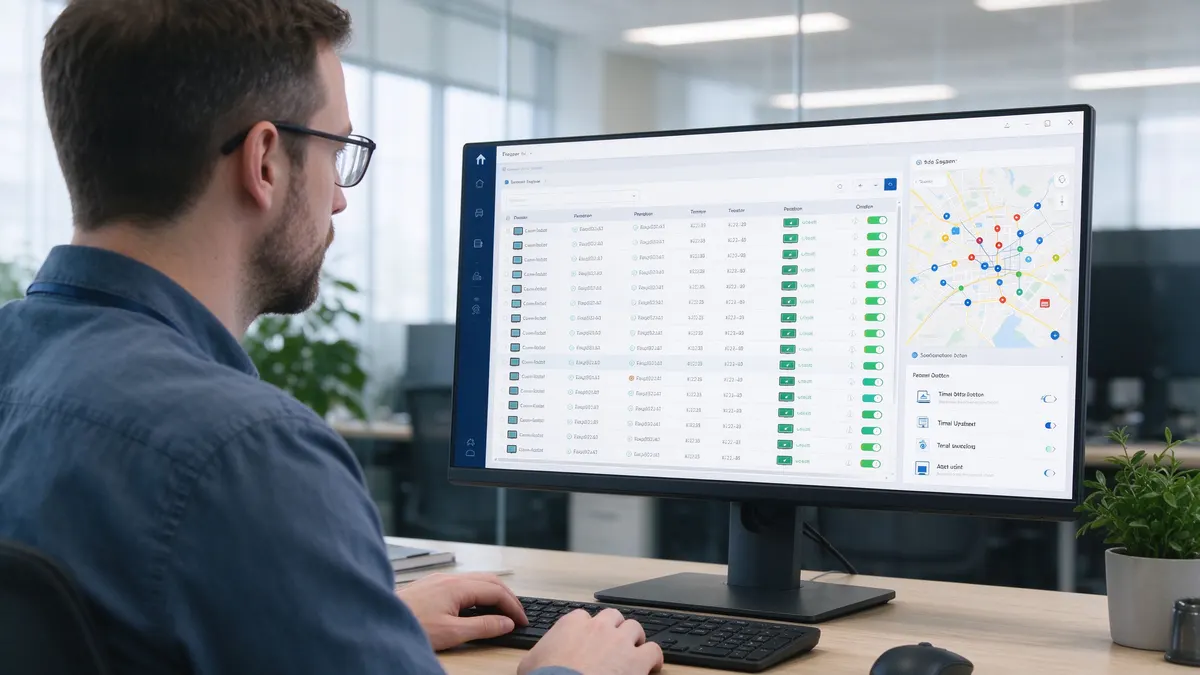
Device management
For deployments above roughly 100 units, require a device management system that lets administrators schedule power on and off, push remote updates, install or remove apps, view device status and keep an operation log. Ask whether the system can be hosted on the school or district's own server, because data location is a common compliance question. Qtenboard's centralised DMS is designed for exactly this scale and is available with school and district rollouts.
လုံခြုံး
Classroom panels hold lesson plans and sometimes student work. Reasonable security requirements include port locking for USB and HDMI, screen lock with a password or pattern, restrictions on app installation, separate user accounts so one teacher cannot open another's files, and encrypted saving of whiteboard content. Integration with the cloud storage the school already uses, such as OneDrive, Google Drive or an FTP server, is also worth listing.
The supplier shall provide a centralised device management system supporting scheduled power control, remote firmware and app updates, device status monitoring and operation logs. The system shall support deployment on the customer's own server.
The panel shall support USB and HDMI port locking, password screen lock, restriction of app installation, separate user accounts with file isolation, and integration with [Google Drive / OneDrive / FTP].
Warranty, Spare Parts and After-Sales Clauses
A low unit price means little if a failed touch frame takes eight weeks to replace, so tie warranty to measurable response times and named spare parts.
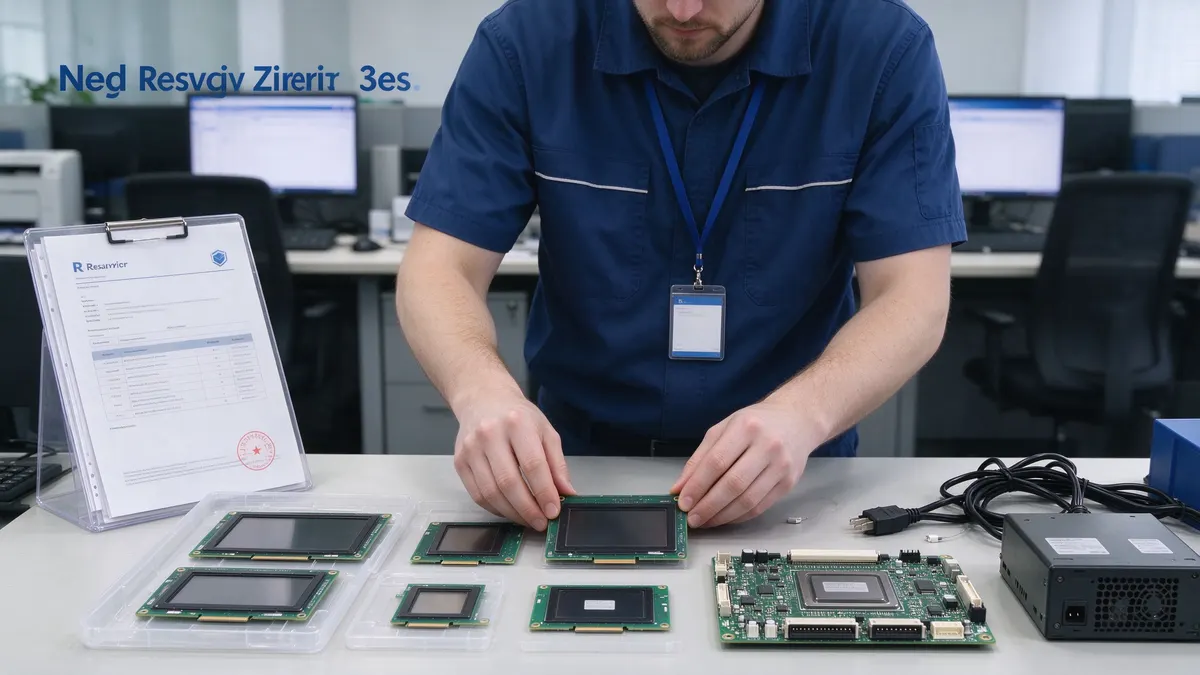
Warranty length
A three-year warranty is a common and reasonable minimum for school interactive panels, and some suppliers, including Qtenboard ၊, can extend it to five years for larger projects. Ask for the warranty to cover the display panel, mainboard, power supply and touch module, not only "the unit" in general terms. Review the supplier's own warranty policy နှင့် support and payment terms before you finalise your clause.
Response time and spare parts
Specify a maximum time to acknowledge a fault, a maximum time to resolve it or ship a replacement, and the list of spare parts held in stock for your project. The best factories maintain a dedicated spare-parts logistics process, as explained in our guide on how to audit an interactive whiteboard factory. A small stock of spare units or modules kept at the school or district office can cut downtime to a single day.
| Term | Suggested wording | ဥပမာ ၊ |
|---|---|---|
| Warranty period | Minimum 3 years, option for 5 years | Matches the useful life in classrooms |
| Covered parts | Panel, mainboard, power supply, touch module | Avoids disputes over what is covered |
| Fault acknowledgement | Within [24 to 48] hours | Teachers get a fast reply |
| Replacement shipment | Within [10] working days | Limits the time a classroom is without a board |
| Remote support | Remote diagnosis and software updates | Reduces visits and cost |
| Spare parts stock | [x] spare units or modules per 100 panels | Allows quick swap in the school |
The supplier shall provide a warranty of not less than [three (3)] years on the complete panel, including display, mainboard, power supply and touch module, with an option to extend to [five (5)] years.
The supplier shall acknowledge fault reports within [48] hours and dispatch replacement parts or units within [10] working days. The supplier shall supply [x] spare units per [100] delivered panels.
Certification and Compliance Clauses
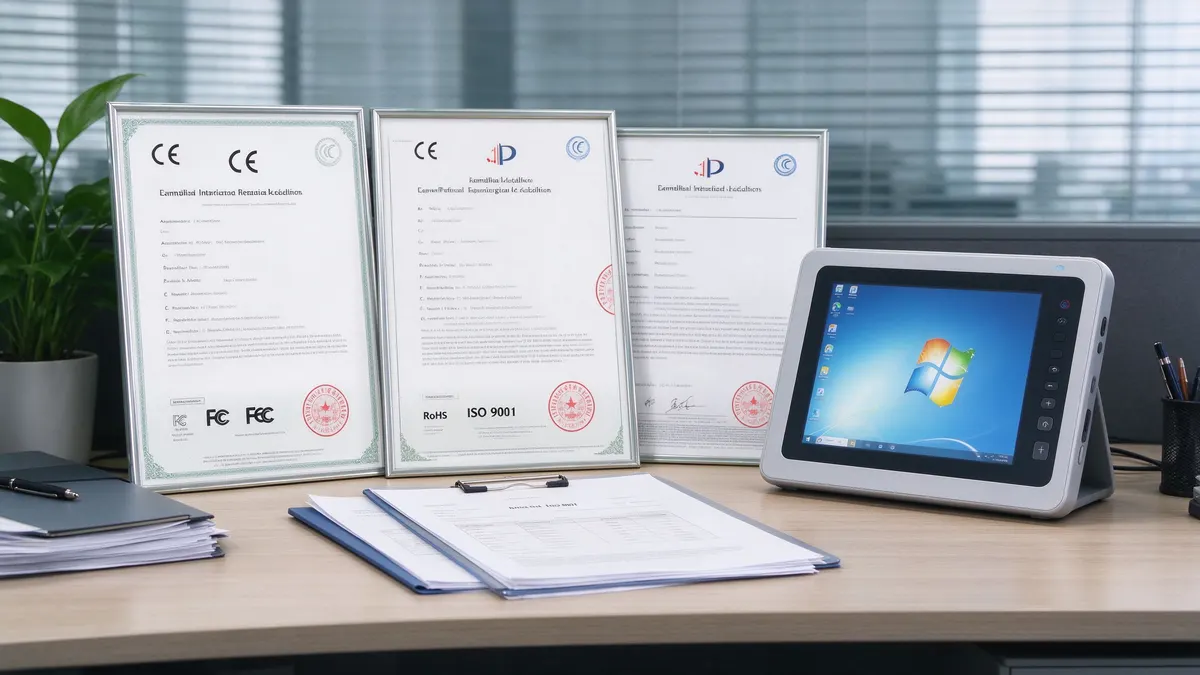
Certificates only help if they match the exact model and are valid for your country, so ask for documents with the bid, not after the award.
| Certificate | What it shows | What to request |
|---|---|---|
| CE / EMC | Safety and electromagnetic compatibility for Europe and many other markets | Test report and declaration for the model |
| FCC | Radio emissions compliance for the United States | Certificate covering Wi-Fi and Bluetooth modules |
| RoHS | Restricted hazardous substances | Declaration with test report |
| Google EDLA | Licensed Android with certified Google services | Model number listed on Google's official page |
| ISO 9001 / ISO 14001 | Quality and environmental management at the factory | Valid certificate with the manufacturer's name |
| ENERGY STAR / EPEAT | Energy efficiency and environmental performance | Registry entry where a green procurement rule applies |
| Regional marks (for example Anatel in Brazil) | Local market approval | Only where required by local law |
The bidder shall submit valid certificates for the exact model offered: CE (including EMC), RoHS, [FCC], Google EDLA, and ISO 9001 quality management for the manufacturer. Certificates issued for other models or other entities shall not be accepted.
The bidder shall confirm that the offered model complies with the electrical safety and import requirements of [country].
Delivery, Installation, Training and Acceptance Testing
Acceptance rules turn a specification from a promise into an enforceable standard, so describe what will be tested, by whom and what happens if a unit fails.

Sample testing before award
Ask shortlisted bidders to supply one sample unit for a test period of about two weeks in a real classroom. Let two or three teachers use it and compare results against a simple checklist. Our factory audit guide explains why touch calibration and motherboard stress testing should be done on the assembly line, which you can verify by asking for batch test records.
Batch inspection and handover
At delivery, check packaging, serial numbers and accessories for every unit, then power on a defined percentage of panels, for example 10 percent per batch, for functional tests. A full handover test per classroom should confirm display, touch, ports, network, software and remote management registration.
Installation and training
Specify who is responsible for wall mounts or mobile stands, cabling, network setup and cleaning up packaging. Require at least one training session per school, with a short quick-start guide in the teachers' language. A panel that teachers do not know how to use delivers little value. Qtenboard's project team handles installation support and on-site teacher training for education projects.
Local assembly and local content rules
Some education ministries give extra points for local assembly or local content. In these cases, a supplier that offers SKD or CKD packages, where the factory ships core modules and the local partner assembles the final unit, can help meet those rules and reduce import duties. Learn more about OEM and ODM options for interactive displays before you write the local content clause.
Before award, shortlisted bidders shall provide one sample unit for a test period of [14] days. Samples shall be evaluated against the technical specification using the buyer's written test checklist.
On delivery, the buyer shall inspect all units for damage and check serial numbers. A functional test shall be performed on not less than [10]% of each batch. Units failing the test shall be replaced at the supplier's cost within [10] working days.
The supplier shall install [mounts / stands], connect and register each panel, and provide not less than [one] training session of [two] hours per school.
Copy-Ready Interactive Flat Panel Tender Specification Template
Use the checklist below as the technical annex of your tender and replace each square-bracket value with your own requirement.
| No. | လိုအပ်သည် | သတ်မှတ်ချက်အသစ် |
|---|---|---|
| 1 | မျက်နှာပြင်အရွယ်အစား | [75] inch, tolerance [+/- 1] inch |
| 2 | ညွှန်း | 3840 x 2160 (4K UHD) or higher |
| 3 | အလင်းန် | Not less than [350] cd/m² |
| 4 | Front glass | Tempered anti-glare glass, Mohs 7, zero-gap bonding |
| 5 | တက်ဆို | Infrared, not less than [20] points; preferred [50] (Android) and [100] (Windows) |
| 6 | Sensing distance | Not greater than [3] mm; preferred 0.5 mm |
| 7 | Writing latency | Not greater than [20] ms |
| 8 | ဥပမာ ၊ | Wrist, arm and palm rejection during writing |
| 9 | Operating system | Android [14] or newer, native EDLA certified |
| 10 | Memory and storage | Not less than [8] GB RAM, [64] GB storage |
| 11 | Windows option | Standard OPS slot |
| 12 | ပေါင်းရစ် | As listed in the connectivity clause |
| 13 | Eye care | Low-blue-light mode with physical button |
| 14 | ဆော့ဝဲတ် | Whiteboard, annotation, casting, PDF export, [languages] |
| 15 | အစီအစဉ် တစ် ခု | Centralised management with scheduled power and remote updates |
| 16 | လုံခြုံး | Port lock, screen lock, app restriction, user accounts |
| 17 | Certification | CE, EMC, RoHS, [FCC], EDLA, ISO 9001 for the offered model |
| 18 | တန်ဖိုး | Not less than [3] years, parts and labour, option for 5 years |
| 19 | Spare parts and response | Acknowledge within [48] hours; replacement within [10] working days |
| 20 | Acceptance | Sample test, batch inspection and handover checklist |
If you write tenders as a system integrator and want a ready-made, certificate-backed set of parameters, the Qtenboard tender specification support page lists lockable hardware and software parameters. For the educational use cases behind them, browse the education solution and the interactive flat panel education cases.
Common Tender Mistakes to Avoid
Most tender problems repeat from one project to the next, which makes them easy to prevent once you know them.
| Mistake | What goes wrong | Better approach |
|---|---|---|
| Copying a brochure into the tender | Excludes fair bidders and invites complaints | Write performance minimums with "or equivalent" |
| Accepting "EDLA-ready" | Panels without real certification pass the review | Require native EDLA verifiable by model number |
| Ignoring brightness and glare | Boards are unreadable beside bright windows | Set a brightness minimum and require anti-glare glass |
| Counting only touch points | Palm marks and lag still annoy teachers | Add sensing distance, palm rejection and latency |
| No sample test | Problems appear after 500 units are installed | Test a sample in a real classroom before award |
| Warranty without response times | Slow repairs leave classrooms without a board | Specify hours, days, parts and spares |
| Buying on unit price alone | Hidden cost in downtime and replacements | Score total cost of ownership and service |
A Simple Evaluation Scoring Model for School Bids
Publish your scoring weights in the tender so bidders understand priorities and your decision is easy to explain afterwards.
The weights below are indicative. Adjust them to your budget, local rules and the importance of each topic for your district.
| အရည်အသွေးက် | Suggested weight | Evidence |
|---|---|---|
| Technical compliance and sample test | 35% | Datasheet, sample, test checklist |
| Price and total cost of ownership | 25% | Unit price, warranty extension, spares |
| Warranty and after-sales service | 15% | Response times, spare parts plan |
| Delivery, installation and training | 10% | Project plan and references |
| Software, management and security | 10% | Demonstration of required features |
| Local content or sustainability | 5% | Assembly plan, environmental certificates |
Certification should stay a pass or fail gate rather than a scored item. A bidder without the required documents should not progress, no matter how low the price.
Frequently Asked Questions About School Interactive Flat Panel Tenders
How many touch points should a school tender require?
A baseline of 20 simultaneous points covers most classroom use. If students often write together at the board, ask for 40 or more as a scored preference. Some current panels, including Qtenboard models, offer 50 points on Android and 100 on Windows, which gives plenty of headroom.
Is Google EDLA certification mandatory for schools?
It is not legally mandatory everywhere, but many education buyers now require it because it proves licensed Google services, security updates and a certified Android build. If you want it, write "native EDLA certification verifiable by model number" so that "EDLA-ready" claims do not pass. Qtenboard panels carry native EDLA certification as standard.
What brightness should we specify for classrooms?
Many tenders set 350 cd/m² as a minimum and 400 or more for rooms with strong daylight. Always combine the figure with an anti-glare glass requirement and eye care modes.
What warranty length is reasonable for interactive boards for schools?
Three years is a common standard, and five years is available from some manufacturers, including Qtenboard, for larger projects. The more important detail is response time and spare-parts availability, so write both into the contract.
Can we name one brand in the tender?
In many public procurement systems, naming a brand without allowing equivalents is restricted or risky. Describe the performance required and add "or equivalent or better" when a standard or reference model is mentioned. Check your local rules.
Should the panel include a built-in Windows system?
Usually an OPS slot is a better choice. It keeps the base panel on Android for daily teaching and lets schools add a Windows module only in rooms that need it, which reduces cost and simplifies upgrades.
Do we need a sample before awarding the contract?
Yes, if the project is large. A sample unit tested for about two weeks in a real classroom catches problems with touch, brightness and software that a datasheet cannot show.
What support can a manufacturer provide during the tender process?
Qtenboard's tender support team can prepare technical response documents, supply the certificate set, arrange sample testing and demonstrations and support bid-day questions. Standard OEM and ODM orders typically ship in 25 to 35 days, and the standard warranty is three years with extension options. Contact the team for a specification pack that fits your project.
Conclusion: Write the Specification You Will Be Able to Test
The best interactive flat panel tender specification is not the longest one. It is the one where every clause can be checked on a sample unit, in a real classroom, by a real teacher.
Start from the lesson, convert it into numbers, require certificates for the exact model, tie warranty to response times and finish with an acceptance test. Do this and you protect both your budget and your teachers, while still giving every qualified bidder a fair chance. Use the template above as a starting point, then adjust each value to your rooms, your funding rules and your local regulations. Where you want a manufacturer that can back the whole clause set with certificates, samples and factory support, Qtenboard's interactive boards for education are built to this specification level.
Need a tender specification pack, certificates and sample units for your school project? Talk to the Qtenboard education team about sizing, warranty and OEM options.
အဆက်အသွယ်များ Download the Catalogue