Tích hợp liền mạch hệ sinh thái của Google và Microsoft, nâng cao hiệu quả giảng dạy kỹ thuật số
Google EDLA (Enterprise Device Licensing Agreement) certification is Google's official licensing program that allows interactive flat panel displays to run Google Mobile Services, Google Workspace, and Google Play apps natively. For schools, an EDLA-certified Bảng tương tác cho trường học is no longer just a screen — it becomes a fully connected hub for digital teaching and classroom collaboration, with no separate computer required.
Yet in today's digital classroom, teachers still wrestle with cumbersome switching between platforms, inefficient resource sharing, and poor cross-device collaboration. Qtenboard, a leading provider of interactive display solutions for education, has passed Google's strict EDLA certification standards. The Qtenboard interactive flat panel condenses "multiple devices, platforms, and tools" into one intuitive all-in-one teaching terminal — seamlessly integrating the Google ecosystem and Microsoft 365 — so teachers focus on teaching, and collaboration becomes an integral part of every classroom.
Google EDLA certification is more than a permission — it is comprehensive recognition of an interactive smart board's ecosystem compatibility, functional integrity, and security stability. Qtenboard has met every certification standard Google sets, which gives its smart whiteboard for teaching a real edge in the education technology market.
The core advantage is "one login, full-scenario coverage." Teachers no longer switch repeatedly between computers, tablets, and display devices. From the Qtenboard interactive flat panel, they directly access Google Workspace and the full Microsoft 365 suite through the native system. Teaching resources, collaborative files, and application tools sync in real time — completely eliminating the screen-casting dependence and cumbersome file transfer that have long plagued traditional devices.
EDLA certification gives the Qtenboard interactive display board dual-ecosystem support, making it one of the most capable interactive boards for schools — an interactive board in classroom settings that adapts to every teaching style. Teachers call up tools on demand and build immersive learning environments on one interactive display for classes:
Backed by the full Google Education License (EDLA Education License), all core Google applications run natively on the Qtenboard interactive display board's high-definition screen:
Through Google Play Store, teachers can also download a large catalog of educational apps — interactive quiz tools, subject simulation software — to expand teaching scenarios on this interactive display for classes, all optimized for touch interaction and classroom-focused design.
For schools that already rely on Microsoft tools, EDLA certification lets the Qtenboard interactive display board deploy the full Microsoft 365 suite directly from Google Play Store:
EDLA certification requires devices to keep adapting to Google's ecosystem updates — a standard Qtenboard exceeds with regular over-the-air updates. The Qtenboard smart board for classroom automatically syncs the latest Google education features: AI-assisted teaching tools, interactive presentation plugins, and new collaboration models can be applied in class immediately, keeping teaching methods at the forefront.
Data security is critical in education, and Qtenboard takes it seriously. EDLA certification builds multiple security barriers that complement Qtenboard's enterprise-grade security features:
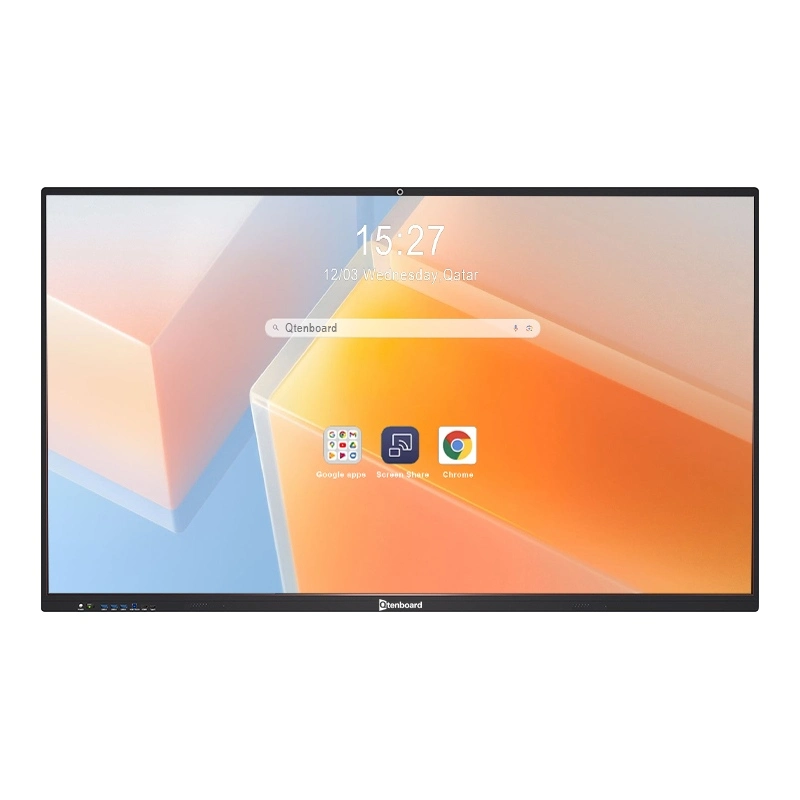
As a Google EDLA-certified "all-in-one teaching terminal", the Qtenboard interactive whiteboard simplifies teachers' workflows and puts the digital classroom AV solution at the center of every modern classroom:
EDLA (Enterprise Device Licensing Agreement) certification is Google's official licensing program that lets interactive flat panels and interactive whiteboards run Google Mobile Services, Google Workspace, and Google Play apps natively. It is Google's recognition that a device is ecosystem-compatible, functionally complete, and secure enough for education and enterprise use.
A smart board is an interactive whiteboard that combines a large touch display with built-in software for annotation, screen sharing, and collaboration. On an EDLA-certified model like Qtenboard, the interactive electronic whiteboard also runs Google Workspace and Microsoft 365 apps natively, so it works as a complete digital teaching station.
Google Workspace (Drive, Docs, Sheets, Slides, Classroom), education apps from Google Play Store, and the Microsoft 365 suite — Word, PowerPoint, Excel, Teams, and OneDrive — all run natively on the interactive flat panel without extra hardware.
Yes. EDLA-certified interactive whiteboards support password protection, two-step verification, end-to-end data encryption, remote lock and wipe, plus regular firmware updates and virus scans — multiple layers that protect student data and keep devices stable in busy classrooms.
Whether for daily teaching, group collaboration, hybrid teaching, or remote interaction, the Qtenboard interactive flat panel leverages EDLA certification to create a more efficient, convenient, and secure environment for teachers and students. With EDLA certification, schools invest in a future-proof solution that integrates seamlessly with the tools educators already use — backed by Qtenboard's reliability and innovation.
Nhấp để ĐọC Chi tiết sản phẩm và tìm hiểu về các tính năng chức năng và hiệu suất thực tế của sản phẩm.
📖Đọc sản phẩm
 VIE
 EN
 MAY
 TH
 CHT
 SIN
 BUR
 ID
 FIL
 LAO
 HKM
