A 24/7 LCD video wall stays reliable when four things are planned before the first failure: a realistic lifespan expectation, a fixed inspection and calibration rhythm, a spare parts stock sized to the wall, and a warranty process your team can execute in minutes.
Qtenboard LCD video walls are built for this routine: LED backlights rated at about 60,000 hours, cloud CMS monitoring with automatic temperature and brightness adjustment, service-friendly hydraulic stands and cabinets, long-term spare parts supply, and a Southeast Asia service network with 48-hour response and 72-hour problem-solving.
Written for system integrators, control room operators, distributors and facility teams who are responsible for keeping a video wall running after the installation crew has left.
Rated LED backlight life, about 6.8 years at 24/7 operation
Quick check and full calibration rhythm for 24/7 walls
Warranty range by product line, market and project contract
Southeast Asia service response and problem-solving targets
Most video wall problems are not discovered on installation day. They appear in month eight, when one tile drifts a little warmer than its neighbours, or in year three, when a power board fails on a Friday night and nobody knows whether a spare exists. A maintenance plan turns those moments from emergencies into scheduled routines. This guide sets out the plan we recommend for every Qtenboard LCD video wall: what lifespan to expect, what to inspect and when, how to diagnose faults, how to size the spare parts stock, how the warranty works, and how to replace a panel without taking the wall out of service.
IN THIS GUIDE
Qtenboard LCD video walls use industrial-grade panels from LG and BOE with an LED backlight rated at about 60,000 hours. That figure is the right starting point for planning, but it needs to be read correctly.
Backlight life is a rated value. It is typically defined as the point at which backlight brightness has fallen to a fraction of its initial level, not the moment the screen stops working. In practice the wall keeps displaying, but brightness drops and color shifts gradually, which is why calibration and spare planning matter long before the rating is reached. The table below converts the rating into calendar time for different operating patterns.
| Operating pattern | Hours per year | Years to reach 60,000 hours |
|---|---|---|
| 24 hours a day (control room, CCTV) | 8,760 | About 6.8 years |
| 16 hours a day (transport hub, mall) | 5,840 | About 10.3 years |
| 12 hours a day (retail, lobby) | 4,380 | About 13.7 years |
| 8 hours a day (office, operations room) | 2,920 | About 20.5 years |
These figures are arithmetic on the rated backlight life under continuous use. Actual service life depends on temperature, brightness setting, content and maintenance, which is exactly what the rest of this guide controls.
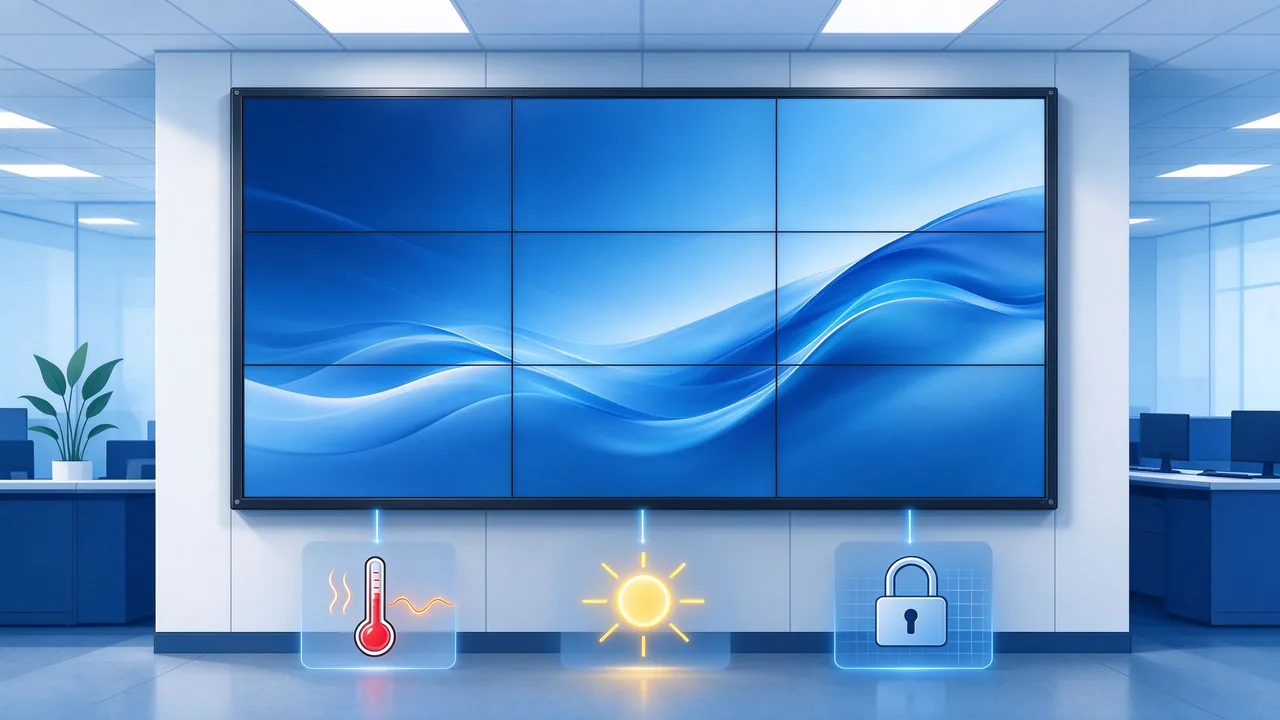
The three factors that shorten or extend video wall life: heat, brightness and static content
Heat is the largest controllable influence on lifespan. Continuous operation, a closed cabinet and a warm control room all raise panel temperature, and sustained heat accelerates backlight aging, causes color shift and can trigger shutdowns. Qtenboard's engineering notes on cooling systems in video walls explain the thermal design approach: active cooling, airflow optimization, temperature monitoring and low-noise operation. A surveillance center in Kuala Lumpur running Qtenboard walls reported months of 24/7 operation with zero overheating alerts. Keep the room within the operating envelope of 0 to 50 °C and 20 to 80% relative humidity, non-condensing.
Every nit of brightness consumes backlight life. A control room with controlled ambient light rarely needs maximum output, so run the wall at the lowest brightness that keeps content comfortably legible. Lower brightness also lowers heat. Qtenboard walls offer 500cd/㎡ on the standard series and up to 700 nits on selected CCTV models, and automatic brightness adjustment can be managed centrally through the cloud CMS.
Security and monitoring screens often show the same interface for months. Image retention on such content shortens the useful life of individual tiles even when the backlight is healthy. Qtenboard's approach to anti-burn-in protection for security screens combines periodic pixel shifting with timed rest cycles. In a Malaysian security control room running more than 40 Qtenboard displays, six months of nonstop use produced no reported burn-in issues, and the power-saving mode reduced electricity use by nearly 20%.
The calendar below is the routine we recommend for a 24/7 Qtenboard video wall. Walls that run only during business hours can stretch the quarterly and half-yearly items, as shown in the scenario table later in this guide. The principle is the same for every wall: measure at commissioning, inspect on a schedule, and write every result down.
| Interval | Tugas | Method | Record |
|---|---|---|---|
| Daily | Check online and offline status, temperature alerts and input source status for every tile | Cloud CMS dashboard | CMS alert log |
| Mingguan | Walk-through for dead or stuck pixels, color tint between tiles, stuck images and unusual fan noise | Visual check or camera review | Photo and short note |
| Bulanan | Clean vents, filters and cabinet fans; confirm cable and connector seating; log room temperature and humidity | On-site inspection | Environment log against 0 to 50 °C and 20 to 80% RH |
| Suku tahunan | Quick calibration check, screen surface cleaning, firmware and OTA review | Colorimeter and CMS | Readings compared with the commissioning baseline |
| Setiap 6 bulan | Full calibration, mount or cabinet alignment and splicing gap check | Colorimeter, calibration software, alignment check | Calibration report |
| Yearly | Brightness trend review against baseline, spare stock audit and rotation, warranty record review | Desk review and stock count | Annual maintenance report |
Every maintenance decision later depends on a baseline. At commissioning, record the luminance and white point of each tile with a colorimeter, photograph the finished wall, store the serial number of every tile and save the processor and CMS configuration. When a tile drifts, the baseline tells you by how much and whether the cause is aging or a fault.
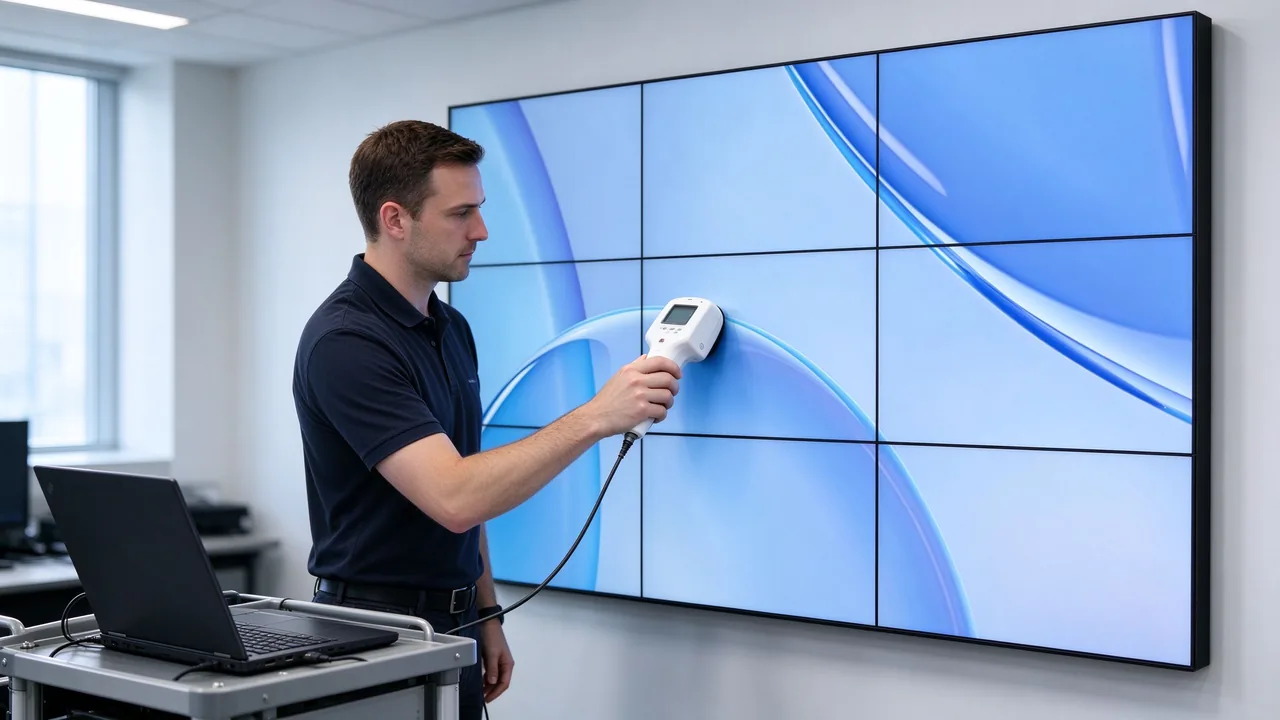
Colorimeter calibration restores brightness and color uniformity across all tiles
Backlight aging and heat gradually pull individual tiles apart in brightness and color, even when every tile is healthy. Qtenboard's four-step video wall calibration guide covers the full method. In summary: warm the screens for at least 30 minutes before measuring, set brightness and contrast, measure each tile with a colorimeter against a common target such as a 6500K white point and a gamma of about 2.2, apply color management, and schedule recalibration. Match the target brightness to the capability of the dimmest tile, leaving headroom, so the whole wall can be brought into line.
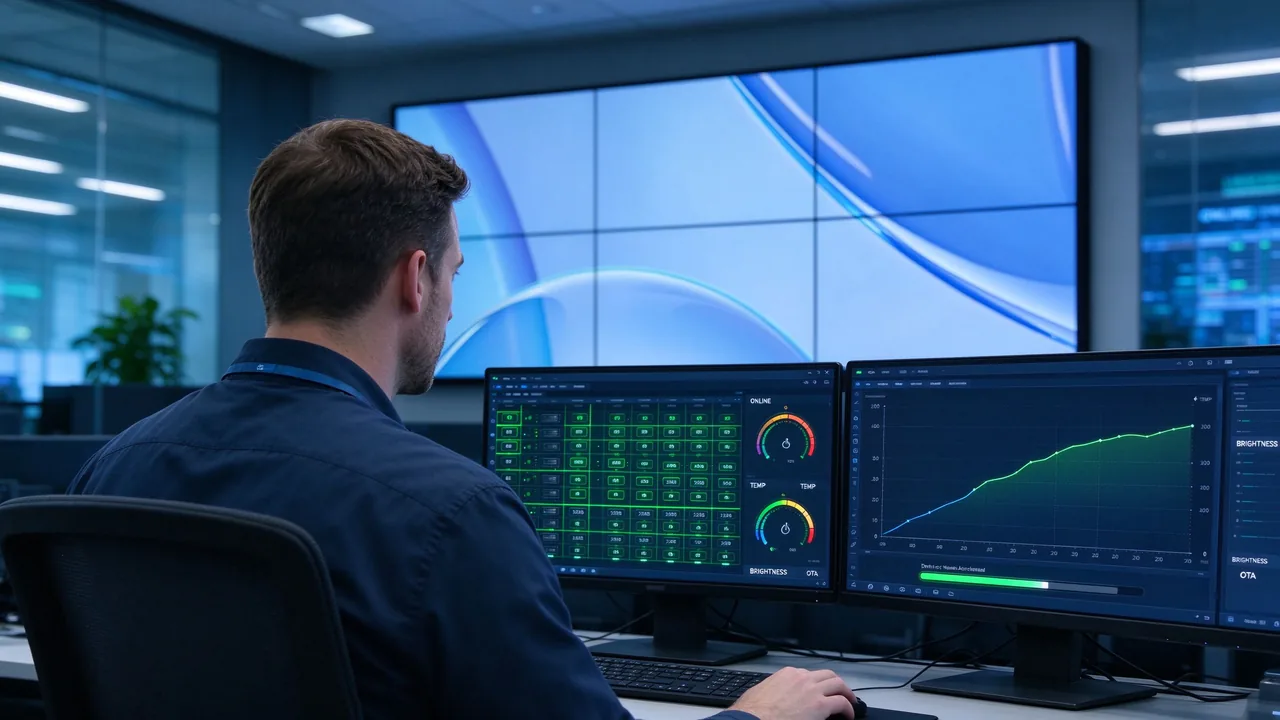
Qtenboard cloud CMS: status tracking, temperature and brightness control, OTA updates
The Qtenboard cloud CMS turns the daily and weekly checks into an exception report. It supports remote signal source switching and layout scheduling, online and offline device tracking, automatic temperature and brightness adjustment, firmware OTA updates, batch control and multi-region support for international projects. For integrators with many sites, one dashboard replaces a round of site visits, and maintenance effort goes where a tile has actually raised an alert.
A short diagnostic table in the maintenance binder saves hours on the night shift. The table below lists the symptoms we see most often on LCD video walls, the usual cause, the first action and the part that is most likely to be needed. Always isolate by swapping a known-good cable or board before replacing a panel.
| Symptom | Likely cause | First action | Part likely needed |
|---|---|---|---|
| One tile shows no image, others normal | Signal cable, input setting or tile controller | Reseat the cable, check the input in the CMS, try a spare cable | Cable or controller |
| One tile is warmer or cooler in color | Calibration drift or backlight aging | Warm up 30 minutes, remeasure with a colorimeter, recalibrate | Panel only if it cannot be calibrated back to target |
| One tile is noticeably dimmer | Backlight or power board | Swap in a known-good power board to isolate the cause | Power board or panel |
| Flicker or intermittent black screen | Unstable mains or cable fault | Check mains stability and surge protection, replace the cable | Power board or cable |
| Horizontal or vertical lines | Panel drive electronics or internal panel cable | Compare with a spare tile on the same input | Panel |
| Ghost image of static content | Image retention | Enable pixel shifting and rest cycles, rotate content | None if caught early |
| Shutdown or high temperature alarm | Blocked vents, hot room or fan failure | Check ambient temperature, clean vents and filters, review airflow | Fan or cabinet part |
The cheapest repair is the one that does not need a ladder, a crew and a closed control room. Large panels can weigh tens of kilograms and splicing gaps are measured in fractions of a millimetre, so how the wall is mounted decides how quickly a failed tile can be replaced and aligned again. Qtenboard's guidance on high-performance cabinets and hydraulic mounting stands sets out the two main approaches.
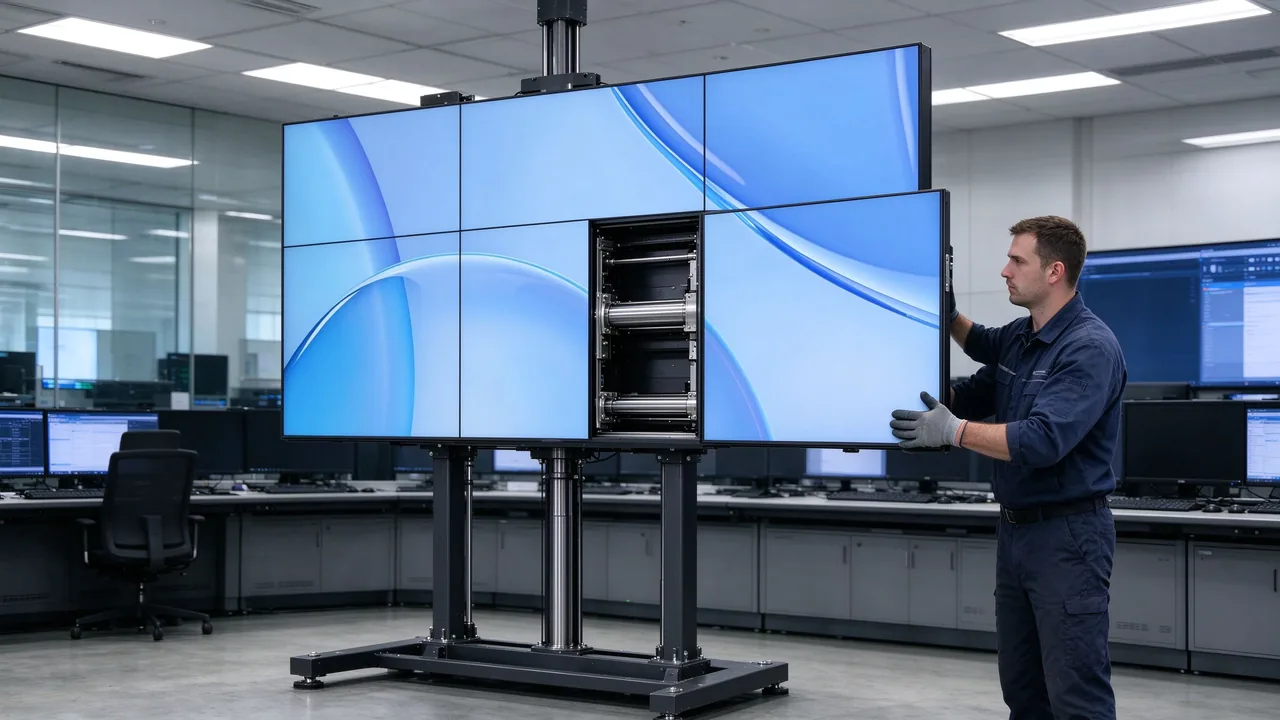
Hydraulic mounting stand: individual tiles can be serviced without dismantling the wall
| Mounting approach | How service is done | Best suited to |
|---|---|---|
| Pop-out rack with micro-adjustment | Tiles pop out of the frame and are re-aligned with micro-adjustment for flush alignment | Wall-mounted walls where gaps of 0.88mm to 3.5mm must stay flush after a swap |
| Hydraulic mounting stand (wall-mounted) | Individual panels are serviced without dismantling the wall, for example a 3×3 wall with 1.8mm gaps | Permanent installations that need quick access to one tile at a time |
| High-performance cabinet | Independent, free-standing support that does not depend on the wall structure | Sites where the wall cannot carry the load, or where service access from the rear is needed |
In two projects, planning for service access in this way cut maintenance time by more than 50% compared with conventional methods. It also improves safety, because technicians no longer lift heavy panels at height. Qtenboard supplies the pop-out wall mounts and floor stand kits together with the video wall so the service method is designed in from the start.
A spare parts stock is the difference between a ten-minute swap and a six-week wait. It is sized by the number of tiles in the wall, how critical the wall is and how far the site is from the supplier. The guidance below is practical planning advice drawn from video wall service practice. Confirm the final quantities for your project with Qtenboard engineers when you place the order.
| Komponen | Role in the wall | Stock guidance |
|---|---|---|
| LCD panel tile (same batch as the wall) | Displays the image; the most expensive single spare | Follow the ratio table below |
| Power board | Converts mains power for panel and backlight | At least one per wall; one per 10 tiles on mission-critical walls |
| Controller board | Handles signal input and splicing processing | At least one per wall; one per 10 tiles on mission-critical walls |
| Signal and power cables | HDMI, DVI, RS232 and power links between tiles and sources | At least one spare of each cable type used on the wall |
| Video wall processor | Splits and routes sources across the wall | One spare for walls where downtime is not acceptable |
| Remote control and mounting hardware | Local control and tile alignment | A small service kit per site |
| Wall size | Standard commercial use | Mission-critical 24/7 use |
|---|---|---|
| 2×2 to 3×3 (4 to 9 tiles) | 1 spare panel | 1 to 2 spare panels |
| 3×4 to 4×4 (12 to 16 tiles) | 1 to 2 spare panels | 2 spare panels |
| 20 tiles or more, or several walls on one site | About 5 to 8% of tiles | About 10 to 15% of tiles |
Rules that apply to every ratio: round up, never down; keep at least one spare tile physically on site rather than only at a distributor; and for multi-site networks keep a regional pool in addition to site stock.
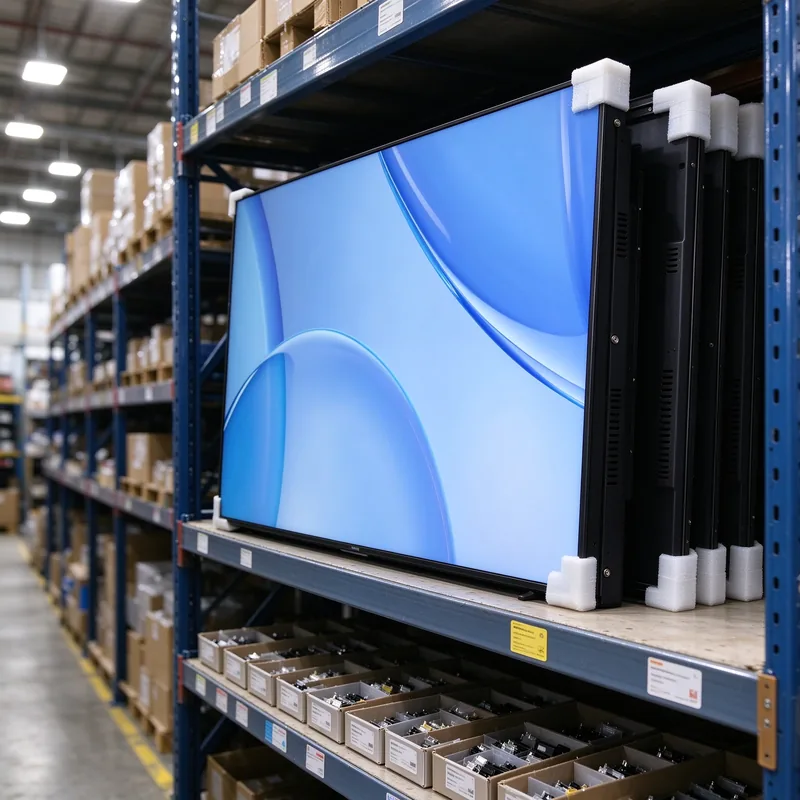
Spare parts stocked and tracked by model and batch
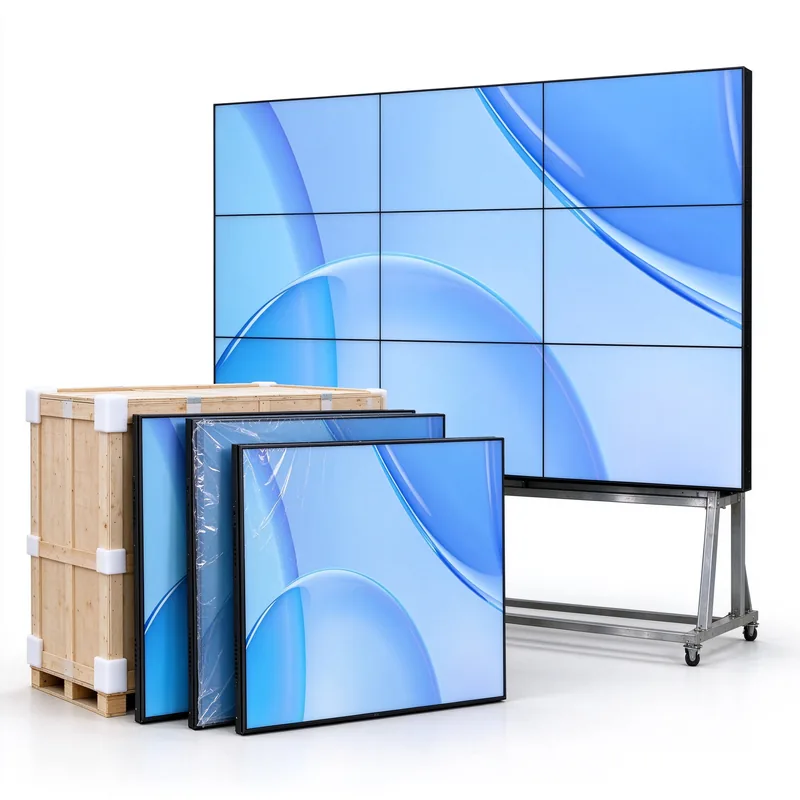
Spare panels ordered with the wall from the same production batch
Panels from different production runs can differ slightly in color and brightness, which shows as a visible patch in the finished wall. For that reason we recommend ordering the full wall from one production batch and adding the spare panels to the same order. A replacement from the same batch calibrates back into the wall far more easily than a panel bought three years later. Record the batch reference with the tile serial numbers in your commissioning file.
Qtenboard maintains long-term spare parts supply for its LCD video walls, backed by installation, commissioning and troubleshooting support. Because every wall is built on one platform, panels, power boards and controllers are interchangeable across your installed base. In Southeast Asia the service network responds within 48 hours and works to resolve problems within 72 hours. Partners who assemble locally from Qtenboard SKD or CKD kits can also hold kit components as service stock, since they are the same parts used in the wall. See the Qtenboard multi-signal LCD video wall for the platform specification and supported assembly modes.
Warranty terms for Qtenboard LCD video walls range from 1 to 3 years depending on the product line, the market and the project contract. The published standard policy is a one-year limited warranty from the date of delivery. Project and Southeast Asia supply is quoted with terms of up to three years. The period that applies to your wall is the one written in your quotation and contract, so confirm it before ordering.
| Item | Qtenboard terms |
|---|---|
| Standard policy | One-year limited warranty from the date of delivery |
| Project and Southeast Asia supply | Quoted with warranty of up to three years, as stated in the quotation and contract |
| Covered | Manufacturing defects in materials or workmanship, and hardware failures under normal use |
| Remedy | Repair, replacement or an equivalent solution, at Qtenboard's discretion |
| Not covered | Improper installation, misuse or abuse, unauthorized modification or repair, accidental damage, impact or liquid ingress, normal wear and tear, and damage from power surges, unstable voltage or other external factors |
| Support included | Installation, commissioning and troubleshooting support; remote control, user manual, warranty card and quality certificate supplied with the product |
| Logistics | Shipping costs and customs fees are handled case by case, so confirm arrangements before sending any product |
Because improper installation and power events are outside warranty, the easiest claims are the ones backed by records. Keep one folder per wall containing: the serial number register for every tile, the commissioning report with baseline luminance and color readings, photos showing the mount or cabinet installed to the Qtenboard guide, details of the mains protection used, and the maintenance log exported from the CMS. With this pack, a claim takes one email instead of a week of correspondence.
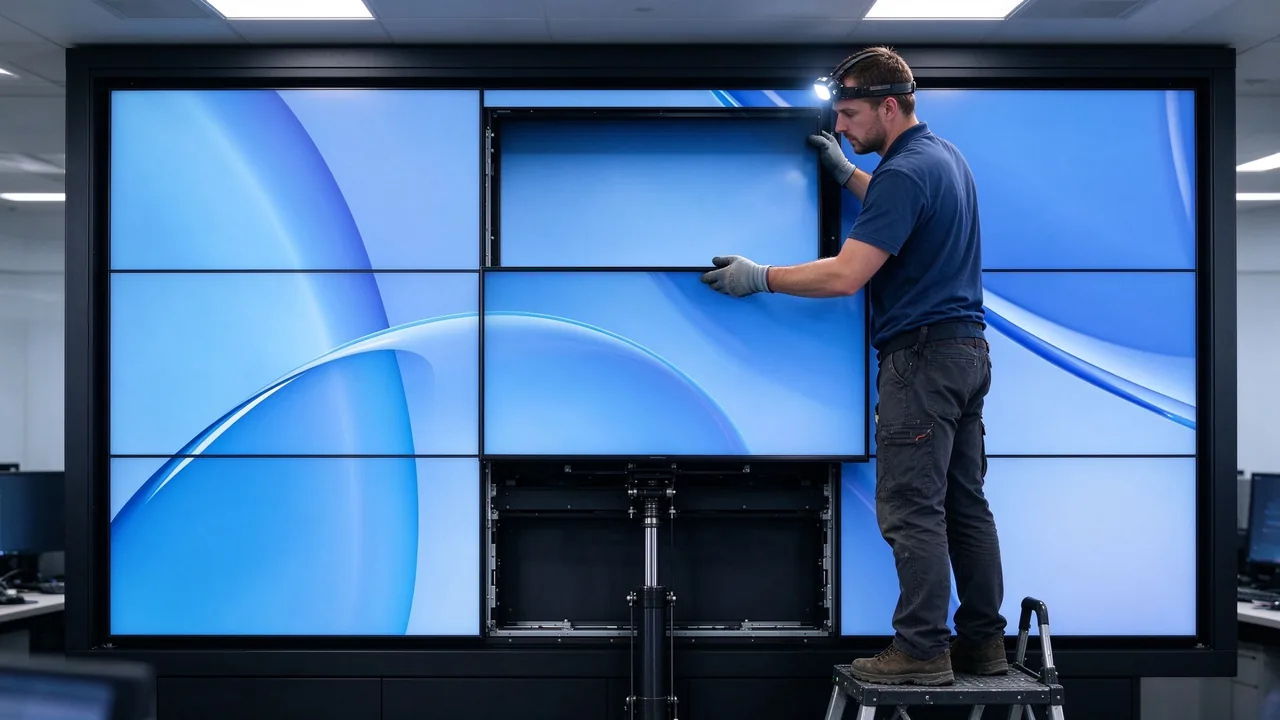
Panel replacement on a serviceable mount, followed by immediate recalibration
Use the CMS alert and the diagnosis table to confirm the fault sits in the panel and not in a cable, board or input. Swapping known-good parts first avoids replacing a healthy panel.
Record the tile position, model and serial number, symptoms and photos. If the unit is under warranty, send the claim email at this stage so the replacement is already moving.
Take the replacement from on-site stock, or from the regional pool or Qtenboard supply if no spare is held. Check that its batch reference matches the wall.
On hydraulic stands and cabinets, service only the affected tile without dismantling the wall. Re-seat connectors, and use the micro-adjustment to bring the tile flush with its neighbours so the splicing gap matches the rest of the wall.
Warm the new tile for 30 minutes, calibrate it to the wall target and compare with the commissioning baseline. Then update the serial register, close the claim and reorder the spare.
The right intensity depends on what the wall is for. Qtenboard's CCTV LCD video wall solutions show how these configurations come together in monitoring centers. The matrix below combines the calibration rhythm from Qtenboard's engineering guide with practical spare and mounting recommendations for each type of site.
| Senario | Inspection rhythm | Penentukuran | Spare level | Recommended mounting |
|---|---|---|---|---|
| 24/7 CCTV or command center | Daily remote check, weekly visual check | Quick check every 3 months, full every 6 months | Mission-critical | Hydraulic stand or cabinet |
| Business-hours operations room | Daily remote check, weekly visual check | Full recalibration every 6 to 12 months | Mission-critical to standard | Hydraulic stand or pop-out rack |
| Retail and advertising wall | Weekly visual check, content rotation review | Full recalibration every 6 to 12 months | Standard | Pop-out rack |
| Corporate lobby and showroom | Weekly visual check before opening | Full recalibration every 6 to 12 months | Standard | Pop-out rack |
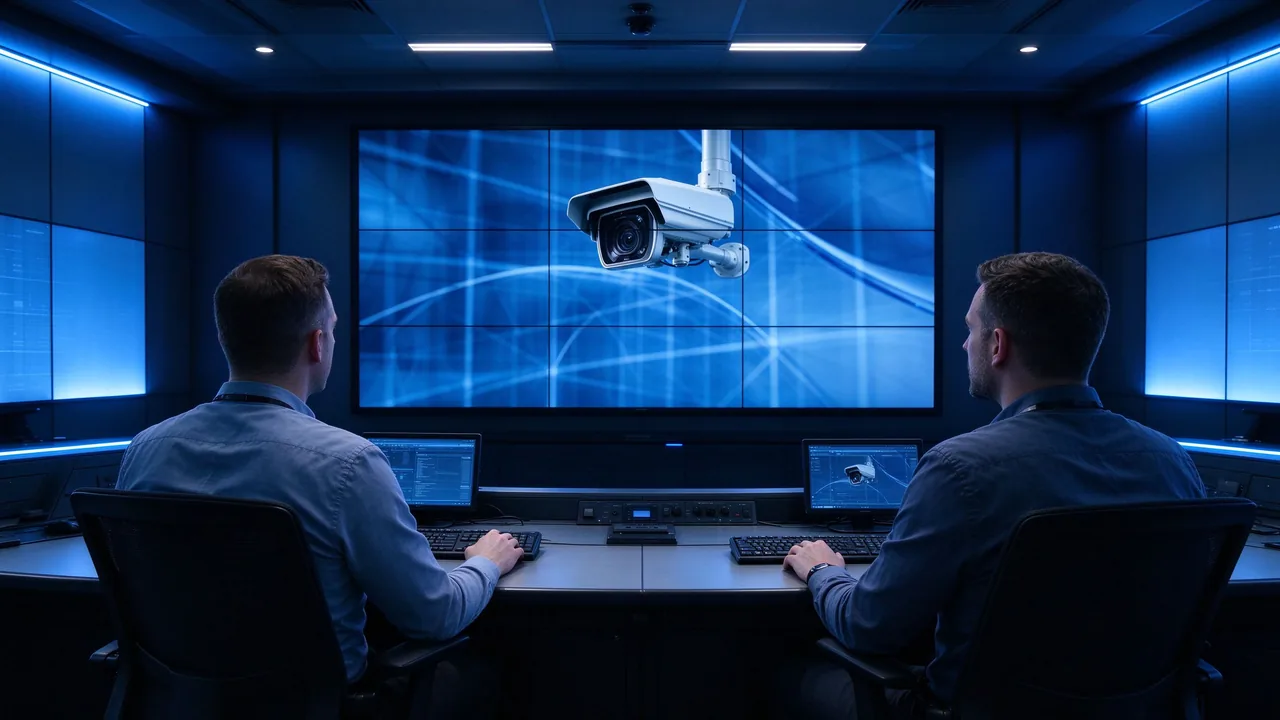
Qtenboard LCD video wall in a 24/7 security control room
Months of 24/7 operation with zero overheating alerts, achieved through active cooling, airflow design and temperature monitoring.
More than 40 Qtenboard displays ran nonstop for six months with no reported burn-in, with power-saving mode cutting electricity use by nearly 20%.
A 3×4 video wall calibrated to a fixed rhythm, with maintenance time reduced by 40%.
Everything in this guide is easier on a platform designed for it. Qtenboard is a factory-direct manufacturer with a 330,000㎡ campus, 16 factory buildings, a daily capacity of more than 200 units and 48-hour aging on every panel. Its LCD video walls are supplied to more than 100 countries, and the same platform serves security control rooms, retail walls and corporate lobbies.
| Siri | Screen sizes | Jurang Splicing | Typical use |
|---|---|---|---|
| 3.5mm Splicing Gap | 46 / 49 / 55 / 65 inch | 3.5mm | Control rooms and signage, 500cd/㎡, up to 3840×2160 |
| Jurang mikro | 46 / 55 inch | 0.88mm / 1.7mm | Premium installations with natural picture transition |
| Splicing lancar | 46 / 49 / 55 inch | 0mm | Showpiece walls with a seamless visual experience |
| 8mm Splicing Gap | 43 / 65 / 75 inch | 8mm | Very large display areas |
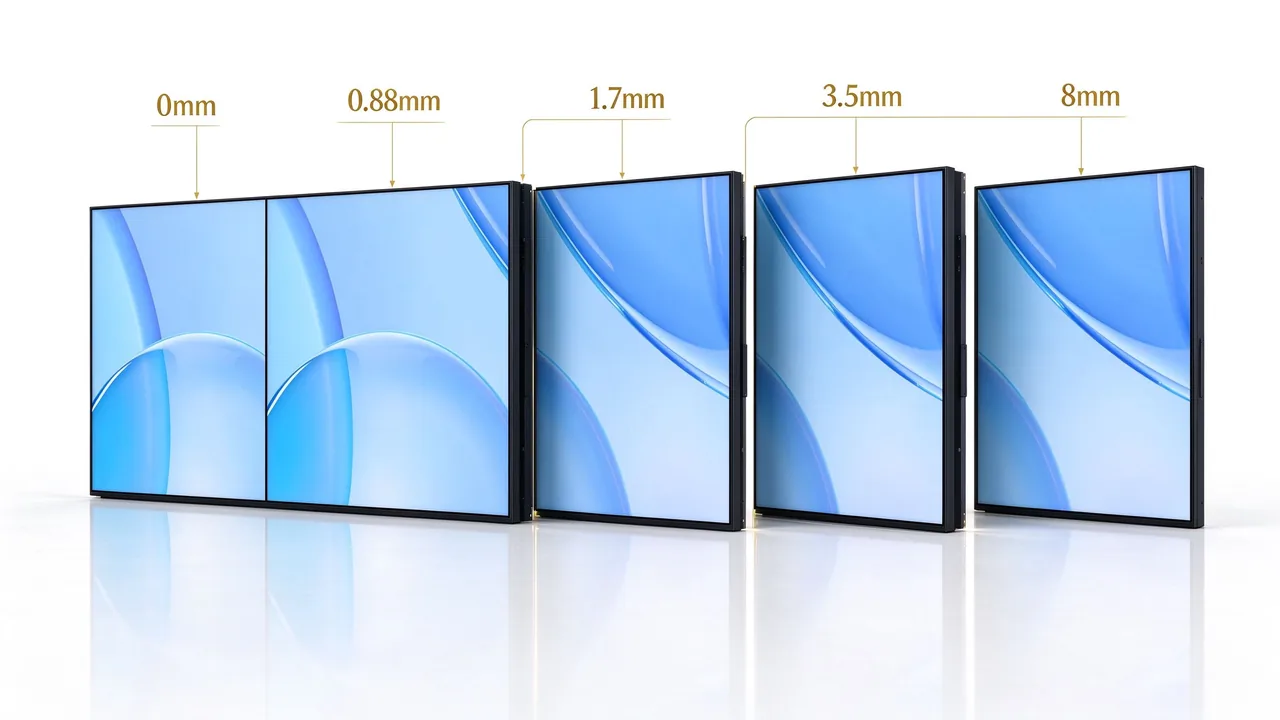
The Qtenboard LCD video wall series, from 8mm splicing gap to 0mm seamless
Need a maintenance plan sized to your site? Talk to Qtenboard engineers about lifespan, calibration, spare parts and warranty terms for your next LCD video wall project.
Hubungi kamiThe LED backlight is rated at about 60,000 hours, which is roughly 6.8 years of continuous 24/7 use or considerably longer on business-hours schedules. Real life depends on temperature, brightness and content, so cooling, sensible brightness and pixel shifting are part of the maintenance plan.
For 24/7 control rooms and CCTV centers, do a quick check every 3 months and a full recalibration every 6 months. For business-hours operations rooms, a full recalibration every 6 to 12 months is usually enough. Always calibrate immediately after replacing a panel or backlight.
As a planning guide, one spare panel for walls up to 3×3 in standard use, one to two for 3×3 to 4×4 walls, and about 5 to 8% of tiles for large walls, rising to 10 to 15% for mission-critical 24/7 sites. Order the spares with the wall so they come from the same batch.
Terms range from 1 to 3 years depending on product line, market and contract. The standard published policy is a one-year limited warranty from delivery, and project and Southeast Asia supply is quoted with up to three years. The period in your quotation is the one that applies.
Improper installation, misuse, unauthorized modification or repair, accidental damage, impact or liquid ingress, normal wear and tear, and damage from power surges or unstable voltage. Installing to the Qtenboard guide, using surge protection and keeping maintenance records protects your claim.
Email info@qtenboard.com with the product model, serial number, a description of the fault and photos or videos. Qtenboard support reviews the request and replies with the next steps. Shipping and customs costs are handled case by case, so agree arrangements before sending any product.
Yes, when the wall is installed on a hydraulic mounting stand or in a high-performance cabinet. Individual panels can be serviced without dismantling the wall, and micro-adjustment brings the new tile flush with the rest.
Yes. The Qtenboard cloud CMS provides remote monitoring of online and offline status, automatic temperature and brightness adjustment, firmware OTA updates and batch control across regions.

 MAY
 EN
 TH
 CHT
 SIN
 BUR
 VIE
 ID
 FIL
 LAO
 HKM
