Bezel width is the first number most buyers compare on an LCD video wall datasheet, and the one most often misread. A 0.88mm, 1.8mm or 3.5mm bezel video wall does not simply look "a little better" or "a little worse". Each grade changes how the wall reads at a given viewing distance, how content has to be designed, how precisely the wall must be installed, and where the project budget is best spent.
This guide is written for system integrators, security contractors, distributors and brand buyers who need to specify a narrow bezel video wall once and get it right. It explains what the figures on a quotation actually measure, how seam visibility relates to viewing distance, why content type matters as much as bezel width, and how Qtenboard approaches the choice between 0.88mm, 1.8mm, 3.5mm and zero-bezel optical compensation.
0.88mm
Near-seamless
Choose it when the wall shows one continuous canvas (maps, dashboards, brand film) and the nearest viewer sits inside roughly 3 m.
Best for: command centers, broadcast backdrops, executive lobbies, showrooms.
1.8mm
The balanced grade
Choose it for mixed content viewed at about 3–6 m, where a clean image matters but the project cannot justify the tightest grade.
Best for: retail walls, corporate lobbies, exhibition stands, hospitality.
3.5mm
Practical and robust
Choose it when each panel carries its own source, viewers sit farther than about 6 m, or the wall is large and tolerance for installation variance matters.
Best for: CCTV monitoring rooms, multi-window walls, large-scale deployments.

Before comparing grades, it helps to agree on vocabulary. Three terms are used interchangeably on quotations and in sales conversations, yet they describe three different things.
The non-image border around a single panel: the frame plus the glass edge. A panel has four bezel edges.
The dark line your audience actually sees between two neighbouring image areas. It is the sum of both adjacent borders plus the clearance between them.
The clearance left by mounting tolerance and panel alignment. This is the part of the seam that installation quality controls, not the factory.
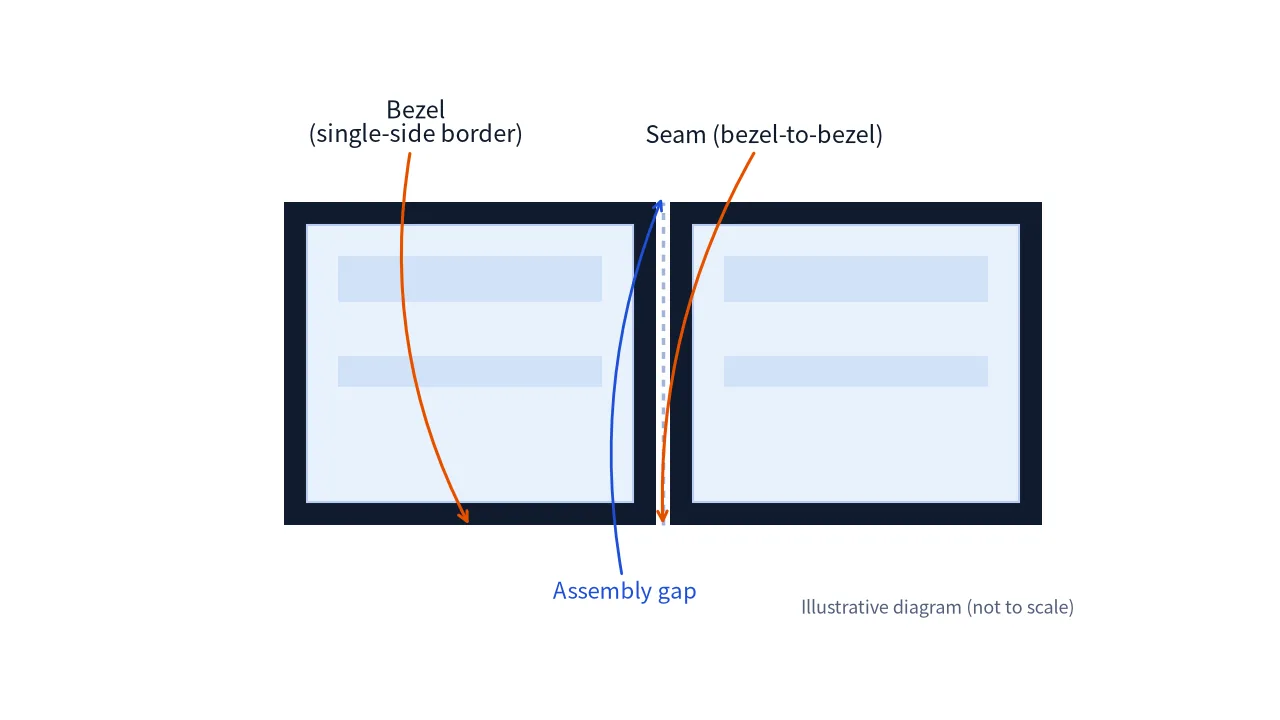
Some datasheets quote the seam (bezel-to-bezel), others quote the border of a single side. A "0.88mm" figure on one quotation and on another may therefore describe different physical measurements. Always ask which one is being stated before you compare suppliers.
A 55-inch 16:9 panel has an active width of roughly 1.22 m. Even a 3.5mm seam removes less than 0.3% of that width. The reason a seam is noticed anyway is perceptual rather than geometric: it is a straight, dark, high-contrast line running through bright content, and human vision is extremely sensitive to exactly that pattern.
That is the key to choosing a bezel grade. The goal is not to eliminate lost area, which is tiny in every grade, but to place seams where they do the least damage to the content your audience needs to read.
The matrix below summarises how the three grades differ in practice. Distances and pixel figures are derived values; the working is shown in the next two sections so you can reproduce them for your own panel size.
| Criteria | 0.88mm | 1.8mm | 3.5mm |
|---|---|---|---|
| Seam character | Hairline; noticeable mainly on close inspection or dark, high-contrast scenes | Fine line; visible on bright backgrounds and text at close range | Clear grid at close range; fades only with distance |
| Distance where seam ≈ 1 arcminute | ≈ 3.0 m | ≈ 6.2 m | ≈ 12 m |
| Continuity of panoramic content | High | Good | Moderate; use bezel compensation and layout planning |
| Source pixels hidden (55" Full HD) | ≈ 1.4 px | ≈ 2.8 px | ≈ 5.5 px |
| Best content | Maps, dashboards, brand film, broadcast graphics | Mixed video, signage, presentations | Multi-window camera feeds, data tiles, large walls |
| Typical scenes | Command center, studio, showroom, executive lobby | Retail flagship, corporate lobby, exhibition | CCTV control room, transport monitoring, large multi-window walls |
| Installation sensitivity | Highest: alignment tolerance must be very tight | Moderate | More forgiving |
| Relative budget position | Premium tier | Mid tier | Value tier |
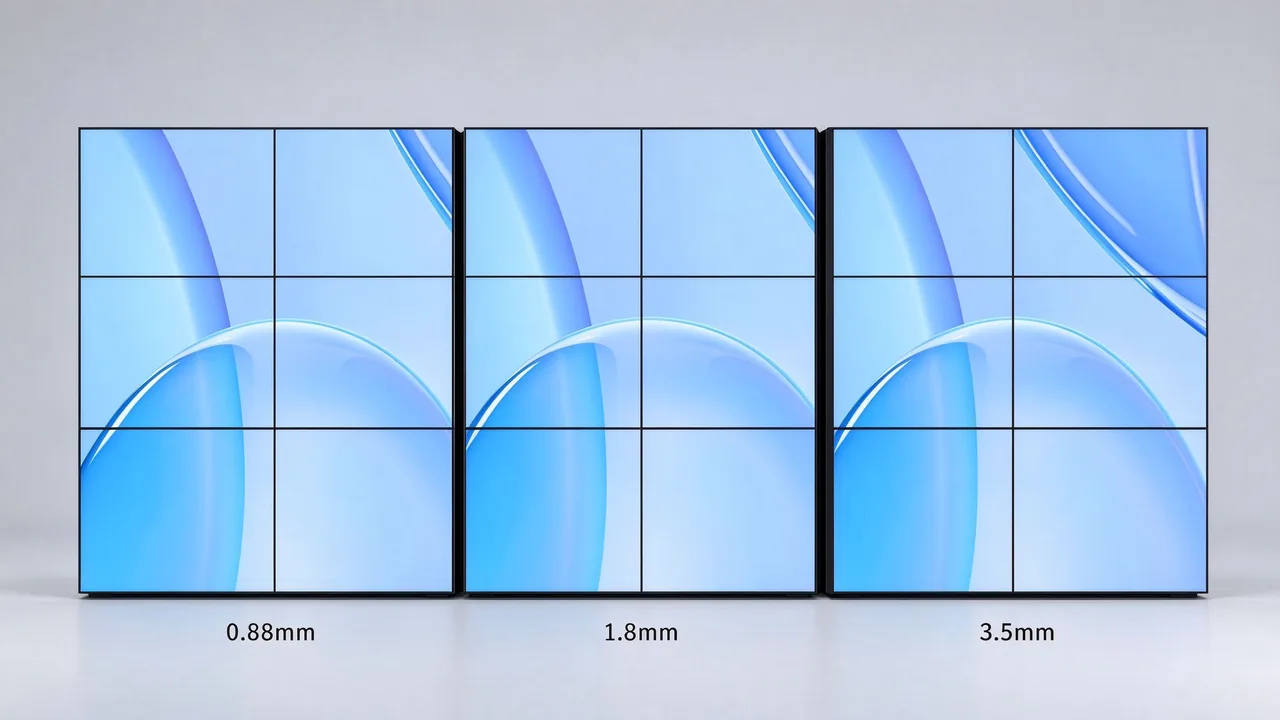
The seam roughly halves (3.5 ÷ 1.8 ≈ 1.9). The distance at which it fades into the image roughly halves too, from about 12 m to about 6 m.
The seam halves again (1.8 ÷ 0.88 ≈ 2.0), and the fade-out distance drops from about 6 m to about 3 m. This is where panoramic content starts to read as one canvas.
A different technique rather than a narrower frame: the physical frame is hidden optically so adjacent panels merge visually. It is covered in its own section below.
Viewing distance is the single most useful filter when shortlisting a bezel grade. It converts an abstract millimetre figure into something your audience will or will not notice.
Under good conditions the eye resolves detail down to about one arcminute, or 1/60 of a degree. Dividing a seam width by the tangent of one arcminute (about 0.00029) gives the distance at which the seam shrinks to that limit.
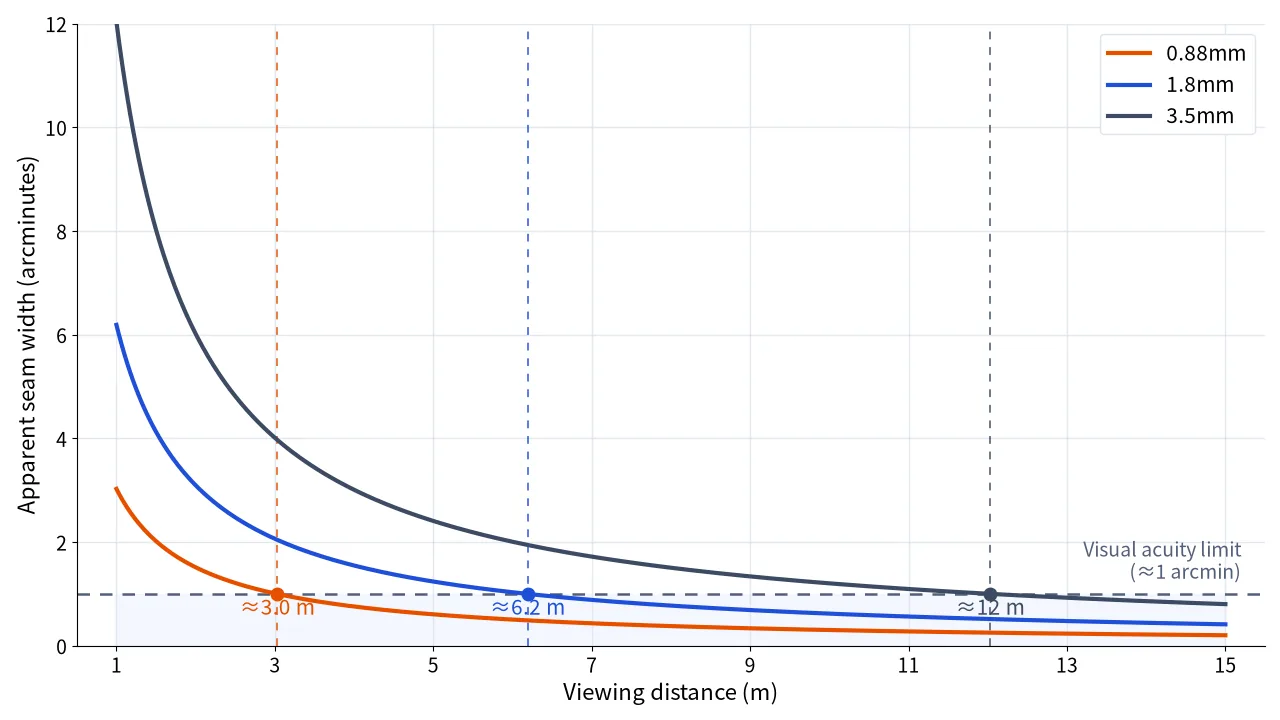
Thin, dark, high-contrast lines can remain detectable beyond the one-arcminute limit, especially on white backgrounds and static content. Use the distances above to shortlist a grade, then confirm on a mock-up at the real viewing distance with your own content.
| Nearest viewer | Single-canvas content | Multi-window content |
|---|---|---|
| Under 3 m | 0.88mm, or zero-bezel optical compensation if no visible seam is allowed | 0.88mm or 1.8mm |
| 3 – 6 m | 0.88mm preferred; 1.8mm acceptable for mixed content | 1.8mm or 3.5mm |
| Over 6 m | 1.8mm; 0.88mm only for showpiece walls | 3.5mm |
Panel size interacts with distance as well: fewer, larger panels mean fewer seams across the same wall area, although each seam is no narrower. If you are still deciding on panel size, our comparison of 55-inch vs 65-inch LCD video walls for control rooms walks through viewing distance, bezel width and panel count together.
Two walls with the same bezel grade can look completely different depending on what they display. A seam that disappears behind a bank of separate camera feeds can ruin a panoramic city map. Classify your content first; the bezel decision follows.
| Content type | Seam sensitivity | Why it matters |
|---|---|---|
| GIS maps, floor plans, network topology | High | Labels and fine lines cross seams; broken text is immediately visible. |
| Dashboards with charts spanning panels | High | A cut through a chart or KPI value changes how the data is read. |
| Brand film and full-bleed video | Medium | Motion masks seams, but faces and product close-ups on a seam stay distracting. |
| Presentations and text-heavy slides | Medium | Layouts can be designed around seams, but this adds production work for every deck. |
| One camera feed per panel | Low | Seams coincide with feed borders, so a narrower bezel adds little visible value. |
| Multi-window layouts aligned to panel boundaries | Low | Window edges follow the seams, so nothing important is cut. |
A video wall controller with bezel compensation treats the seam as a window frame: it skips the source pixels that would sit "behind" the bezel, so lines and shapes stay geometrically aligned across panels. Without it, the image is continuous in pixel space and diagonal lines or circles appear offset at every joint. The trade-off is that a small slice of the source image is hidden.
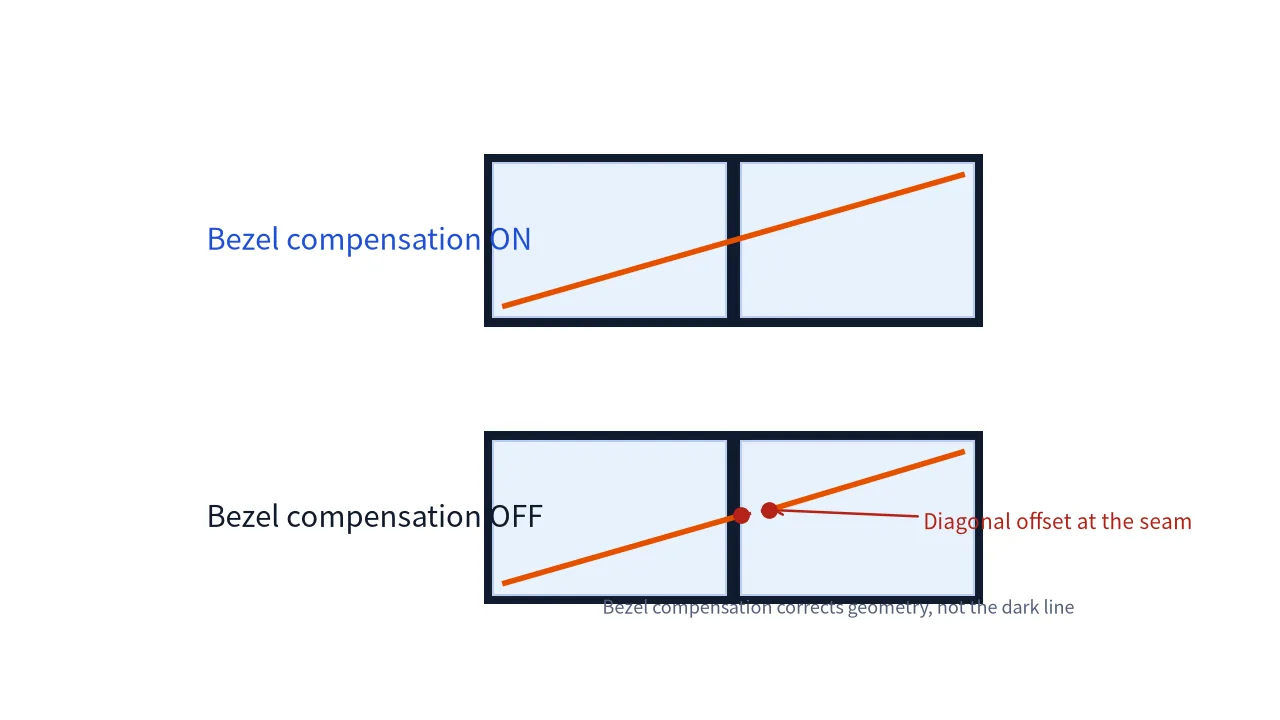
How much is hidden depends on seam width and pixel pitch. For a 55-inch 16:9 panel (active width about 1,218 mm):
| Bezel grade | Seam | Hidden at Full HD (≈ 0.63 mm pixel pitch) | Hidden at 4K UHD (≈ 0.32 mm pixel pitch) |
|---|---|---|---|
| 0.88mm | 0.88 mm | ≈ 1.4 px | ≈ 2.8 px |
| 1.8mm | 1.8 mm | ≈ 2.8 px | ≈ 5.7 px |
| 3.5mm | 3.5 mm | ≈ 5.5 px | ≈ 11 px |
A character in small text that straddles a 3.5mm seam on a Full HD wall can lose five or six pixel columns. That is readable at distance but unacceptable at a desk. Bezel compensation needs to be enabled and supported by the processor, so confirm this in the controller specification as well as the panel specification.
The three blocks below translate the comparison into project decisions. Each includes an illustrative planning scenario to show how the logic is applied; these are worked examples for planning, not customer case studies.
The tightest standard grade. The seam is a hairline that disappears into most content beyond about 3 m, which keeps panoramic images readable without redesigning layouts around the frame.
A 3×3 wall of 55-inch panels in a city operations center. A GIS map and KPI dashboards span multiple panels and operators sit 2–3 m away. A 0.88mm grade with bezel compensation keeps map labels intact; if the specification forbids any visible seam, zero-bezel optical compensation is the next step.

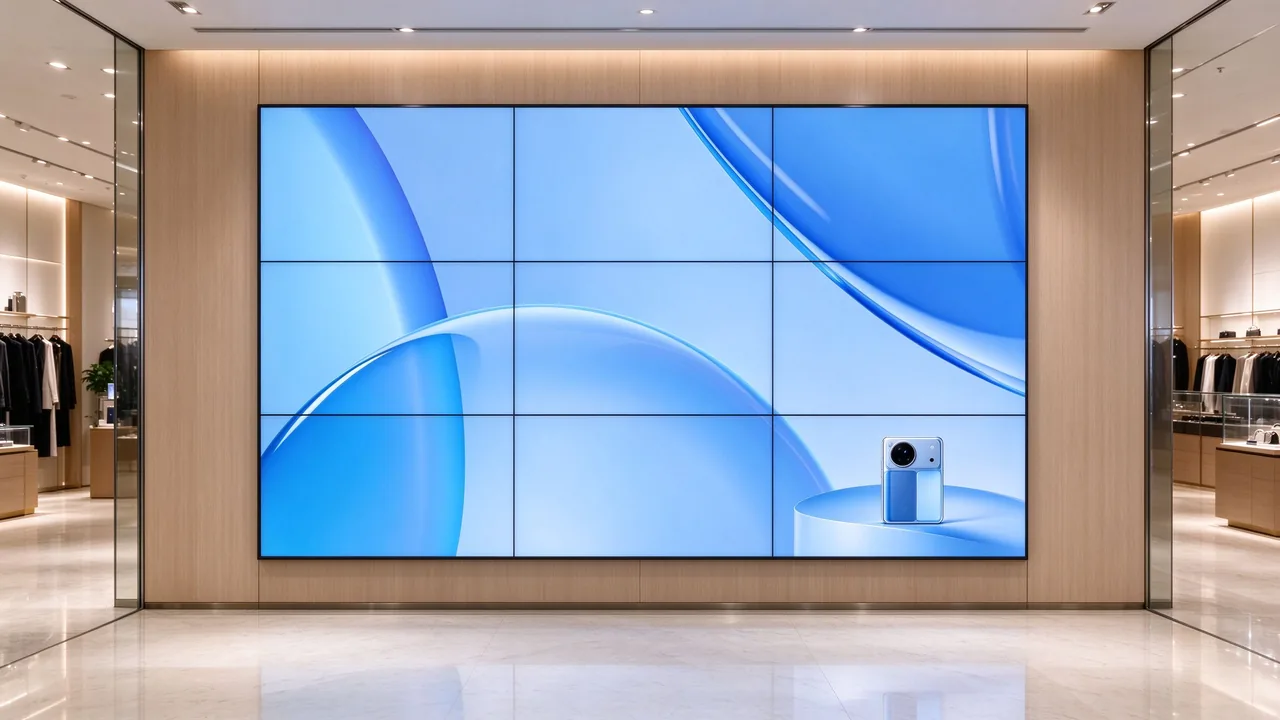
Seams are subtle from mid-range and visible as a fine grid only on close approach. It suits projects that need a clean image without paying for the tightest grade.
A 3×2 wall at a brand store entrance playing brand film and product loops, with customers 3–5 m from the screen. 1.8mm keeps the seams subtle at that distance while leaving room in the project for a quality controller and content management.
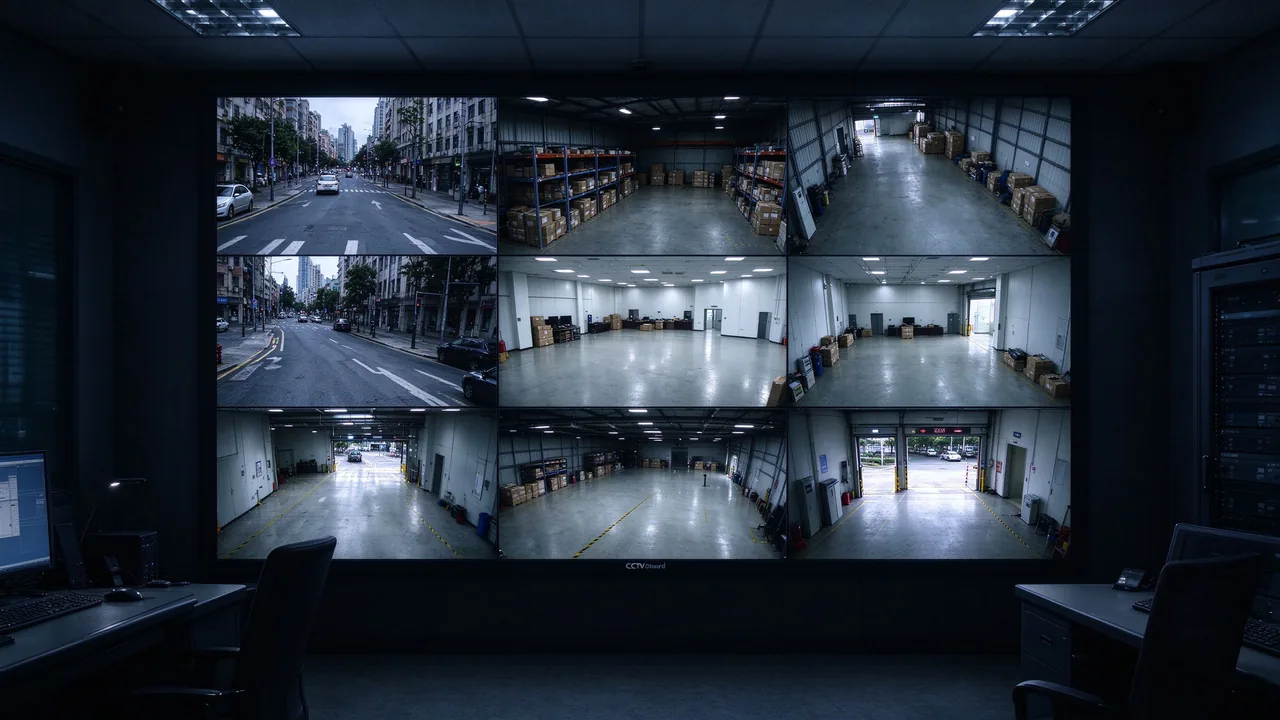
The grid is visible at close range, but for walls where each panel or window carries its own source, the seams fall exactly where the content already changes. The value of a narrower bezel is small; the value of reliable panels and a capable controller is large.
A 4×3 wall in a CCTV monitoring room with 12–24 camera feeds mapped to panel or window boundaries and operators 4–6 m away. Seams coincide with feed borders, so 3.5mm delivers what the room needs for 24/7 duty. Spend the effort on panel quality and the controller instead. Qtenboard's CCTV LCD video wall range covers seam grades from 0.88mm to 3.5mm, with 500–700 nits brightness and 4K support.
Tell us your content, viewing distance and wall size. Our engineers will shortlist the right bezel grade and send you a quotation.
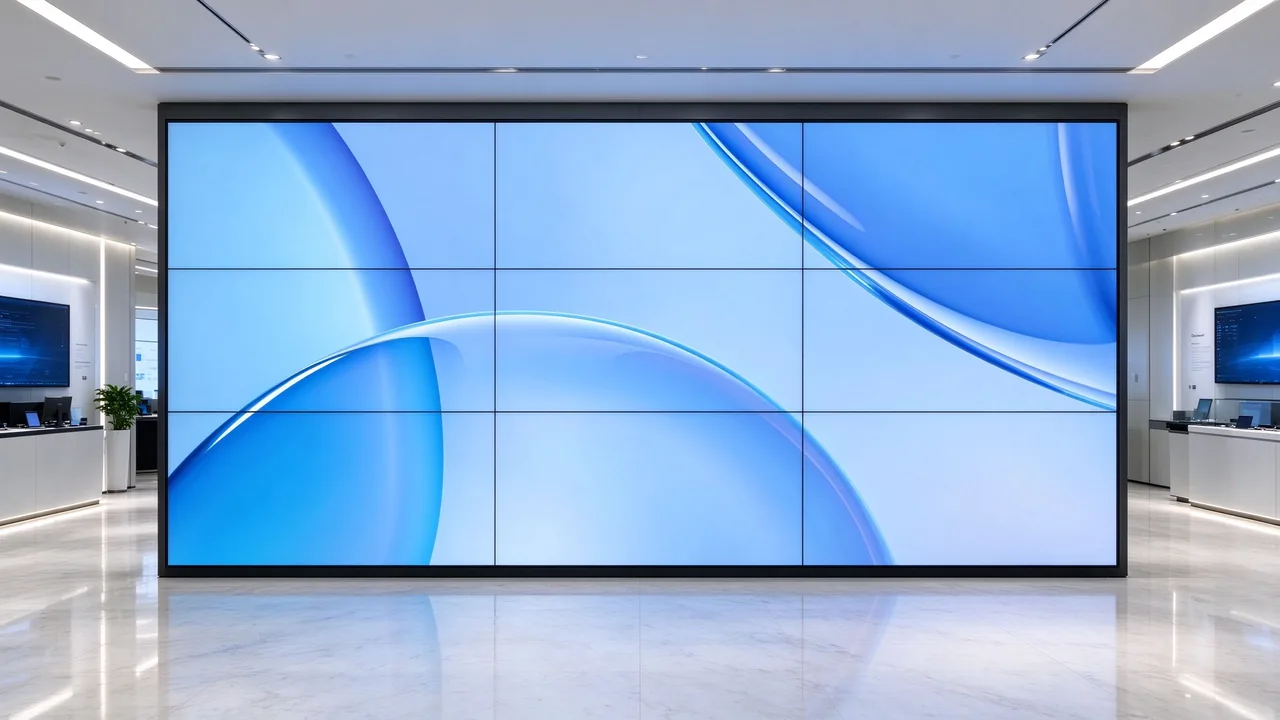
When even a hairline seam is unacceptable, narrowing the frame further runs into mechanical limits. Optical compensation takes a different route: rather than making the frame thinner, it hides the physical frame between adjacent panels so that multiple screens read as one continuous canvas. Qtenboard offers a 0mm optical-compensation option alongside its 0.88mm to 3.5mm grades.
A bezel figure on a datasheet is only the starting point. The seam you actually get on site depends on how the whole system is built, installed and calibrated. For background on how splicing screen size and seam width have progressed on the panel side, see our technical note on technical progress in LCD splicing screen size and seam.
Consistent border width from panel to panel. A wall is only as uniform as its least precise unit.
Micro-adjustable brackets or hydraulic stands let installers close seams evenly. A 0.88mm panel on a loose mount can look worse than a 1.8mm panel installed well.
Panels must sit in one plane. Steps between panels create shadows that read as wider seams.
Batch-matched panels and factory calibration prevent mismatched tiles, which viewers perceive as seams even when the physical gap is small.
Qtenboard builds on industrial-grade DID panels rated for 24/7 operation, with 500–700 nits brightness and a backlight life up to 60,000 hours.
Bezel compensation, scaling and EDID handling in the processor decide whether content crosses seams cleanly.
Front-service designs allow a single panel to be removed and replaced without dismantling the wall, which protects alignment after maintenance.
Use this sequence to move from requirements to a defensible specification, and to document the reasoning for your client.
List what the wall will show and mark each item as single-canvas or multi-window. Note any text-heavy, map or dashboard content that will cross seams.
Record the nearest and the typical viewing distance, not just the room's longest sightline. The nearest viewer sets the limit.
Apply the distance and content tables above to select one primary grade and one fallback, for example 1.8mm with 0.88mm as the upgrade option.
View a 2×2 sample at the real distance with your own content: a bright white slide, a dark scene, small text across a seam and a diagonal line.
Write the measurement basis, tolerance, panel batch, mounting method and controller compensation into the RFQ so that every supplier quotes the same thing.
Add the following questions to your request for quotation. They are designed to make supplier answers comparable and to surface differences hidden behind identical headline figures.
| Item | What to ask the supplier | Why it matters |
|---|---|---|
| Bezel definition | Is the figure bezel-to-bezel (seam) or a single-side border? | Prevents comparing different physical measurements. |
| Tolerance | What tolerance applies, and is it verified on an installed sample? | Defines the seam you will really see. |
| Panel type and brightness | Is the panel video-wall or DID grade, and what are the nits and rated hours? | Determines suitability for 24/7 use and bright rooms. |
| Batch and colour matching | Will the whole order come from one batch with factory calibration data? | Mismatched tiles look like seams. |
| Mounting system | What is the bracket adjustment range and alignment method? | Installation quality sets the final seam. |
| Controller | Does the processor support bezel compensation at your resolution? | Keeps content aligned across seams. |
| Service access | Can a single panel be replaced from the front, and are matched spares available? | Preserves alignment and uptime after maintenance. |
| Sample | Can a 2×2 mock-up be provided for review at the real viewing distance? | Confirms the decision before the full order. |
A narrower bezel only matters relative to distance and content. For multi-window walls viewed from afar, it is budget with little visible return.
A seam figure and a single-side figure cannot be compared directly. Normalise every quotation first.
Faces, key text and KPI values placed on a seam undermine any bezel grade. Brief the content team early.
Without bezel compensation, lines look offset at every joint, however narrow the seam.
Alignment, flatness and bracket quality can widen a 0.88mm seam to the look of a 1.8mm one. Budget for competent installation.
A 2×2 sample at the real viewing distance answers in minutes what a datasheet cannot.
Need more answers on seam grades, panel sizing or installation? Browse the complete LCD video wall FAQ.
The bezel is the non-image border of one panel. The seam is the visible line between two adjacent image areas, made up of both borders and the assembly gap. Always confirm which one a datasheet quotes.
It is near-seamless: a hairline remains, which is hard to see beyond about 3 m but can be visible on close inspection. If the specification requires no visible seam, consider zero-bezel optical compensation.
No. 3.5mm is widely used in CCTV monitoring rooms and large multi-window walls, where each panel carries its own source and the seams fall on content boundaries. It is less suited to single-canvas content viewed at close range.
As a planning guide, a seam fades to about one arcminute at roughly 3.0 m for 0.88mm, 6.2 m for 1.8mm and 12 m for 3.5mm. High-contrast content can reveal seams beyond these distances, so confirm with a mock-up.
Not by itself. Reliability depends on panel grade, thermal design and mounting. Narrower frames do call for more careful handling, alignment and service procedures, which is why mounting and service access belong in the specification.
It is not recommended. Use the same model, bezel grade and, ideally, the same production batch across a wall so that seams and colour stay uniform.
It corrects the geometry of the image across the seam so lines stay aligned, but it does not remove the dark line itself. It complements a suitable bezel grade rather than replacing one.
If each panel or window shows a separate camera feed, 3.5mm is usually sufficient. If operators also work with maps or dashboards that span panels, step up to 1.8mm or 0.88mm. Review Qtenboard's CCTV LCD video wall range for the available grades.
Choose the bezel by what your audience sees, not by the smallest number on the datasheet.
| Project situation | Recommended grade | Reason |
|---|---|---|
| Panoramic maps or dashboards, viewers under 3 m | 0.88mm, or 0mm optical compensation | Continuity of single-canvas content matters most. |
| Brand or retail wall, viewers 3–6 m | 1.8mm | Subtle seams with balanced project budget. |
| CCTV monitoring, one feed per panel | 3.5mm | Seams align with feed borders; reliability comes first. |
| Large wall, many panels, distant viewers | 1.8mm or 3.5mm | Seams fade with distance; installation tolerance is higher. |
| No visible seam permitted by specification | 0mm optical compensation | The frame is hidden optically rather than narrowed. |

 EN
 MAY
 TH
 CHT
 SIN
 BUR
 VIE
 ID
 FIL
 LAO
 HKM
