Qtenboard Interactive Displays for Business: Boost Productivity
2025-12-18
Interactive Displays for Business: Transform Your Workplace Collaboration
Introduction
In the modern workplace, Interactive Displays for Business are no longer optional — they have become essential tools that drive teamwork, streamline workflows, and elevate productivity across industries. Whether deployed in corporate offices, training centers, remote collaboration environments, or retail settings, Interactive Displays for Business are transforming how teams communicate, present, and work together.
At the forefront of this transformation, Qtenboard Interactive Displays for Business offer a complete solution designed for reliability, versatility, and intelligent collaboration. Targeted at organizations looking to thrive in the digital era, Qtenboard delivers cutting-edge interactive technology with AI-powered features, remote management tools, and customizable hardware and software configurations.
This guide will explore the key features, benefits, applications, and future trends in Interactive Displays for Business, with a particular focus on how Qtenboard’s solutions empower modern workplaces and enhance operational efficiency.
What Are Interactive Displays for Business?
Interactive Displays for Business are advanced hardware systems that integrate high-definition display technology with responsive touch interaction, enabling users to engage directly with digital content in real time. Unlike traditional passive monitors, these interactive systems allow users to touch, write, annotate, and manipulate content directly on the screen.
The best Interactive Displays for Business combine cutting-edge hardware and intelligent software to support collaborative workflows, dynamic presentations, and real-time engagement. Qtenboard’s interactive displays, for example, include:
Multi-touch panels that support 10+ simultaneous touch points
4K UHD resolution for crisp, detailed visuals
AI-powered collaboration tools including speech-to-text and meeting summaries
Remote management via DMS for centralized control
Customizable Whiteboard and content applications
By facilitating direct interaction with digital content, Interactive Displays for Business help teams collaborate more effectively, make decisions faster, and share information seamlessly across departments or locations.
Key Components of Interactive Displays for Business
To understand what makes Interactive Displays for Business so valuable, it’s useful to break down their core technical components:
Touchscreen Panel
The touchscreen panel is the heart of any Interactive Display for Business. Qtenboard’s interactive displays employ highly responsive capacitive touch panels with ultra-low activation distance (as close as 0.5mm), allowing precise input detection whether using a finger, stylus, or glove. These touch panels support multi-user interaction, enabling multiple participants to write and annotate simultaneously.
High-Definition Display Technology
Qtenboard’s Interactive Displays for Business use premium LCD/LED panels with 4K UHD (3840×2160) resolution, ensuring vibrant colors, clear text, and sharp visuals even in large meeting rooms or classrooms. The high resolution is ideal for detailed presentations, data visualizations, and collaborative whiteboard sessions.
Processor and Embedded Software
An integrated processor drives the interactive system, running embedded operating systems like Android, Windows OPS, or a dual OS configuration. Qtenboard’s interactive displays include powerful software frameworks that support real-time collaboration tools, cloud connectivity, Whiteboard applications, and third-party integrations that boost productivity.
Connectivity Options
Interactive Displays for Business must integrate seamlessly with existing IT infrastructure. Qtenboard supports versatile connectivity including HDMI, USB, LAN, Bluetooth, Wi-Fi, and wireless screen mirroring. This ensures that laptops, mobile devices, and cloud services can connect quickly and reliably.
Optional Sensors and Cameras
Advanced Qtenboard models include built-in cameras and sensors to support video conferencing, gesture control, and voice interactions. These features expand the utility of Interactive Displays for Business in hybrid work environments where remote participation and real-time engagement are essential.
Top Benefits of Interactive Displays for Business
1. Enhanced Collaboration and Team Engagement
Qtenboard’s interactive systems allow multiple users to draw, annotate, and edit content in real time. This multi-touch capability transforms meetings and brainstorming sessions into highly interactive experiences where every voice can contribute visually and dynamically.
2. Streamlined Workflow and Information Sharing
Interactive displays become a central hub for sharing content. Integration with cloud storage platforms like OneDrive and Google Drive ensures files are available in real time, eliminating delays in data access and improving operational responsiveness.
3. Improved Meeting Efficiency
Built-in Whiteboard tools and annotation features let participants interact directly with content — marking up documents, highlighting key points, and saving shared notes instantly. Fast file transfer tools speed up meeting workflows.
4. Remote Collaboration and Hybrid Work Support
Qtenboard’s displays integrate with video conferencing platforms, allowing distributed teams to interact with shared content and contribute equally regardless of location — essential for modern hybrid work models.
5. Enhanced Data Visualization
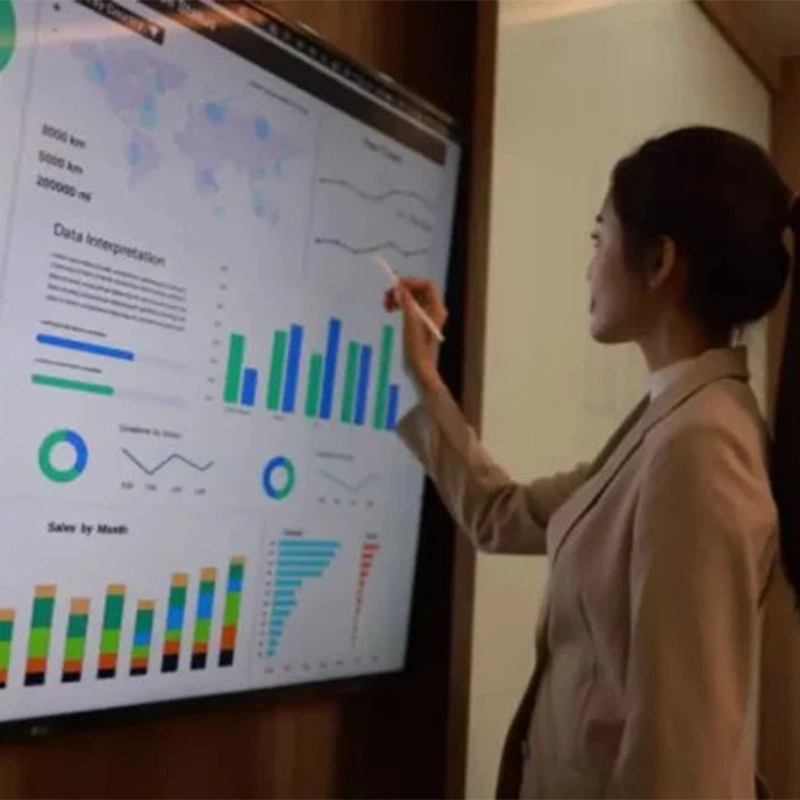
Users can zoom in on specific data points, adjust parameters, and engage with dynamic visual representations of business intelligence — supporting data-driven meetings and informed decision-making.
Versatile Applications of Interactive Displays for Business
Corporate Meetings and Presentations
Ideal for business presentations where real-time interaction is critical. Presenters can annotate slides, emphasize key points, and navigate content fluidly — enhancing collaboration during decision-making sessions.
Training and Workshops
For corporate training, interactive displays increase engagement by combining video, whiteboard annotations, and hands-on interaction. Participants can interact directly with training materials and collaborate on problem-solving tasks.
Customer Engagement in Retail Environments
Power interactive kiosks for product browsing, inventory checks, or sales transactions. Qtenboard’s interactive systems support rich touch interaction that drives engagement and conversions.
Project Management Dashboards
Become central dashboards for tracking project progress, visualizing timelines, and coordinating tasks. Dynamic tools like Gantt charts and Kanban boards help teams stay aligned and responsive.
Top Interactive Display Models for Business (Brand-Neutral Overview)
To help you compare, here are some highly regarded Interactive Displays for Business solutions currently on the market:
Samsung Flip 2: A 55-inch 4K interactive display with responsive touch inputs and real-time annotation tools. Ideal for collaborative environments and easy content management.
Microsoft Surface Hub 2S: Available in 50-inch and 85-inch models, with top-tier multi-touch support and strong integration with Microsoft 365 and Teams. Great for hybrid workspaces.
Sharp PN-L803C Aquos Board: An 80-inch multi-touch solution with infrared touch and collaborative tools including wireless casting and dual-screen capability.
BenQ RP653K: A 65-inch 4K interactive display with anti-glare surface and 10-point touch support, built-in Android OS, and wireless screen sharing, suitable for conference rooms.
Qtenboard Interactive Displays for Business: Engineered for business use cases with robust hardware, powerful AI tools, and professional remote management capabilities — fully customizable for branding and workflow integration.
How to Choose the Right Interactive Display for Business
Selecting the best Interactive Display for Business depends on several key considerations:
Understand Your Business Needs Consider primary use cases — are you using the display for meetings, training, customer engagement, or project collaboration? Clarifying your core requirements will guide your selection process.
Budget and Total Cost of Ownership Interactive displays vary in price depending on size, resolution, and feature set. Account for long-term costs like software subscriptions, maintenance, warranty, and remote management tools.
System Compatibility Ensure the display integrates well with your existing software and hardware, such as Microsoft Office, Google Workspace, video conferencing platforms, and corporate security systems.
Scalability and Flexibility Choose displays that support future scaling, whether through modular features or compatibility with additional screens and peripherals.
Future-Proof Features Look for interactive displays with AI, cloud integration, and remote management to future-proof your investment as technology evolves.
Future Trends in Interactive Displays for Business (2025 and Beyond)
The landscape of Interactive Displays for Business is rapidly advancing. Looking ahead, these key trends will shape the future:
Advanced Touch and Gesture Technology Future interactive displays are likely to adopt 3D touch, gesture control, and pressure-sensitive interactions, enabling more natural and nuanced user engagement.
Deeper AI Integration AI will continue to enhance collaboration tools with predictive analytics, personalized content suggestions, real-time language translation, and workflow automation.
Seamless Cloud Collaboration Enhanced cloud integration will allow teams to collaborate on shared documents, sync changes instantly, and access files from anywhere — ensuring that both in-office and remote workers stay aligned.
Portability and Flexible Deployment Portable interactive displays with lightweight designs and optional battery power will become more prevalent, making it easier to use interactive technology in satellite offices, trade shows, or dynamic workspaces.
Augmented Reality (AR) and Immersive Experiences AR integration with interactive displays will provide immersive training and visualization tools, particularly valuable in design, engineering, and product development workflows.
Why Choose Qtenboard for Your Interactive Displays for Business
Qtenboard’s solutions are engineered to enhance collaboration, productivity, and workflow integration, making them reliable choices for organizations seeking robust Interactive Displays for Business.
Conclusion
Interactive Displays for Business are transforming how organizations communicate, collaborate, and innovate. From boardrooms and classrooms to retail environments and industrial control rooms, these solutions drive engagement, streamline workflows, and enhance decision-making processes.
Qtenboard Interactive Displays for Business offer a comprehensive suite of features — from 4K multi-touch screens and AI-powered productivity tools to remote management and Whiteboard interactivity — that empower your teams to work smarter, faster, and more collaboratively. In a world where digital transformation is critical, investing in a quality Interactive Display for Business like Qtenboard can make all the difference in advancing your organizational goals.
Click to read the product details and learn about its functional features and actual performance.



 EN
EN
 MAY
MAY  TH
TH  CHT
CHT  BUR
BUR  FIL
FIL  HKM
HKM  ID
ID  LAO
LAO  SIN
SIN  VIE
VIE 