Many smart‑campus construction projects directly adopt off‑the‑shelf commercial display solutions without considering education‑specific requirements. When deploying an LCD video wall, buyers frequently encounter practical pain points: strong indoor lecture‑hall lighting causes screen reflection, existing campus platforms cannot connect with display hardware, strict public‑education budget constraints, and complicated post‑campus‑vacation maintenance work.
QTenboard has delivered multiple smart‑campus‑oriented LCD video wall solutions for education‑related clients. Based on real‑world project experience, this article sorts out practical deployment, hardware‑selection and procurement suggestions for education‑sector buyers and system integrators.
Core Application Scenarios of LCD video wall in Smart Campus
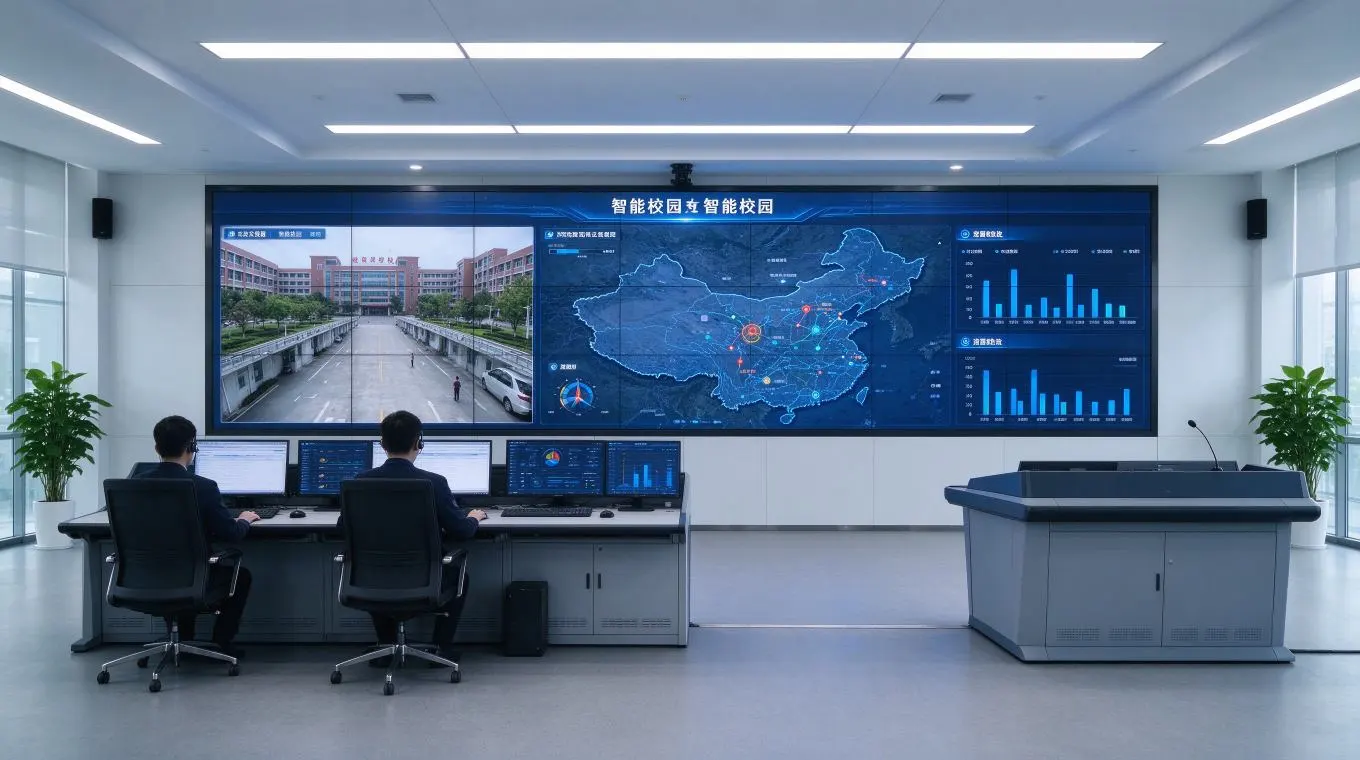
Smart campus command center scenario for LCD video wall
Campus command & monitoring center
Ang LCD video wall works as a central visualization hub for campus security monitoring, campus‑wide situation awareness and emergency‑response scheduling. This scenario requires stable long‑time running capability and multi‑signal switching, as the screen may keep working during non‑school hours.
Large lecture hall & multi‑function auditorium
For large‑scale academic conferences, remote synchronous online classes and public lectures, an LCD video wall needs to deliver clear visual performance under complex indoor lighting conditions, covering audiences sitting in different viewing distances.
Public campus area: lobby, library, teaching building hallway
Public‑area LCD video wall releases campus notices, cultural‑theme exhibitions and event reminders. These units face frequent pedestrian flow and require simple, reliable remote‑content management.
Key Technical Selection Points for Education‑oriented LCD video wall
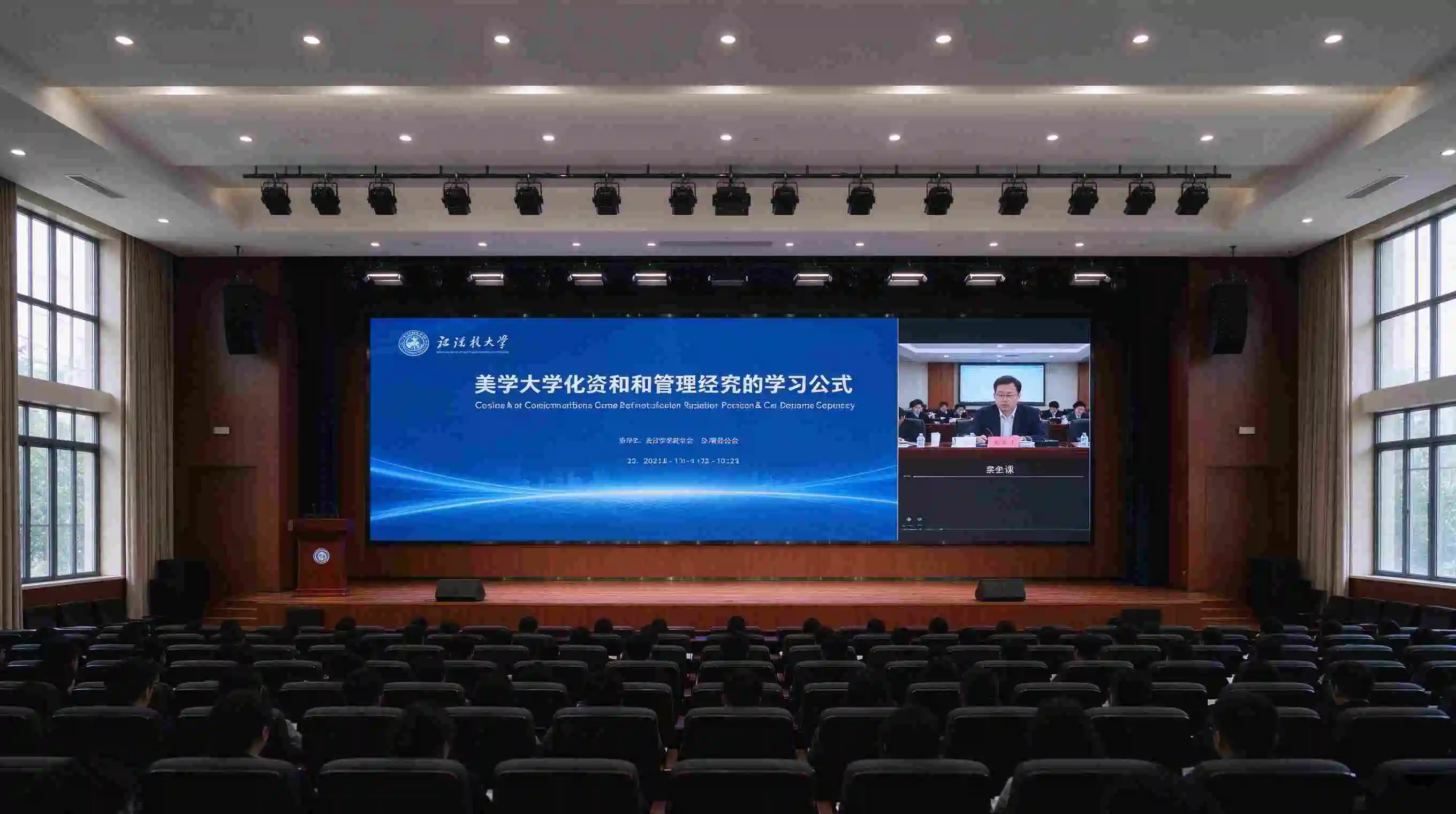
Large lecture‑hall deployment of QTenboard LCD video wall
QTenboard provides LCD video wall covering 43 / 46 / 49 / 55 / 65 /75‑inch sizes; splicing gap options: 8mm / 3.5mm /1.8mm /1.7mm /0.88mm /0mm; panel sources including LG and BOE; standard resolution 2K; panel service life about 60000 hours; typical operating power ≤180W, standby power ≤3W; operating temperature 0‑50℃. These parameters form the hardware baseline for education‑project configuration.
Screen size & splicing gap matching different campus spaces
For campus command centers, QTenboard usually recommends narrow‑gap options such as 1.8mm or 0.88mm for an LCD video wall. Visual continuity is prioritized for monitoring pictures.
For large lecture‑hall scenarios, ultra‑narrow bezel is not always mandatory. 3.5mm gap can balance visual performance and total project budget for most university multi‑function auditoriums.
Brightness & viewing angle requirements for lecture‑hall environment
Indoor lecture halls have complex mixed‑lighting conditions. QTenboard reminds education‑project buyers that higher brightness does not always equal better experience for an LCD video wall. Over‑high brightness will raise long‑term power‑consumption and may cause visual fatigue for long‑time audience watching. QTenboard matches brightness according to measured on‑site light environment for campus projects.
Operating stability for long‑duration campus usage
Campus monitoring centers may run the LCD video wall day and night. QTenboard focuses on panel lifetime, standby‑mode power consumption and internal thermal‑dissipation structure for education‑oriented configurations, to reduce unexpected failure risk during vacation and non‑teaching periods.
Signal interface & multi‑source signal switching capacity
Education‑project LCD video wall must support mixed input sources: teaching notebook computers, NVR monitoring signals, lecture‑streaming devices. QTenboard reserves abundant physical interfaces and serial‑port control for campus integration requirements.
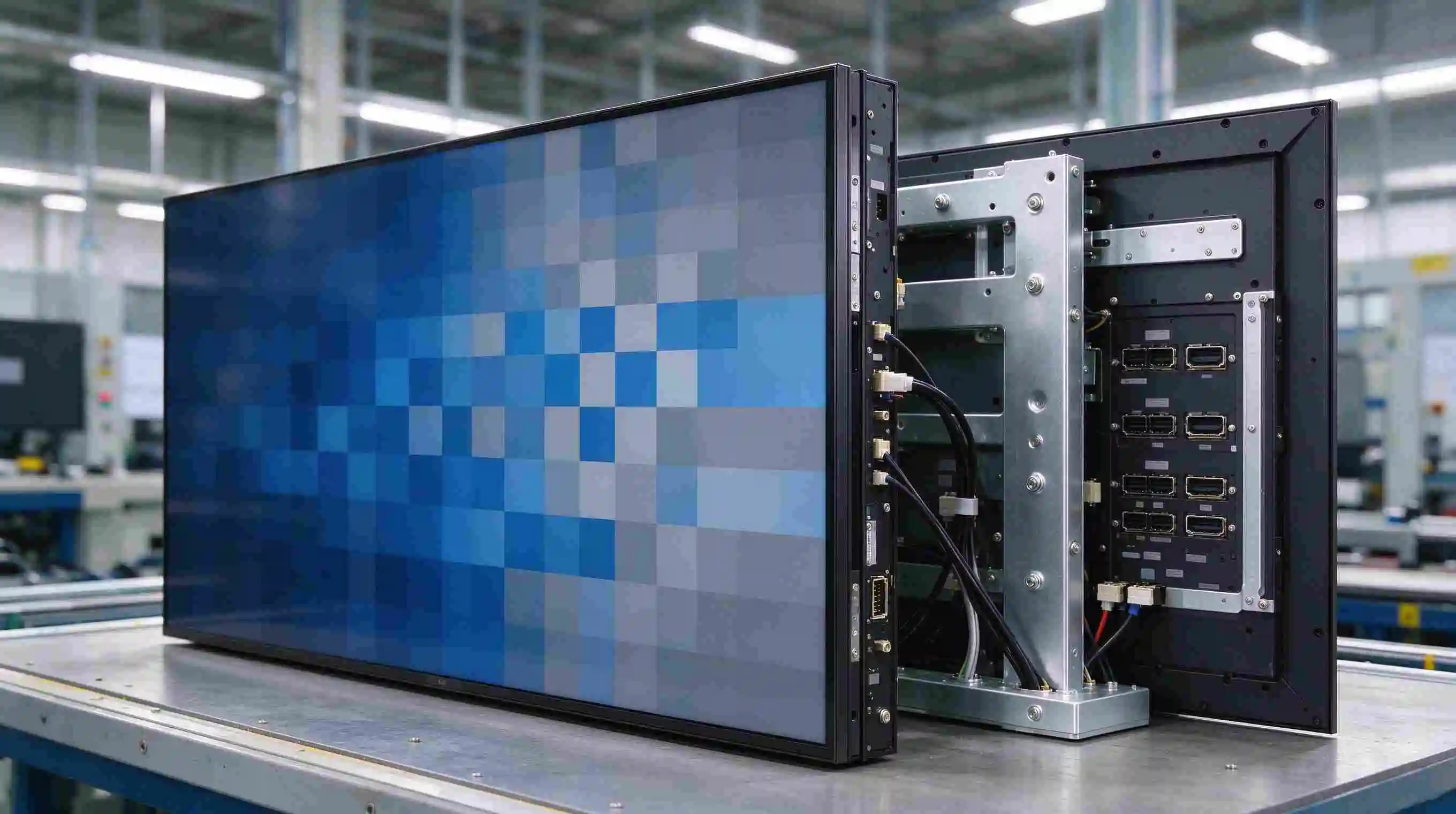
QTenboard 55‑inch 1.8mm BOE panel hardware detail for LCD video wall
System Docking: Connecting LCD video wall with Campus LMS & Platforms
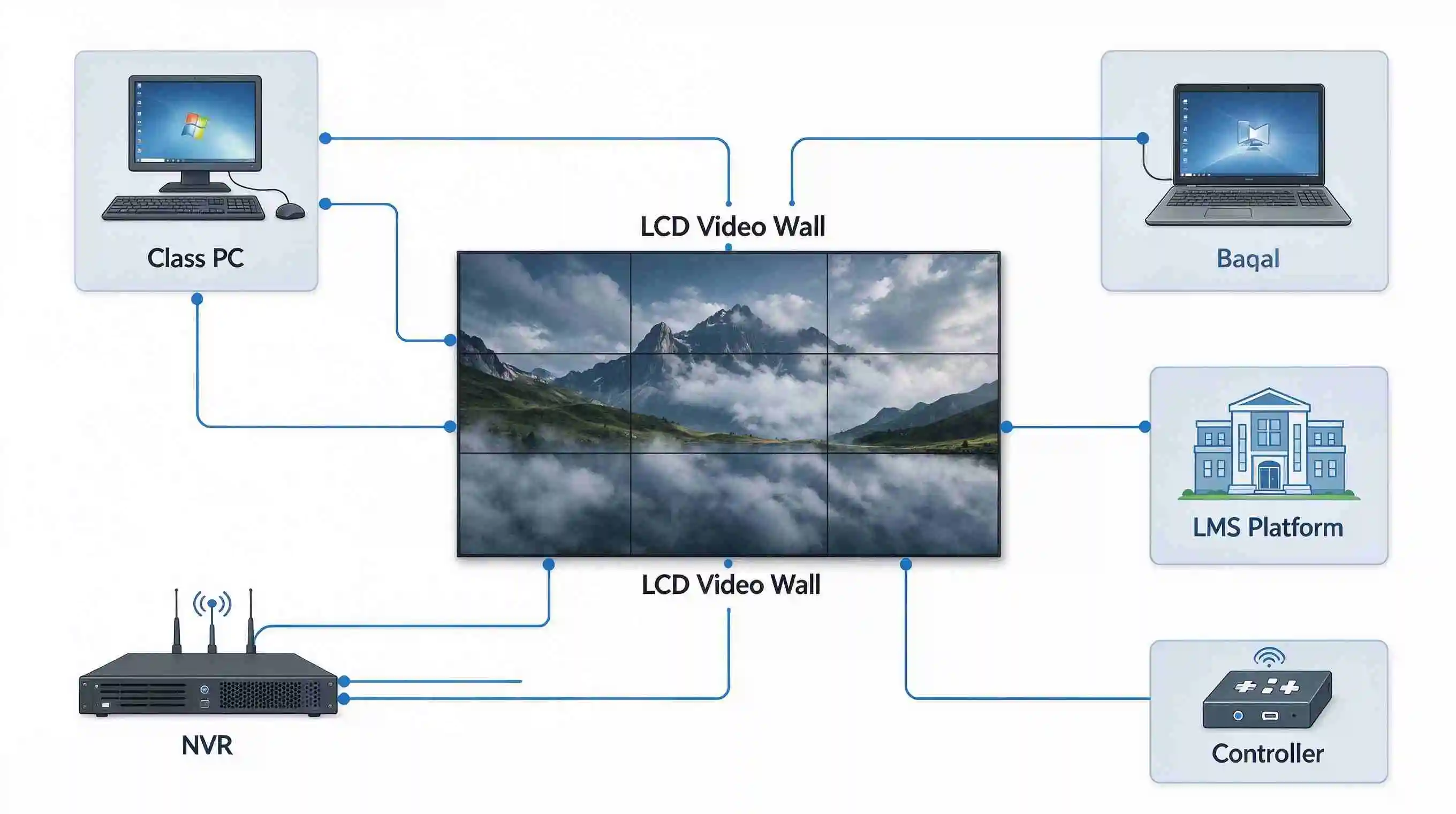
Multi‑signal access logic diagram for campus LCD video wall
One of the most‑common education‑project risks: buying an LCD video wall only according to hardware‑spec sheets, and discovering that it cannot connect with existing campus LMS, safety‑monitoring platforms or notice‑release systems after delivery. Additional reconstruction work will generate extra cost and delay acceptance.
QTenboard's pre‑sales technical team will evaluate interface compatibility for education‑project customers before order confirmation. We analyze two docking approaches for an LCD video wall: controller‑native signal input and third‑party software API access, and clarify what functions can be realized and what limitations exist. This pre‑evaluation mechanism helps campus clients avoid post‑delivery modification risks.
Typical Smart Campus Deployment Case
Project background (desensitized real‑world case): A comprehensive Chinese university planned dual‑scenario construction: campus security‑emergency command center plus multi‑function lecture auditorium. Old display devices were aging; the project required docking with existing campus notice‑issuing platform, and must fit within public‑education fiscal budget limits.
QTenboard solution for LCD video wall:
- Command‑center part: 55‑inch, 1.8‑mm gap LCD video wall, BOE original panel; supporting RS232 serial control and multi‑signal real‑time switching for campus monitoring streams.
- Auditorium part: 46‑inch,3.5‑mm‑gap LCD video wall, brightness adjusted for indoor lecture‑hall lamp environment.
- Deliver video‑wall controller with reserved API interface to realize partial campus‑notice push function.
- Supply complete tender‑usable certification documents, test‑report copies to meet public‑bidding acceptance requirements.
Project outcome: The QTenboard LCD video wall satisfies daily security monitoring, large‑academic‑report display and campus‑information release, and successfully passed university‑side project acceptance.
Education‑sector Procurement & Tender Considerations
When purchasing an LCD video wall for public‑education tender projects, buyers need to pay attention not only to hardware parameters but also documentation requirements and campus‑suitable after‑service rules.
Bidding document supporting materials
Public‑education procurement requires complete test‑reports, product certifications, and formal warranty commitments. As an OEM/ODM source factory, QTenboard can sort out supporting‑document packages specially formatted for education‑tender submission for LCD video wall projects.
Campus‑adapted after‑sales arrangement
Campus maintenance windows are mostly concentrated on school vacations. QTenboard arranges remote‑diagnosis guidance and on‑site‑service coordination matching vacation‑time schedules for education‑project LCD video wall deployments.
QTenboard one‑stop solution for education projects
Beyond supplying bare‑panel LCD video wall hardware, QTenboard delivers integrated solutions including controllers, mounting cabinets/brackets, pre‑sales interface assessment, tender‑document support and post‑delivery technical guidance for education‑sector integrators and end‑users.
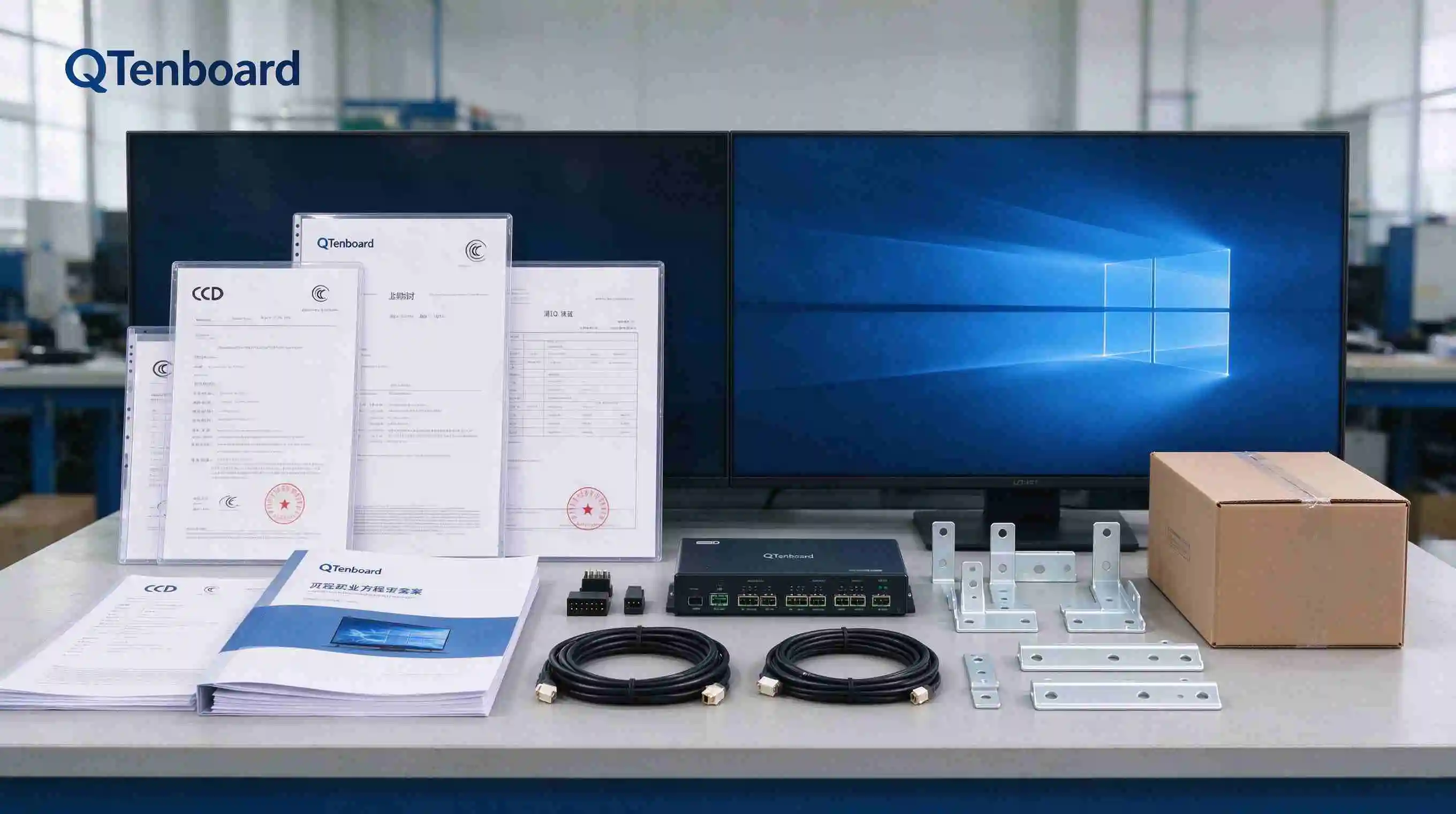
QTenboard education‑project supporting document & accessory package for LCD video wall
FAQ
What splicing gap is more suitable for smart campus command center vs lecture‑hall scenarios?
For campus command‑center monitoring tasks, QTenboard recommends 1.8mm or 0.88mm narrow‑gap LCD video wall for high picture continuity. For ordinary multi‑function lecture‑halls, 3.5mm‑gap can control total project cost while meeting daily academic‑report display requirements.
Can QTenboard LCD video wall dock with the school's existing campus LMS system?
It depends on the interface and open‑API capacity of the original campus LMS platform. QTenboard's technical team conducts pre‑sales compatibility assessment for each education‑project LCD video wall, clarifying feasible docking modes and functional boundaries before order placement to avoid unrealistic expectation.
What kind of warranty and after‑sales support can be obtained for education bidding projects?
QTenboard provides standard factory warranty for LCD video wall hardware, plus remote diagnosis service. For public‑education tender projects, we can cooperate with local system integrators to coordinate vacation‑period maintenance windows; extended‑warranty options are negotiable according to project contract.
For educational‑budget‑limited projects, is it possible to choose non‑ultra‑narrow‑bezel LCD video wall to save costs?
Yes. If the project is mainly for lecture‑hall information‑release instead of 24‑hour fine‑detail monitoring, selecting 3.5mm‑gap LCD video wall is a feasible cost‑control measure. QTenboard will give objective configuration advice based on the real‑site usage scenario rather than blindly recommending the highest‑spec model.
Konklusiyo
When deploying an LCD video wall for smart‑campus construction, project teams should prioritize scenario classification for hardware‑selection, match brightness and viewing‑angle parameters with real‑site light environments, complete system‑interface pre‑evaluation before purchasing hardware, and fully prepare tender‑required supporting documents.
QTenboard accumulates practical experience from multiple smart‑campus LCD video wall deliveries, and provides end‑to‑end solution services for education‑sector buyers and system integrators, not limited to selling display hardware alone.
Request QTenboard smart‑campus LCD video wall solution brief & tender supporting document samples
Get scenario‑oriented configuration suggestions and tender‑usable document samples for your smart‑campus project.
Download Solution Brief
 FIL
FIL
 EN
EN  MAY
MAY  TH
TH  CHT
CHT  BUR
BUR  HKM
HKM  ID
ID  LAO
LAO  SIN
SIN  VIE
VIE