This guide is written for school procurement teams, ministry ICT units, distributors and system integrators who are specifying an interactive display board for tropical classrooms. Most buyers compare resolution, touch points and operating system, yet in Southeast Asia the real causes of early failure are heat, humidity, dust and unstable power. The article explains how each stressor damages a classroom panel, which design features counter it, how to verify a vendor's claims, and how to write a tropical-ready OEM/ODM specification. Glare and glass-surface treatment are covered separately in our anti-glare interactive whiteboard guide and are not repeated here.
An interactive display board for tropical classrooms succeeds or fails on four environmental factors — heat, humidity, dust and unstable power — long before touch points or Android version become relevant.
When education buyers compare interactive boards for education, the conversation usually starts with screen size, 4K resolution, the number of touch points and the operating system. Those specifications matter. But a panel that passed every check in an air-conditioned showroom can begin rebooting at 2 p.m. in a classroom in Bangkok, develop a milky haze behind the glass after a fortnight of rain in Manila, or lose its power board to a single thunderstorm in Jakarta. This is exactly why Qtenboard engineers its interactive display boards for education around the climate they will live in — not just the curriculum they will teach.
The pattern repeats across the region. Many classrooms have no air-conditioning, or air-conditioning that runs only part of the day. Corridors are open to the outside. Schools run morning and afternoon shifts, so the same display works eight to ten hours a day. The mains supply may dip, spike or switch to a generator without warning. None of this appears on a standard spec sheet, yet all of it determines whether a durable interactive flat panel is still in service in year four.
This guide treats a smart board interactive flat panel for what it physically is: a mains-powered computer with a very large LED backlight, mounted on a wall in a hot, wet, dusty and electrically noisy room. We walk through heat dissipation, moisture and condensation, dust and insect ingress, surge protection, how to verify a vendor's claims, how requirements differ by school type, and what to write into an OEM/ODM specification.
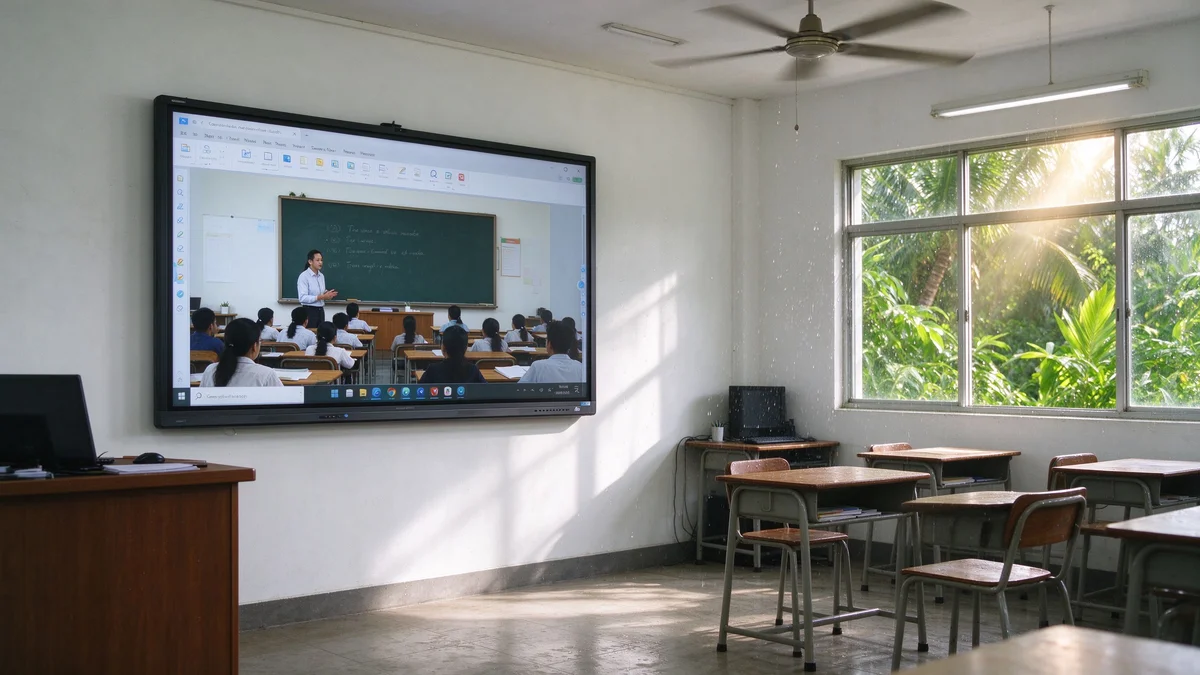
Heat, humidity, dust and power disturbances rarely act alone — they compound each other, which is why tropical failures look random in the field but are predictable in the design review.
Each stressor attacks a different part of the panel, and each makes the next one worse. Hot air holds more moisture; moist dust conducts electricity; a weakened power supply runs hotter. Understanding the chain is the first step to specifying against it.
Afternoon classroom temperatures of 30–35°C are common without air-conditioning, and a west-facing wall can run hotter still. Every watt the panel dissipates must be shed into air that is already warm.
Relative humidity regularly exceeds 80% in the rainy season. Moisture adsorbs onto circuit boards, connectors and dust, creating leakage paths and corrosion.
Open corridors, road dust, seasonal haze, chalk residue — and ants or geckos that treat warm vents as shelter — all find their way into an unprotected chassis.
Voltage dips, brownouts, generator switching and lightning-induced surges reach the panel through the mains and through long network cables between buildings.
Most display datasheets quietly assume office conditions. The table shows where those assumptions break down and which components pay the price.
| 因素 | Typical office / lab assumption | Tropical classroom reality | Components most at risk |
|---|---|---|---|
| Ambient temperature | 20–25°C, air-conditioned | 30–35°C in the afternoon, higher beside sun-exposed walls | LED backlight, SoC, power supply capacitors |
| Relative humidity | 40–60% | 70–90%+, peaking in the rainy season | PCB surfaces, connectors, infrared touch sensors |
| Airborne dust | Low and filtered | Open corridors, road dust, haze season, chalk | Vents, fans, bezel gaps, cooling surfaces |
| Power quality | Stable grid, clean earth | Dips, brownouts, generator switching, induced lightning surges | Power supply, mainboard, HDMI/USB/RJ45 ports |
| Duty cycle | 6–8 hours, weekdays | 8–10 hours across two shifts, plus after-school use | Everything — wear accumulates faster |
Schools rarely report "heat damage" or "humidity damage". They report symptoms, and the symptoms are easy to misdiagnose as software faults:
A widely used reliability rule of thumb says that electronic component life roughly halves for every 10°C increase in operating temperature. A panel that runs 10°C hotter than planned in a tropical room is therefore not "slightly warm" — it may be on course for half the service life you budgeted. That is the economic case for the rest of this guide.
Heat dissipation in an interactive flat panel is a system problem — backlight efficiency, chassis design, airflow path, firmware limits and installation clearance all matter — and the ambient temperature of the room sets the starting point, not the finish line.
In a large LCD interactive panel, the LED backlight is the biggest heat source, followed by the mainboard and SoC, the power supply, and the audio amplifier driving the speakers. If a Windows OPS module is installed, it adds a second computer's worth of heat inside the same enclosure. Heat load scales with screen size and brightness: an 86-inch panel at 450 cd/m² dissipates far more than a 55-inch panel at 350 cd/m², so the cooling design has to be sized for the model, not copied across a range.
Sunlight adds an external heat load. A panel on a wall that receives afternoon sun starts the day with a warmer chassis and less temperature headroom before protection circuits intervene. For a deeper look at how backlight design affects both brightness and thermal behaviour, see our note on the impact of backlight on interactive whiteboard use.
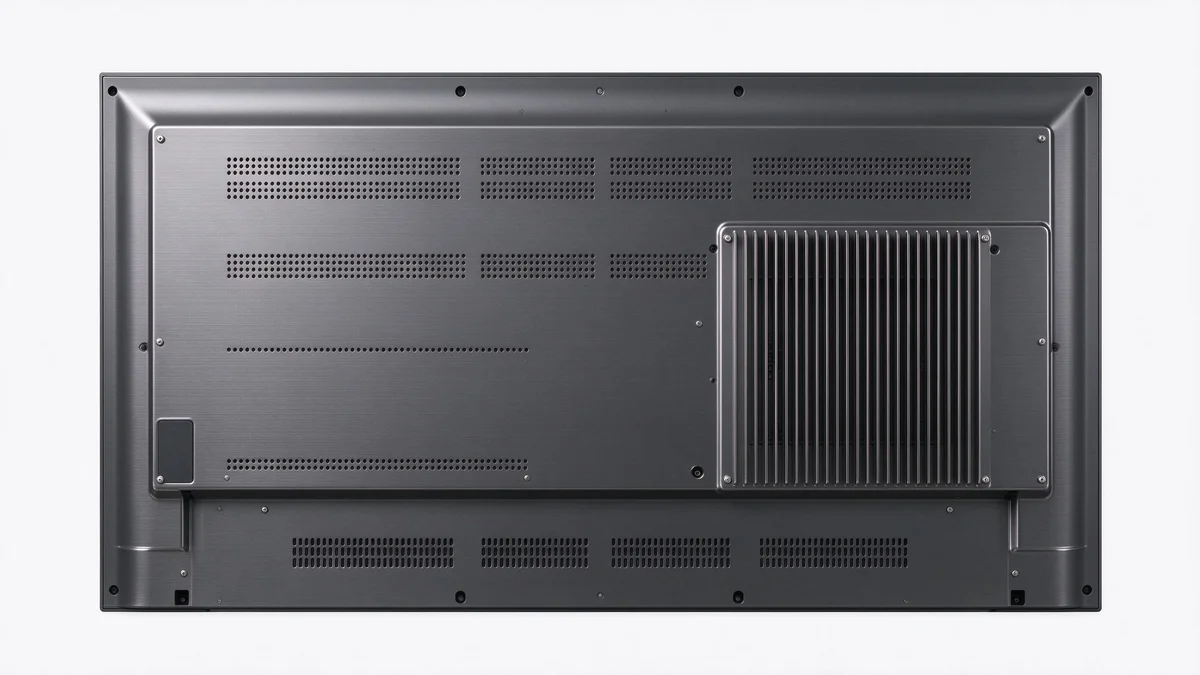
There is no single best cooling architecture. The right choice depends on how dusty the room is, how hot the ambient air gets, and how much maintenance the school can realistically perform.
| Approach | How it works | 優勢 | Trade-offs | Best suited to |
|---|---|---|---|---|
| Passive (fanless) | Metal back cover and thermal pads spread heat; vents create natural convection | Silent, no moving parts, nothing to clog or fail | Limited headroom at high ambient temperatures and with an OPS installed | Dusty rooms, lower-brightness configurations, small to mid sizes |
| Active (fan-assisted) | Low-noise fans force air across heat sinks | High cooling capacity for large panels and OPS modules | Needs dust filters and periodic cleaning; fans wear | Hot rooms, 86″ and above, Windows OPS use |
| Hybrid | Passive path for the mainboard; a temperature-triggered fan only when needed | Quiet in normal use, capacity in reserve | Slightly higher design and validation effort | Mixed-use classrooms with variable heat load |
Qtenboard can configure any of the three in OEM/ODM projects, and the decision should be made together with the dust and maintenance profile discussed in Part 4. A fan-cooled panel in a dust-heavy corridor without filters is worse than a well-designed passive one.
Qtenboard's durable interactive flat panels combine all the details below so a single enclosure handles heat, humidity and dust at once. Here is what separates a truly tropical-ready Qtenboard panel from a generic one:
A full metal rear chassis acts as a large heat spreader. Thermal pads or graphite sheets that bond hot components to the chassis move heat away from the board and distribute it across the whole panel surface, where room air can carry it off.
Warm air rises. Vents low on the rear and high on the rear create a natural chimney path even without a fan. Vents that are blocked by a mounting bracket, or that face a wall with no gap, remove that advantage entirely.
More efficient LED drivers waste less energy as heat. Current limiting at high temperature lets the panel reduce brightness gently rather than shut down abruptly — a far better failure mode for a teacher mid-lesson.
Look for internal temperature sensors with defined steps: reduce backlight, ramp the fan, warn the user, and only then shut down. Ask whether temperature data can be read through a remote management system so a school IT team can spot classrooms that run hot before they fail.
Power-supply capacitors rated for 105°C live longer in a hot enclosure than 85°C parts, at a small cost difference. This is a legitimate line item to ask about in a tender, especially for the power board.
Even a well-designed panel is undermined by a bad installation. Practical rules for tropical schools:
Heat budgets are also managed by behaviour. Scheduled shutdown at the end of the school day, auto-sleep after inactivity and a sensible default brightness all cut thermal load without teacher effort. Where schools manage many panels, a central tool such as the Qtenboard cloud ecosystem for interactive whiteboard management makes it easy to push shutdown schedules and brightness profiles to every classroom at once.
A datasheet temperature range is a claim; a soak test is evidence. Request or run the following before a large order:
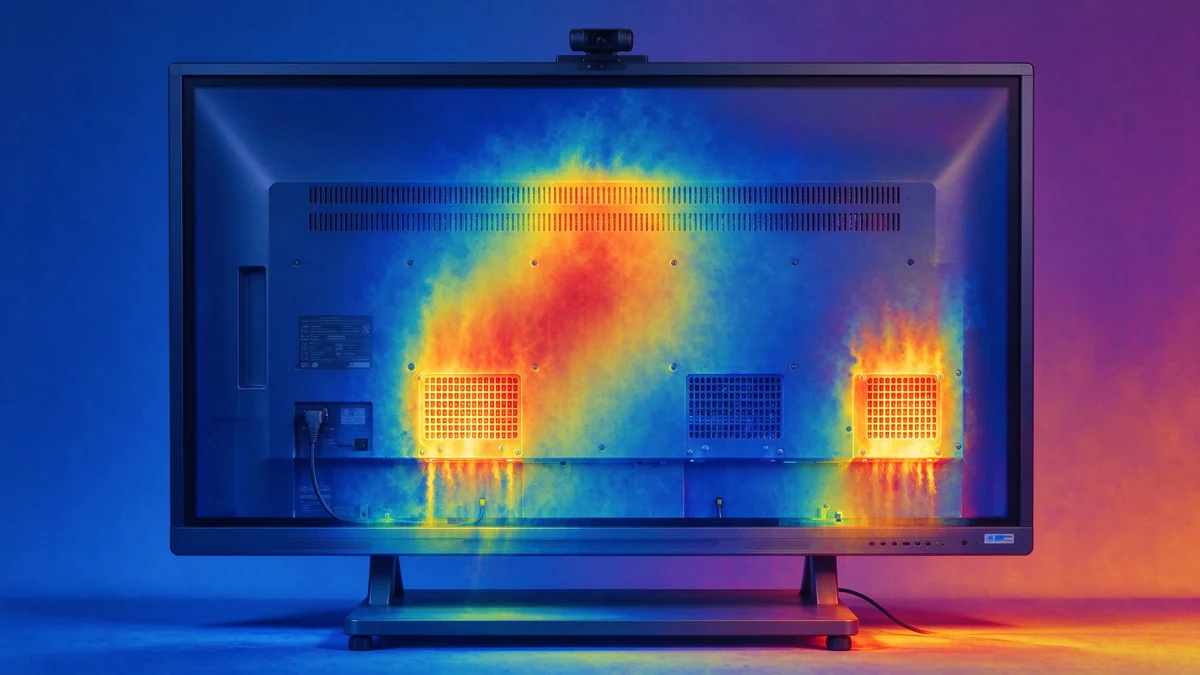
Humidity damages a panel slowly and invisibly — corrosion, leakage currents and fungus growth on dust — and the protection that works is layered: coated circuit boards, sealed electronic zones, corrosion-resistant hardware and a display stack with no air cavity for moisture to enter.
Every Qtenboard panel bound for tropical schools is designed against the three humidity hazards below, and is validated in a damp-heat test chamber before it leaves the factory.
Water in the air does not need to condense to cause harm. At high relative humidity, a microscopic water film forms on every circuit-board surface. Combined with ionic contamination from dust, it becomes a weak conductor. The consequences build up over months:
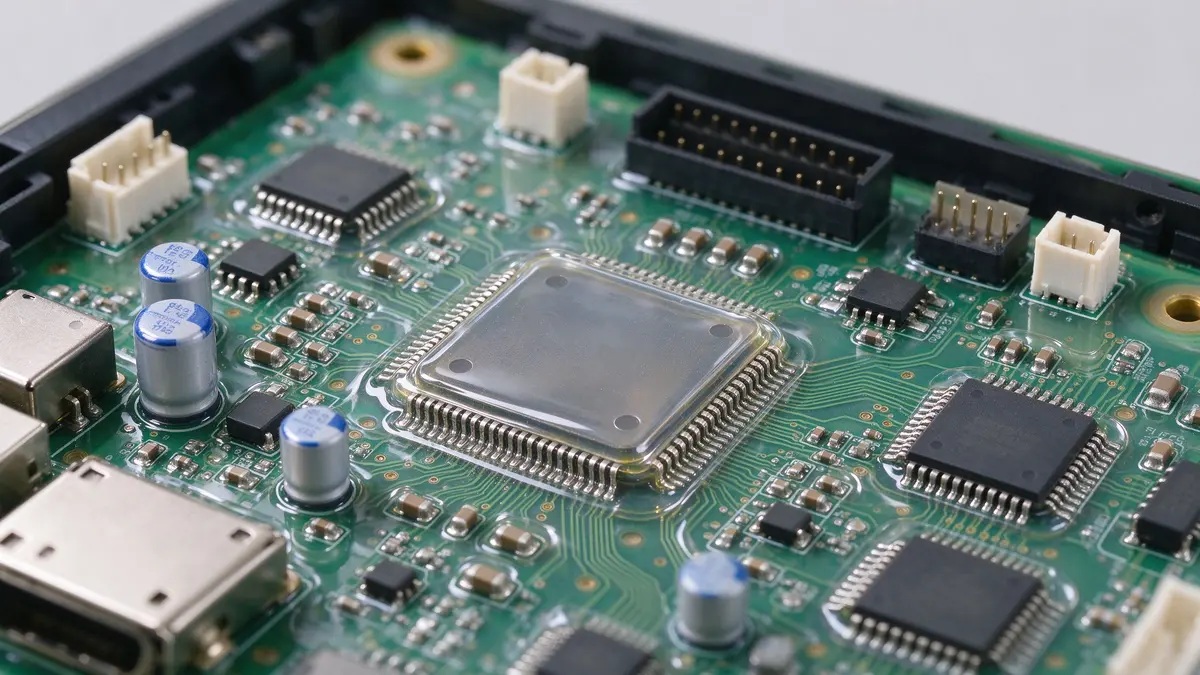
A conformal coating is a thin polymer film applied over the assembled circuit board. It blocks moisture and contamination from reaching the copper and solder. For tropical projects, ask specifically which boards are coated — the power board and mainboard at minimum — and which coating chemistry is used. A coating applied only to one board leaves the others exposed.
A panel cannot be both airtight and well-cooled, so the design answer is to separate the problems. Sensitive electronics sit in sealed or gasketed compartments, while heat leaves through the metal chassis and through deliberate, protected airflow paths. Our tempered glass interactive flat panel range uses a sealed, dust-resistant and moisture-proof housing built for tropical climates and busy centres. Treat any vendor claim of "waterproof" with caution: classroom interactive panels are normally not IP-rated, and a claim of an ingress rating should come with a test report.
Screws, brackets, port shells and shielding cans should be plated or treated for humid air. In coastal schools, salt in the air accelerates corrosion, so plating and coating quality matter even more.
Unused ports are open doors for moisture, dust and insects. Port covers, gasketed cable entries and recessed connectors reduce all three.
Condensation occurs when a surface is colder than the dew point of the surrounding air. In tropical rooms the dew point is often just a few degrees below the air temperature, so even a modest temperature difference can cause water to form. The most common trigger in schools is moving a cool panel into warm, humid air — for example after a night in an air-conditioned room, or when air-conditioning is switched off at the end of the day and the room heats up again.
| Room air temperature | Relative humidity | Approximate dew point | What it means |
|---|---|---|---|
| 30°C | 80% | ≈ 26°C | Any surface below about 26°C will collect moisture |
| 32°C | 85% | ≈ 29°C | A panel that sat in a 24°C air-conditioned room will fog on contact with this air |
| 28°C | 90% | ≈ 26°C | Rainy-day mornings: even a small chill is enough |
| 34°C | 70% | ≈ 28°C | Hot afternoon in a dry-looking room can still be above the cold-surface limit |
Dew points above are approximate values calculated from standard psychrometric relations. Operating humidity ratings on datasheets, such as the 20–85% range on the QM-75HY specification sheet, are normally stated as non-condensing, so they protect against high humidity but not against a panel that is actively wet.
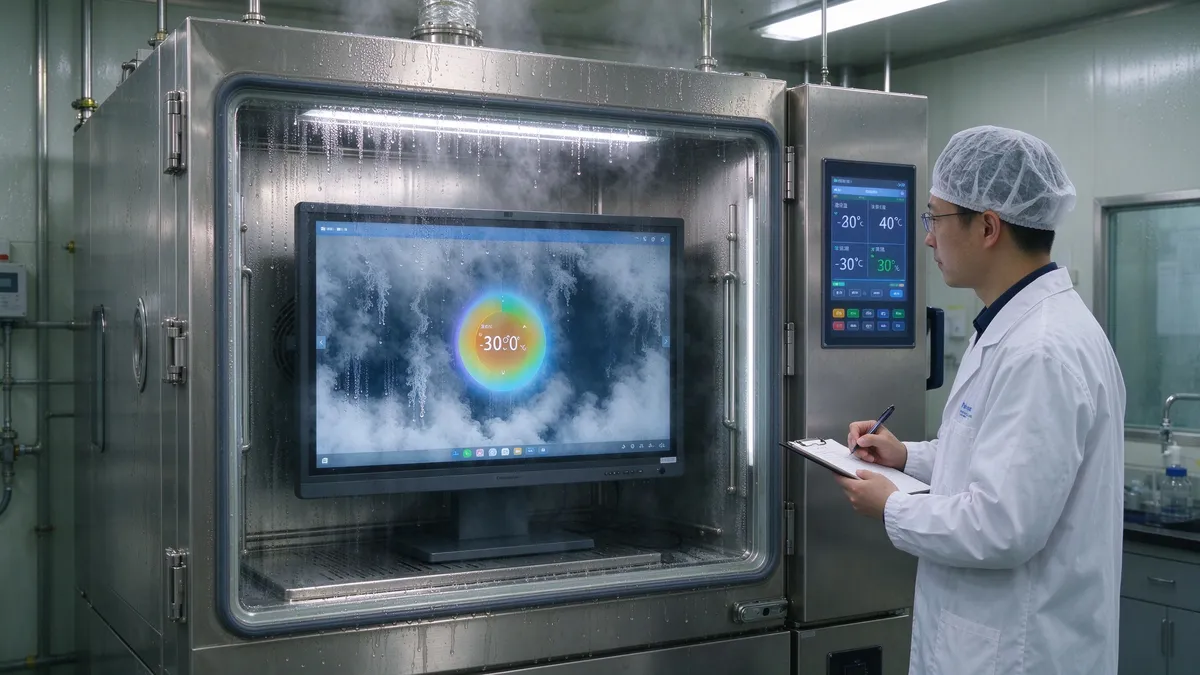
A display built with an air gap between the protective glass and the LCD gives humid air a cavity to enter. When the temperature falls, moisture condenses inside that cavity and leaves a permanent haze that no amount of surface cleaning can remove. A fully laminated, zero-gap stack has no cavity, so there is nothing for moisture to fill. This is one of the strongest, least-discussed arguments for lamination in tropical markets, and we explain the optical and touch benefits in why high-end interactive whiteboards choose full lamination. Our factory also runs dust-free bonding workshops for the glass panel, because a lamination line with airborne dust traps particles in the stack.
Good hardware still benefits from good habits. A one-page procedure, posted near the panel or sent through the school IT team, prevents most moisture incidents:
Dust attacks a panel in two places — the cooling path, where it insulates and clogs, and the infrared touch frame, where it blocks signals — and the answer is filtered, insect-proof vents, sealed gaps and a realistic cleaning schedule.
Dust in a tropical school is not only road dust. Open corridors admit wind-blown soil and pollen; construction near the campus adds fine particulates; seasonal haze raises airborne particle counts for weeks; and in schools transitioning from chalkboards to digital boards, chalk dust may still be present in the same room. On top of that, warm vents attract ants, mosquitoes and small geckos, which can short a board or leave residue that attracts more dust.
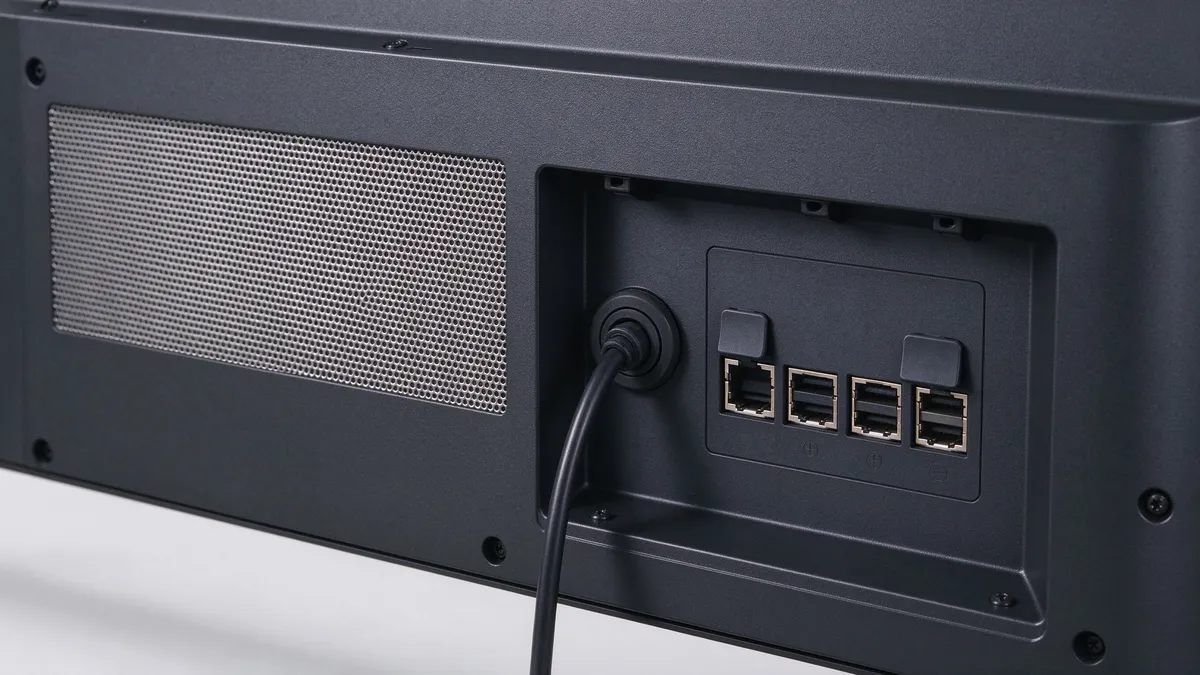
Qtenboard's tempered glass interactive flat panel range applies these four filtration principles to keep dust and insects out of the cooling path:
Infrared touch panels detect touch by interrupting light beams across the screen surface, using emitters and receivers around the bezel. A film of dust or a drop of moisture on those components can weaken the beam, which shows up as dead zones, jumping cursors or phantom touches. Practical countermeasures:
For how touch performance interacts with other hardware choices, our guide to interactive whiteboard screen mirroring failures explains why hardware specifications, not user error, drive most connectivity and responsiveness problems.
| 任務 | Suggested frequency | Who | 備註 |
|---|---|---|---|
| Wipe screen and bezel edge | 每周 | Teacher or school staff | Dry or lightly damp microfibre; power off first |
| Brush or vacuum vents (panel off) | 每月 | School IT assistant | Soft brush; never blow dust into the enclosure |
| Wash or replace filters | Quarterly, or monthly in haze season | School IT assistant | Dry fully before refitting |
| Check cables, earth connection and surge indicator | Each term | Technician | Tighten loose connectors; replace tripped protection |
| Internal inspection and thermal check | Annually | Authorised technician | Look for corrosion, insect residue and capacitor bulging |
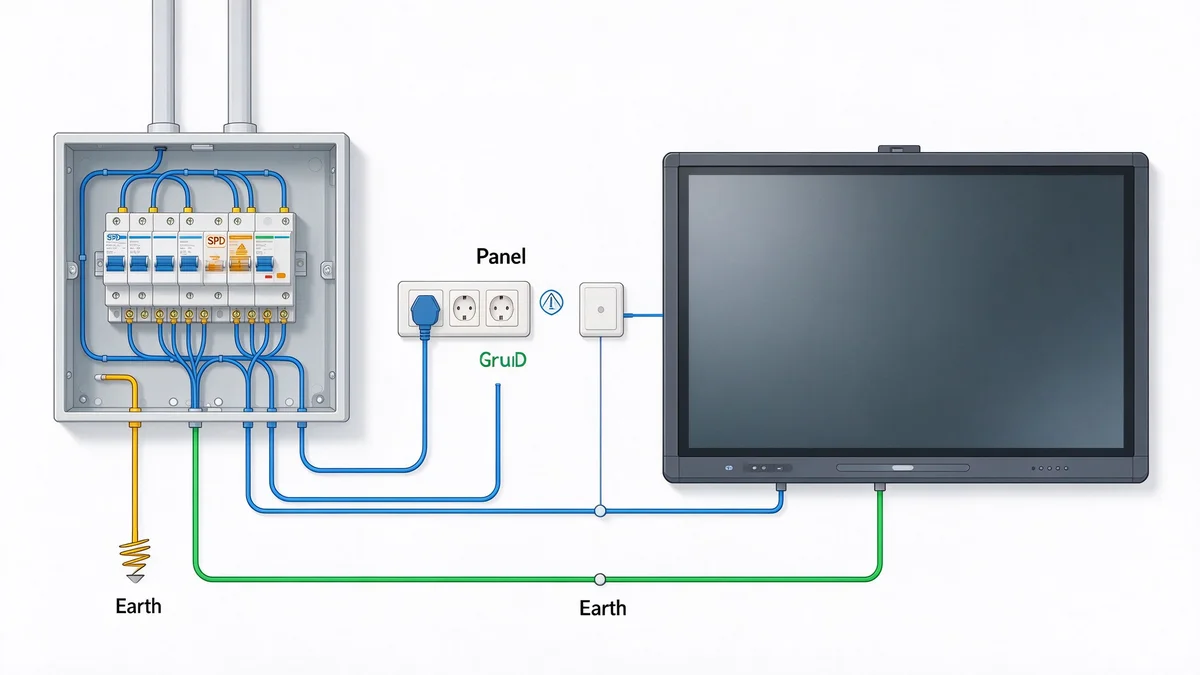
Surge protection works as a chain of three layers — the building, the outlet and the panel — and a panel with excellent internal protection is still at risk if the building has no proper earth or surge protective device.
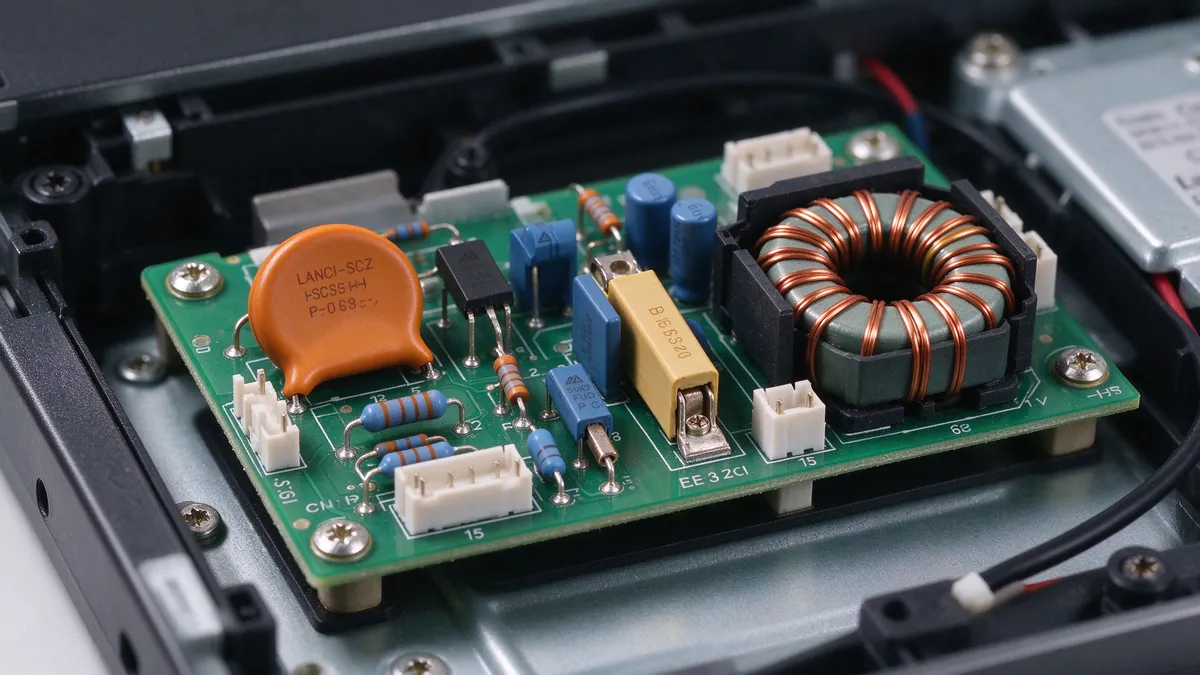
Qtenboard equips every school panel with three layers of input and port protection so that the storms common across Southeast Asia do not reach the mainboard. Here are the threats the design has to absorb:
A properly installed earth connection and a surge protective device at the distribution board are the foundation. They divert the bulk of a surge energy to ground before it reaches any classroom. This layer is the school's or installer's responsibility and should be verified by a qualified electrician, including a measurement of earth resistance.
A quality surge-protected power strip handles smaller transients. An automatic voltage regulator or UPS smooths brownouts and gives the panel time to shut down cleanly in a blackout. Size any UPS from the panel's rated maximum power, plus the OPS module if fitted, with a margin; read the figures from the specification sheet rather than assuming.
Inside the panel, the power input should include protection components such as varistors, transient suppressors, fuses and inrush limiters. A wide input range helps tolerate fluctuating mains; the QM-75HY specification lists AC 100–240 V at 50–60 Hz. On the data side, ask whether RJ45, HDMI and USB ports have surge and ESD protection, especially if cables run between buildings. Our school range specifications list surge protection against voltage fluctuation in developing power grids as a standard feature of the construction.
| Layer | Where it sits | Protects against | Typically provided by |
|---|---|---|---|
| 1 — Building | Distribution board and earth electrode | Large surge energy, ground potential rise | School or electrical contractor |
| 2 — Outlet | Wall outlet or rack | Smaller transients, brownouts, blackouts | School IT or integrator |
| 3 — Panel | Power module and data ports | Residual surges, ESD, voltage fluctuation | Panel manufacturer |
Surge and interference immunity are measured by a family of EMC test standards. You do not need to be an engineer to ask for the evidence. Useful references:
Then ask three plain questions: Can we see the test report for this exact model? Do the tests apply to the power input only, or also to the data ports? Does the warranty cover surge damage, and what do we need to install to keep that cover valid? A vendor who can answer these clearly has probably done the work.
Marketing says "built for tropical climates"; evidence says which tests the panel passed, at what level and under whose supervision — and a short pilot in your own worst classrooms is the final, cheapest proof.
The six checks below are the ones Qtenboard runs on our interactive whiteboard factory lines — ask any vendor for the same evidence.
| Test | What it simulates | What to ask for |
|---|---|---|
| High-temperature operation | Hot afternoon, full-brightness use | Chamber or room soak at your target ambient, with temperature log and pass criteria |
| Damp heat (steady-state and cyclic) | Rainy season, day-night humidity swings | Test method reference such as IEC 60068-2-78 or IEC 60068-2-30, with duration and results |
| Surge immunity | Lightning-induced and switching transients | IEC 61000-4-5 test level and report for the model |
| ESD and fast transient | Static discharge, switching noise | IEC 61000-4-2 and 61000-4-4 levels |
| Dust ingress (only if an IP claim is made) | Dusty corridor | IEC 60529 test report matching the exact rating claimed |
| Continuous aging | Long duty cycle, early-life defects | Aging hours per unit and the pass rate |
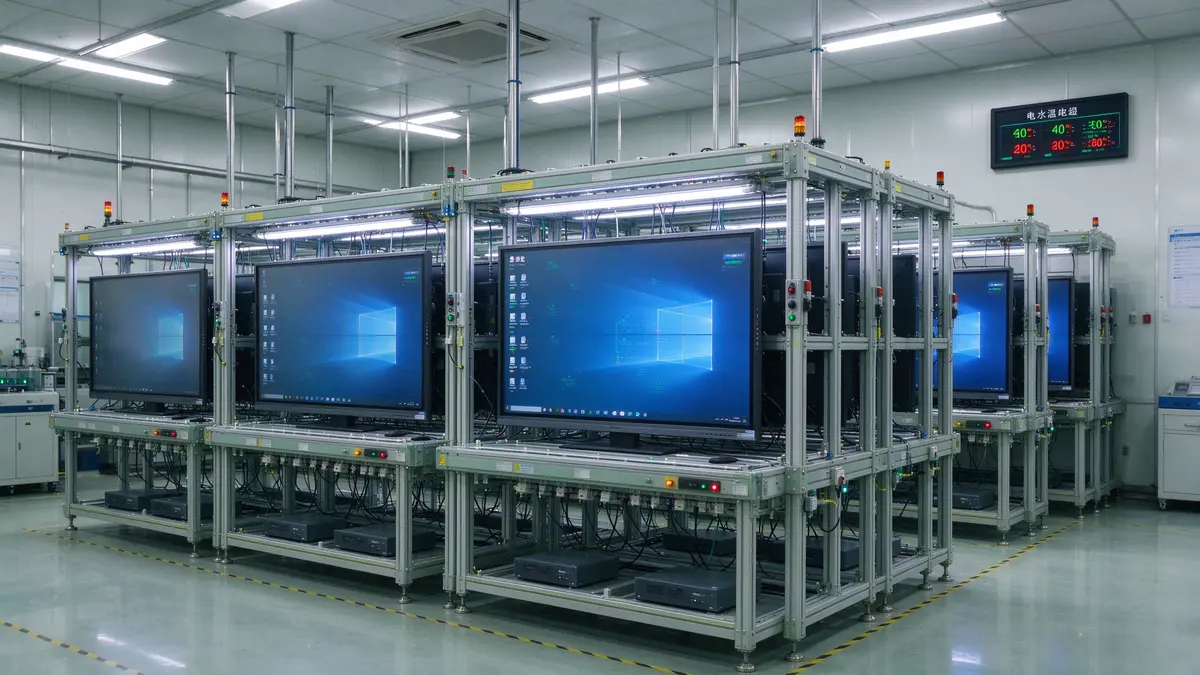
Test claims are more credible when you can see the process. At Qtenboard's production base every unit goes through structural strength, touch accuracy, acoustic and reliability aging tests before shipping, with a dedicated aging laboratory and dust-free bonding workshops. Production runs across a 330,000 m² industrial park with automated assembly lines, and daily capacity is approximately 200 units. You can see the process in our interactive whiteboard factory and product videos, and you are welcome to request an audit as part of a bulk project.
Qtenboard sample orders start from a single unit and can typically be dispatched within three working days, which makes a pilot practical for most projects. For broader procurement criteria, see our 2026 school interactive whiteboard procurement guide and the B2B buyer's guide to choosing an interactive whiteboard.
The four tropical stressors do not weigh equally in every school — urban air-conditioned rooms worry most about condensation, open-corridor schools about heat and dust, and coastal or island schools about corrosion and power quality. Qtenboard recommends a different protection priority for each of the four school types below.
Ambient temperature is controlled for part of the day, so the principal risk is the cycling: cool during lessons, hot and humid overnight when air-conditioning stops. Prioritise:
See our configurations for Singapore schools 和 Malaysia schools.
Naturally ventilated rooms, high daytime temperatures, wind-blown dust and heavy rain. Prioritise:
Region-specific options include the interactive flat panel for Thailand schools,那 75-inch interactive whiteboard for Vietnam schools and the interactive whiteboard for Indonesia schools.
Salt-laden air accelerates corrosion on connectors, screws and shielding, and island grids are often generator-fed or weak. Prioritise:
Specialist rooms bring their own conditions: sticky fingers and spills in kindergartens, workshop dust and heat in vocational labs, multi-room networks in training centres. Prioritise easy-clean surfaces, sealed gaps and remote monitoring. Relevant ranges include the interactive whiteboard for kindergarten,那 interactive flat panel for vocational STEM labs and the interactive whiteboard for training centres.
A climate-related failure costs more than the repair — it costs lesson time, teacher trust and logistics — so the cheapest panel at purchase can be the most expensive across its life.
A tropical-ready Qtenboard panel costs a little more to build in — and can save a school a great deal more over its life. The real cost of a climate failure has four parts:
The numbers below are illustrative only, to show the shape of the calculation. Replace them with your own.
| Variable | Illustrative value | Result |
|---|---|---|
| Panels deployed | 200 | — |
| Annual climate-related failure rate | 4% | 8 panels fail per year |
| Average time out of service | 10 teaching days | 80 panel-days lost |
| Lesson periods per day using the panel | 6 | 480 lesson periods lost per year |
If a more robust specification halves the failure rate, it saves 240 lesson periods a year in this example, before counting repair costs. Multiplied over a five-year panel life, the saving is a persuasive argument for paying for coating, filtration and surge protection up front.
A tropical-ready tender states the environment, names the protections and asks for evidence — and OEM/ODM manufacturing lets a distributor or system integrator build those requirements into its own branded product.
Use this checklist to specify any tropical-ready panel — it is the same requirement list Qtenboard builds to for our own school range. Copy it straight into a tender or purchase order.
| 參數 | Standard reference value | Tropical project requirement to specify |
|---|---|---|
| Operating temperature and humidity | 0–40°C, 20–85% humidity (QM-75HY spec sheet) | State your maximum ambient and humidity; ask the vendor to confirm test evidence at those values |
| Brightness options | 350 / 400 / 450 cd/m² | Choose the lowest brightness that meets classroom needs to limit heat |
| Cooling architecture | Model-dependent | Passive, active or hybrid, with the justification for your dust and heat profile |
| Circuit-board protection | Model-dependent | Conformal coating on mainboard and power board |
| Vent and port protection | Model-dependent | Insect-proof mesh, washable filter if fan-cooled, sealed cable entries, port covers |
| Power input | AC 100–240 V, 50–60 Hz; standby ≤ 0.5 W | Surge and ESD test levels per IEC 61000-4-5, -4-4 and -4-2, with reports |
| Display stack | Zero-gap bonding, tempered glass front | Confirm no air cavity between glass and LCD |
| 遠程管理 | DMS remote management available | Request temperature and fault reporting for fleet monitoring |
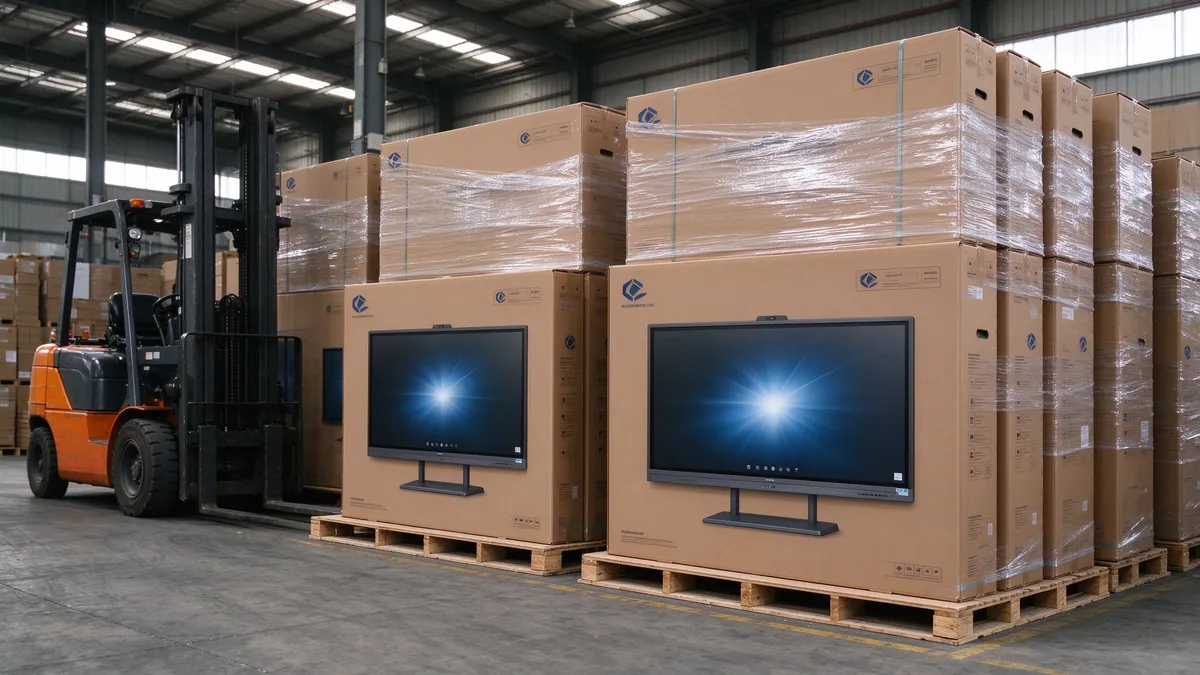
| Packaging for sea freight | Standard export packaging | Moisture-barrier bags and desiccant to protect units in humid containers |
| Warranty and spares | Per quotation | Warranty wording that covers surge and climate faults; local spare-parts stock |
Distributors and system integrators in Southeast Asia often want the panel to carry their own brand and match local school requirements. Qtenboard supports full-chain OEM, structural ODM and CKD/SKD disassembly export. You can read the details in our guides to OEM interactive flat panel manufacturing 和 ODM interactive flat panel manufacturing. For projects that benefit from local assembly and lower import duties, our CKD/SKD assembly SOP explains compliance, capacity and spare-parts planning.
Customisation scope typically includes UI, logo, packaging, language system, pre-installed applications and software for local schools. The system layer matters too: the platform decision between Google EDLA and other Android options affects app access, device management and regional compliance, covered in EDLA vs AOSP vs Windows dual-OS, and our Android 16 interactive flat panel for Southeast Asia schools shows a proven deployment configuration.
Ten questions come up repeatedly from procurement teams and integrators in Southeast Asia — answered below with practical guidance.
Not a different category, but a different specification. The core features are the same; the difference lies in cooling design, circuit-board coating, sealing, filtering and surge protection. A standard panel may work for a year and then fail early, which is why a pilot and test evidence matter.
Start from your measured conditions: the maximum afternoon room temperature and the peak rainy-season humidity. Our QM-75HY specification lists 0–40°C and 20–85% humidity. If your rooms exceed that on a regular basis, tell us and we will confirm what can be validated for your project.
Neither is universally better. Fanless designs avoid moving parts and filters but have less headroom in very hot rooms. Fan-cooled designs have more capacity but need filters and cleaning. A hybrid design is often the best compromise. See Part 2 for the comparison.
Partly. Warmth during use helps keep surfaces above the dew point, but the risk is greatest when the panel sits unused and cool overnight and then meets warm, humid air. Good coating and sealing are the real protection; daily use is only a small help.
Usually not. Classroom interactive panels are normally not IP-rated, and a heavy dust-and-water enclosure would make cooling difficult. If a vendor claims an IP rating, ask for the test report for the exact model and check which part of the panel it covers.
Use all three layers: a proper earth and surge protective device in the building, a protected outlet or UPS at the panel, and input and port protection inside the panel. For cables between buildings, consider isolation or fibre. No panel can substitute for a good building earth.
Wipe the screen and bezel weekly, brush the vents monthly, clean filters quarterly (monthly during haze season), and arrange an annual technician inspection. Adjust the schedule to the dust level of each school. See the table in Part 4.
Yes. A Windows OPS module adds its own processor and power draw inside the same enclosure. Specify the OPS model, test with it installed and confirm the slot airflow. Our interactive flat panel with OPS PC module page lists the available configurations.
Yes. We support OEM, ODM and CKD/SKD projects, including customised cooling, coating, vent protection, port layout and software. Samples start from a single unit; OEM minimum quantities depend on size and configuration, so send your target sizes and rollout volume and we will confirm the MOQ and pricing tier.
我們的 successful cases page shows deployments in the region, and our interactive whiteboard education solutions explain how panels, software and service are packaged for schools.
The best interactive display board for tropical classrooms is not the one with the longest feature list — it is the one that keeps working in a 34°C room in the middle of the rainy season, after a thunderstorm, in front of a class of forty.
Heat dissipation, moisture protection, dust control and surge defence are not optional extras for schools in Southeast Asia. They are the specification. A Qtenboard durable interactive flat panel is the product of cooling design, coated electronics, a sealed display stack, filtered vents and robust power input, all supported by test evidence and a manufacturer who is prepared to be audited. Buyers who ask for that evidence, run a short rainy-season pilot and write the environment into the tender avoid most of the early failures that damage digital-classroom programmes.
If you are planning a school rollout, a distributor programme or an OEM/ODM project, our team can review your classroom conditions and recommend a tropical-ready configuration. For the surface and glare side of the specification, read our anti-glare interactive whiteboard with tempered glass panel page, which complements this guide.
Tell us your school type, target sizes and rollout volume. Our team will respond with a Qtenboard configuration, lead time and sample plan.
Contact Us|联系我们 Quote via WhatsApp Download CatalogueQTENBOARD · TROPICAL-READY INTERACTIVE FLAT PANELS
Ready to Build a Durable Classroom? Contact Us.
Tell us your school type, panel sizes and rollout volume — our team will reply with a Qtenboard configuration, lead time and sample plan.
Contact Qtenboard | 联系我们 Download Catalogue WhatsApp
 CHT
 EN
 MAY
 TH
 SIN
 BUR
 VIE
 ID
 FIL
 LAO
 HKM
